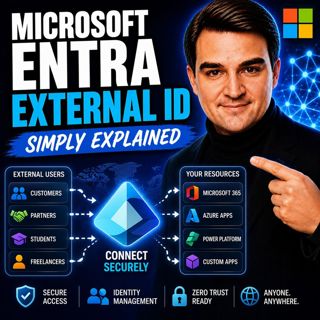
Microsoft Entra External ID - Simply Explained

Microsoft Entra External ID - Simply Explained

Welcome to another episode of Knowledge Nuggets with Mirko Peters. In this episode, we're exploring Microsoft Entra External ID, Microsoft's modern Customer Identity and Access Management (CIAM) platform and the successor to Azure AD B2C. Whether you're building a customer portal, partner application, SaaS platform, or mobile app, every external user needs a secure and seamless way to sign up, sign in, and access your services. Microsoft Entra External ID provides exactly that while keeping customer identities separate from employee accounts and supporting modern authentication standards, social logins, and enterprise-grade security.

WHY EXTERNAL ID EXISTS
Managing customer identities has always been challenging. Organizations once built their own authentication systems, storing usernames and passwords, implementing password reset functionality, multi-factor authentication, and account management themselves. As applications grew, maintaining these systems became increasingly complex. Azure AD B2C helped solve many of these problems but introduced new challenges of its own. Administrators often struggled with complex XML-based custom policies, difficult troubleshooting, and a separate management experience from Microsoft Entra ID. Microsoft Entra External ID replaces Azure AD B2C with a more unified and simplified platform that removes much of this complexity while introducing a modern developer experience and improved administration.

WHAT IS MICROSOFT ENTRA EXTERNAL ID?
Microsoft Entra External ID is Microsoft's cloud identity platform for external users. Unlike Microsoft Entra ID, which manages employee identities inside an organization, External ID is designed specifically for customers, partners, guests, suppliers, contractors, and external applications. It provides the complete identity lifecycle, including:
  • User registration
  • Secure sign-in
  • Password reset
  • Profile management
  • Multi-factor authentication
  • Token issuance
  • Social identity providers
The platform supports modern authentication standards including OAuth 2.0, OpenID Connect, and SAML, allowing developers to integrate almost any modern web, mobile, or enterprise application.

THE THREE PRIMARY USE CASES
Microsoft Entra External ID supports three major identity scenarios. Customer Identity (CIAM) The most common scenario is customer authentication for public-facing applications. Organizations can build branded sign-up and sign-in experiences while allowing customers to authenticate using providers such as Google, Facebook, or Apple. External ID issues secure tokens that applications use to identify authenticated users. This is the direct replacement for Azure AD B2C. Business-to-Business Collaboration (B2B) Organizations frequently need to give partners, suppliers, consultants, or vendors access to internal applications. External ID manages guest invitations, onboarding, account redemption, and access policies while keeping external collaboration under centralized identity management. Machine-to-Machine Authentication Applications often need to communicate securely without human interaction. External ID supports OAuth 2.0 client credentials, enabling APIs and backend services to authenticate securely when communicating with payment systems, microservices, analytics platforms, or other enterprise APIs. This scenario requires the Machine-to-Machine Premium capability.

WORKFORCE TENANT VS EXTERNAL TENANT
One of the most important architectural decisions is determining where external identities should be stored. A Workforce Tenant stores guest users alongside employee identities. This works well for B2B collaboration where only a limited number of external users require access to internal resources such as SharePoint, Teams, or Microsoft 365 applications. An External Tenant creates a completely separate identity directory dedicated to customer accounts. Using an External Tenant offers several advantages:
  • Complete separation of customer and employee identities
  • Independent branding and user experience
  • Reduced security risk
  • Better compliance boundaries
  • Native authentication APIs for mobile applications
  • Monthly Active User (MAU) licensing model
For customer-facing applications with thousands or millions of users, Microsoft recommends using an External Tenant rather than storing customers inside the workforce directory.

SECURITY FEATURES
Microsoft Entra External ID inherits many of the enterprise security capabilities available throughout the Microsoft Entra platform. Organizations can enable:
  • Multi-factor authentication
  • Email or SMS one-time passcodes
  • Conditional Access policies
  • Risk-based authentication
  • Step-up authentication
  • Authentication contexts
Step-up authentication is particularly useful because applications can require additional verification only when users attempt sensitive operations such as viewing invoices, downloading confidential documents, or modifying payment information. This creates a balance between user convenience and strong security without forcing MFA during every sign-in.

BRANDING AND USER EXPERIENCE
External ID allows organizations to customize their customer authentication experience. Administrators can configure:
  • Company logos
  • Brand colors
  • Background images
  • Headers and footers
  • Privacy and legal links
  • Custom CSS styling
For mobile applications, the Native Authentication API provides an even smoother experience by allowing developers to build fully integrated login screens without browser redirects. Current limitations include tenant-wide branding rather than per-application branding, limited customization of built-in error messages, and some user profile management capabilities that still require custom development.

MIGRATING FROM AZURE AD B2C
Microsoft has announced Microsoft Entra External ID as the future of customer identity. Azure AD B2C remains supported until at least 2030, but new identity innovations—including passkeys, native authentication improvements, and fraud protection—are being developed exclusively for External ID. Migration strategies depend on tenant size. Smaller environments can perform a standard migration by creating a new External ID tenant, migrating users, and moving applications. Large organizations can use High Scale Compatibility (HSC) mode, allowing Azure AD B2C and External ID to operate together during a phased migration. One significant change is that Azure AD B2C's XML-based custom policies are not directly transferable. Organizations instead rebuild advanced authentication scenarios using User Flows and Custom Authentication Extensions.

DEVELOPER EXPERIENCE
Microsoft significantly improved the developer experience compared to Azure AD B2C. Developers can use:
  • Visual Studio Code integration
  • Microsoft Graph API automation
  • PowerShell scripting
  • REST APIs
  • Custom Authentication Extensions
  • Azure Functions
Authentication events can trigger custom backend logic for validating attributes, enriching tokens with custom claims, integrating external systems, or customizing verification workflows. This modern extension model replaces the complex XML configuration previously required in Azure AD B2C, making advanced authentication much easier to maintain and automate.

Become a supporter of this podcast: https://www.spreaker.com/podcast/m365-fm-modern-work-security-and-productivity-with-microsoft-365--6704921/support.

Denne episoden er hentet fra en åpen RSS-feed og er ikke publisert av Podme. Den kan derfor inneholde annonser.

Episoder(814)

From AI Hype to AI Harness Engineering – Building AI That People Can Actually Trust with Alan Buscaglia [MVP] from Gentleman Programming

From AI Hype to AI Harness Engineering – Building AI That People Can Actually Trust with Alan Buscaglia [MVP] from Gentleman Programming

Artificial Intelligence is evolving rapidly, but building AI that organizations can actually trust requires far more than choosing the latest language model. In this episode of the M365.fm podcast, Mi...

20 Jul 0s
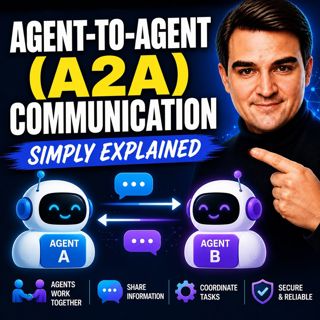
Agent-to-Agent (A2A) Communication - Simply Explained

Agent-to-Agent (A2A) Communication - Simply Explained

Welcome to another episode of Knowledge Nuggets with Mirko Peters. In this episode, we're exploring Agent-to-Agent (A2A) Communication, the open protocol that allows AI agents to discover one another,...

20 Jul 18min

Microsoft Graph Connectors - Simply Explained

Microsoft Graph Connectors - Simply Explained

Welcome to another episode of Knowledge Nuggets with Mirko Peters. In this episode, we're exploring Microsoft Graph Connectors, now increasingly referred to as Microsoft Copilot Connectors. While Micr...

20 Jul 15min
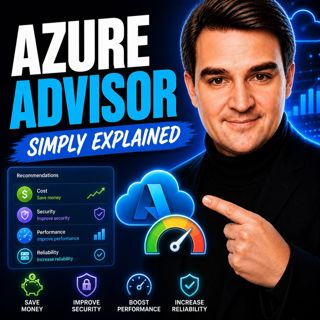
Azure Advisor - Simply Explained

Azure Advisor - Simply Explained

Welcome to another episode of Knowledge Nuggets with Mirko Peters. In this episode, we're exploring Azure Advisor, Microsoft's free optimization service that continuously analyzes your Azure environme...

20 Jul 15min

Azure Cost Management - Simply Explained

Azure Cost Management - Simply Explained

Welcome to another episode of Knowledge Nuggets with Mirko Peters. In this episode, we're exploring Azure Cost Management, Microsoft's built-in solution for monitoring, analyzing, controlling, and opt...

20 Jul 18min

Azure Automation - Simply Explained

Azure Automation - Simply Explained

Welcome to another episode of Knowledge Nuggets with Mirko Peters. In this episode, we're exploring Azure Automation, Microsoft's cloud service for automating repetitive IT tasks across Azure and hybr...

20 Jul 15min
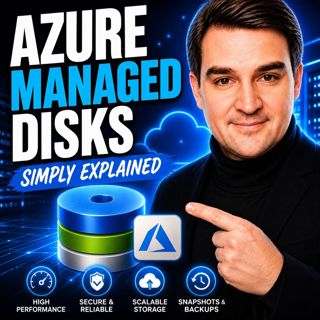
Azure Managed Disks - Simply Explained

Azure Managed Disks - Simply Explained

Welcome to another episode of Knowledge Nuggets with Mirko Peters. In this episode, we're exploring Azure Managed Disks, the storage technology that powers every Azure Virtual Machine. While many peop...

20 Jul 15min

Populært innen Politikk og nyheter

giver-og-gjengen-vg
aftenpodden
aftenpodden-usa
fotballpodden-2
forklart
stopp-verden
popradet
rss-gukild-johaug
det-store-bildet
hanna-de-heldige
aftenbla-bla
rss-ness
dine-penger-pengeradet
nokon-ma-ga
bt-dokumentar-2
unitedno
e24-podden
lydartikler-fra-aftenposten
oppdatert
rss-borsmorgen-okonominyhetene