Data Pipelines in Microsoft Fabric: How Managed Identities, Key Vault and RBAC Close the Gaps Your Defaults Leave Open

Data Pipelines in Microsoft Fabric: How Managed Identities, Key Vault and RBAC Close the Gaps Your Defaults Leave Open

Most Fabric pipelines look secure on the surface—permissions set, workspaces locked down, secrets “somewhere safe”—until an audit forces you to trace where data actually flows and who can see it. In this episode, we start from that uncomfortable moment and walk through the real security gaps most teams miss: misconfigured workspaces quietly exposing sensitive outputs, hardcoded secrets hiding in notebooks, and over‑privileged service accounts that nobody remembers owning.

We unpack why the biggest risk in many Microsoft 365‑driven organizations isn’t an external attacker but trusted users with more access than they should have. You’ll hear how inherited permissions, “temporary” workspace access, and stale service principals combine into silent oversharing—where analysts can browse raw ETL results or full tables they were never meant to touch. Using real‑world patterns from your description, we show how these issues stay invisible until a compliance review or incident forces everyone to look.

From there, we dig into how managed identities, Azure Key Vault, and role‑based access control (RBAC) actually fix these problems when used deliberately. We walk through replacing hardcoded connection strings with managed identities, centralizing secrets in Key Vault instead of notebooks and OneNote, and scoping RBAC so each pipeline and identity gets only the specific permissions it needs. The goal is simple: kill password sprawl, shrink your blast radius, and make it obvious who can reach which data at every hop in the pipeline


By the end, “secure Fabric pipeline” stops meaning “it runs without errors” and starts meaning “we can prove who has access, where secrets live, and how far a compromise could go.” You’ll walk away with a practical mental model for securing data pipelines in Microsoft Fabric: managed identities instead of passwords, Key Vault instead of scattered secrets, and RBAC instead of broad, default access that turns your tenant into Swiss cheese.

WHAT YOU LEARN
  • Why Fabric pipelines often feel secure but still leak sensitive data through default workspace permissions.
  • How oversharing, stale accounts, and inherited roles create silent internal risk across your data workflows.
  • How managed identities remove hardcoded passwords from notebooks, scripts, and pipeline configurations.
  • How Azure Key Vault centralizes secrets so you stop chasing connection strings across files and notes.
  • How to use RBAC to give each pipeline and identity only the access it actually needs—nothing more.
CORE INSIGHT

The core insight of this episode is that securing Fabric data pipelines is less about chasing hackers and more about fixing everyday access and secret‑handling habits. When you replace passwords with managed identities, move secrets into Key Vault, and design RBAC around least privilege, your pipelines stop relying on luck and undocumented settings—and start operating inside a security model you can explain to auditors without sweating.

WHO THIS IS FOR
  • Data engineers and Fabric admins responsible for pipelines that move sensitive business data.
  • Security and compliance teams who need real visibility into where data flows and which identities can touch it.
  • Architects designing Microsoft Fabric and Microsoft 365 environments that must pass serious audits.
  • IT leaders who worry more about internal oversharing and misconfigurations than dramatic zero‑day exploits.
ABOUT THE HOST

Mirko Peters is a Microsoft 365 consultant and podcast host who helps organizations turn messy, fast‑built data workflows into secure, governed systems. He works with IT, security, and data teams to design context‑driven architectures on Microsoft 365, Fabric, and Azure where pipelines, permissions, and secrets are managed deliberately—not left to defaults. In M365.FM, Mirko turns long nights of tracing access, hunting hardcoded passwords, and fixing oversharing into practical stories and patterns listeners can apply in their own tenants.

Become a supporter of this podcast: https://www.spreaker.com/podcast/m365-fm-modern-work-security-and-productivity-with-microsoft-365--6704921/support.

Denne episoden er hentet fra en åpen RSS-feed og er ikke publisert av Podme. Den kan derfor inneholde annonser.

Episoder(714)

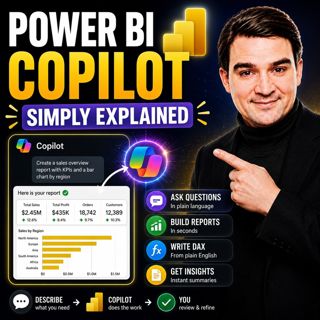
Power BI Copilot - Simply Explained

Power BI Copilot - Simply Explained

Power BI Copilot brings generative AI directly into Microsoft's business intelligence platform, helping users build reports, write DAX formulas, analyze data, and generate insights using natural langu...

13 Jul 11min
Microsoft Security Copilot - Simply Explained

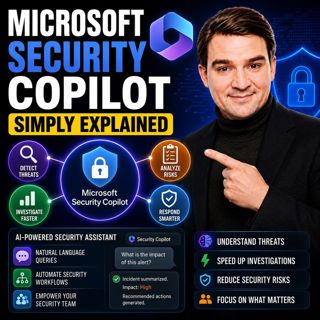
Microsoft Security Copilot - Simply Explained

Security teams face a common challenge: thousands of security alerts, limited staff, and not enough time to investigate every incident. Most alerts turn out to be harmless, but hidden among them can b...

12 Jul 13min
Copilot in Business Central - Simply Explained

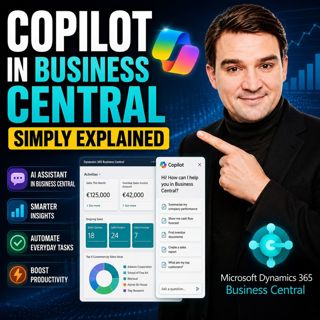
Copilot in Business Central - Simply Explained

Microsoft Copilot is becoming a core part of Dynamics 365 Business Central, transforming it from a traditional ERP system into an AI-powered business assistant. Instead of switching between applicatio...

12 Jul 11min
Copilot Cowork - Simply Explained

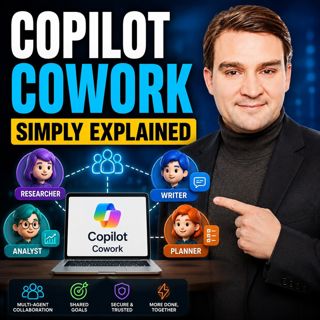
Copilot Cowork - Simply Explained

Microsoft Copilot changed how we interact with AI by helping us summarize emails, draft documents, and answer questions. But there's still one major problem: you're responsible for connecting everythi...

12 Jul 13min
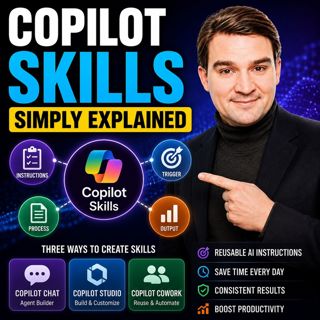
Copilot Skills - Simply Explained

Copilot Skills - Simply Explained

Copilot Skills are one of Microsoft's most important AI building blocks, yet they're also one of the most misunderstood. Depending on which Microsoft product you're using, the same concept appears und...

12 Jul 13min

Microsoft Scout - Simply Explained

Microsoft Scout - Simply Explained

Microsoft has introduced a growing family of AI assistants, and Microsoft Scout represents the next major step in that evolution. While Copilot helps when you ask questions and Cowork executes multi-s...

12 Jul 16min

Compliance as Code: The Architect’s Blueprint for Automated Trust

Compliance as Code: The Architect’s Blueprint for Automated Trust

Compliance has traditionally been treated as documentation. Policies live in PDFs, access reviews sit in spreadsheets, and governance depends on people remembering to follow processes. But cloud envir...

12 Jul 1h 13min

Power Apps Code Apps - Simply Explained

Power Apps Code Apps - Simply Explained

Power Apps has traditionally been known for its low-code, drag-and-drop experience, allowing business users and citizen developers to build applications quickly using Power Fx. But Microsoft is introd...

12 Jul 14min

Populært innen Politikk og nyheter

giver-og-gjengen-vg
aftenpodden-usa
aftenpodden
fotballpodden-2
forklart
popradet
stopp-verden
det-store-bildet
rss-gukild-johaug
hanna-de-heldige
rss-ness
nokon-ma-ga
dine-penger-pengeradet
aftenbla-bla
lydartikler-fra-aftenposten
rss-penger-polser-og-politikk
rss-utenrikskomiteen-med-bogen-og-grasvik
ta-dokumentar
e24-podden
rss-espen-lee-usensurert