Data Loss Prevention (DLP) Policies for Power Platform Developers: How Connector Classifications Decide Whether Your Flows Run or Break

Data Loss Prevention (DLP) Policies for Power Platform Developers: How Connector Classifications Decide Whether Your Flows Run or Break

Data Loss Prevention policies in Power Platform don’t just randomly break your flows—they enforce invisible rules about which connectors are allowed to talk to each other and which aren’t. In this episode, we take the long, painful DLP error story from your current description and turn it into a clear map: how connector classifications work, why policies suddenly block flows that used to run, and what really happens when a custom connector quietly disappears from your editor. Starting from those “DLP violation” nights where you’re staring at run history with no useful clues, we explain how business, non‑business, and blocked groups actually shape what you can ship.

We then zoom into the part most developers never see until it’s too late: the Power Platform admin view. You’ll learn how every connector—built‑in or custom—gets dropped into a DLP bucket, and how a single classification choice can make or break your automation. With real‑world examples straight from your text, we show why a custom connector that worked perfectly in dev suddenly vanishes in production flows once a policy marks it as non‑business and you combine it with a business connector like SQL or Outlook. The result is a practical mental model for reading DLP behavior as a designed boundary, not a random stop sign.

From there, we tackle the hardest part: making DLP part of your build strategy instead of an after‑the‑fact surprise. We talk about how to involve admins early, how to design flows and connector choices that align with existing policies, and how to spot risk patterns—like mixing consumer and business services—before they blow up late in the project. You’ll hear how treating DLP as guardrails, not punishment, lets you build solutions that are more likely to still work after the next policy change or security review.

Finally, we connect DLP and custom connectors into one story. We walk through how to propose new connector classifications, how to document why a connector belongs in the business group, and how to avoid surprise blocks when security tightens the rules. By the end, DLP moves from a mysterious blocker in your run history to a tool you can anticipate, negotiate, and design around—so your next Power Platform project spends more time in production and less in policy firefighting.

WHAT YOU LEARN
  • Why DLP policies often break flows at the worst possible time and what those “DLP violation” messages really mean.
  • How connector classifications (business, non‑business, blocked) actually work in the Power Platform admin portal.
  • Why custom connectors behave differently across dev and production and can suddenly disappear from your flow editor.
  • How to design flows and connector choices with DLP in mind so policies become guardrails instead of surprise blockers.
  • How to collaborate with admins to classify connectors correctly and keep critical projects from being shut down by policy changes.
CORE INSIGHT

The core insight of this episode is that DLP policies aren’t random roadblocks—they are the rules of the game. Once you understand how connector groups and policy scopes shape what’s allowed, you can design Power Platform solutions that respect those boundaries from day one instead of discovering them in a failed run at midnight.

WHO THIS IS FOR
  • Power Automate and Power Apps developers who keep running into confusing DLP errors mid‑project.
  • Power Platform admins who need a better way to communicate DLP rules and connector classifications to makers.
  • Architects and team leads planning strategic Power Platform solutions that must survive future policy tightening.
  • Security and compliance teams who want governance that protects data without killing every useful automation.
ABOUT THE HOST

Mirko Peters is a Microsoft 365 consultant and podcast host who helps organizations turn low‑code enthusiasm into production‑ready, governed solutions. He works with IT, security, and business teams to design context‑driven Power Platform and Microsoft 365 architectures where policies like DLP are built into the design instead of discovered in incident reports. In M365.FM, Mirko translates long troubleshooting nights—like chasing DLP errors and missing custom connectors—into practical stories and patterns listeners can apply in their own tenants.


Become a supporter of this podcast: https://www.spreaker.com/podcast/m365-fm-modern-work-security-and-productivity-with-microsoft-365--6704921/support.

Denne episoden er hentet fra en åpen RSS-feed og er ikke publisert av Podme. Den kan derfor inneholde annonser.

Episoder(714)

Power BI Copilot - Simply Explained

Power BI Copilot - Simply Explained

Power BI Copilot brings generative AI directly into Microsoft's business intelligence platform, helping users build reports, write DAX formulas, analyze data, and generate insights using natural langu...

13 Jul 11min
Microsoft Security Copilot - Simply Explained

Microsoft Security Copilot - Simply Explained

Security teams face a common challenge: thousands of security alerts, limited staff, and not enough time to investigate every incident. Most alerts turn out to be harmless, but hidden among them can b...

12 Jul 13min
Copilot in Business Central - Simply Explained

Copilot in Business Central - Simply Explained

Microsoft Copilot is becoming a core part of Dynamics 365 Business Central, transforming it from a traditional ERP system into an AI-powered business assistant. Instead of switching between applicatio...

12 Jul 11min
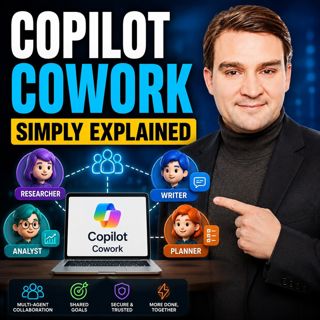
Copilot Cowork - Simply Explained

Copilot Cowork - Simply Explained

Microsoft Copilot changed how we interact with AI by helping us summarize emails, draft documents, and answer questions. But there's still one major problem: you're responsible for connecting everythi...

12 Jul 13min
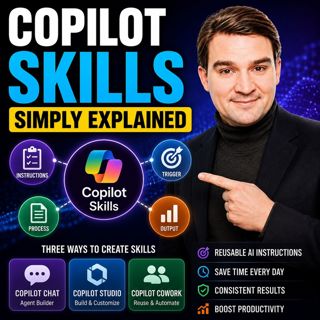
Copilot Skills - Simply Explained

Copilot Skills - Simply Explained

Copilot Skills are one of Microsoft's most important AI building blocks, yet they're also one of the most misunderstood. Depending on which Microsoft product you're using, the same concept appears und...

12 Jul 13min

Microsoft Scout - Simply Explained

Microsoft Scout - Simply Explained

Microsoft has introduced a growing family of AI assistants, and Microsoft Scout represents the next major step in that evolution. While Copilot helps when you ask questions and Cowork executes multi-s...

12 Jul 16min

Compliance as Code: The Architect’s Blueprint for Automated Trust

Compliance as Code: The Architect’s Blueprint for Automated Trust

Compliance has traditionally been treated as documentation. Policies live in PDFs, access reviews sit in spreadsheets, and governance depends on people remembering to follow processes. But cloud envir...

12 Jul 1h 13min
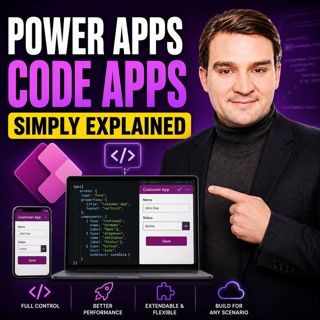
Power Apps Code Apps - Simply Explained

Power Apps Code Apps - Simply Explained

Power Apps has traditionally been known for its low-code, drag-and-drop experience, allowing business users and citizen developers to build applications quickly using Power Fx. But Microsoft is introd...

12 Jul 14min

Populært innen Politikk og nyheter

giver-og-gjengen-vg
aftenpodden-usa
aftenpodden
fotballpodden-2
forklart
popradet
stopp-verden
det-store-bildet
rss-gukild-johaug
hanna-de-heldige
rss-ness
nokon-ma-ga
dine-penger-pengeradet
aftenbla-bla
lydartikler-fra-aftenposten
rss-penger-polser-og-politikk
rss-utenrikskomiteen-med-bogen-og-grasvik
ta-dokumentar
e24-podden
rss-espen-lee-usensurert