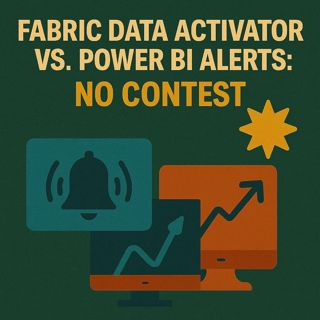
Fabric Data Activator vs Power BI Alerts: How To Escape Dashboard Prison, Kill Script Hacks & Build Real Monitoring

Fabric Data Activator vs Power BI Alerts: How To Escape Dashboard Prison, Kill Script Hacks & Build Real Monitoring

Power BI alerts feel like Clippy in 2025: “It looks like you’re trying to stay informed…” while forcing you to build dashboards you don’t want and card visuals nobody uses. In this episode, we start from that admin reality—alert fatigue, dashboard clutter, card‑only restrictions, and fragile PowerShell workarounds—and walk through why Fabric Data Activator is a fundamentally different model. Instead of pinning single numbers to graveyard dashboards, Data Activator sits directly on top of your Fabric events and datasets, watches the real signals (trends, thresholds, anomalies, schema changes), and triggers actions in the tools you already rely on. If you’re tired of building shrines just to get a simple ping when something important changes, this is the episode that shows you the way out.

THE DASHBOARD PRISON YOU NEVER ASKED FOR

We dig into what makes traditional Power BI alerts so painful: they only work on card visuals pinned to dashboards, which means every “simple” alert forces you to create a dedicated visual and a dashboard tile that exists only to keep the alert alive. Over time, that turns into a graveyard of forgotten dashboards, pinned cards, and mysterious tiles that no one wants to maintain—while still failing to cover real‑world needs like trend breaks, anomalies, or multi‑metric conditions. You’ll hear concrete examples—like needing a basic revenue threshold alert—and how quickly that expands into extra objects, governance sprawl, and confusion when someone opens yet another dashboard and asks, “Why does this even exist?” This is the core problem: the alert system forces you to build structure around its limits, instead of fitting into the way your teams actually work.

THE CARD VISUAL TRAP AND SCRIPT HANGOVER

On top of the dashboard prison, there’s the card visual trap: alerts only listen to flat one‑number tiles, not to the charts, KPIs, and anomaly visuals where the real insight lives. That means you end up fabricating “alert cards” that collapse rich trends into a single static value, just so the system will fire, and then spend months remembering which card powers which notification. When that breaks down, most teams reach for PowerShell and custom scripts: duct‑tape jobs that poll APIs, send emails, and push Teams messages until a schema change, type mismatch, or failed run turns the whole setup into alert storms or silent failures. We talk openly about this script hangover—how “flexibility” becomes unmaintainable glue logic—and why you shouldn’t need a pile of brittle scripts just to know that something important changed in your data.

WHAT DATA ACTIVATOR CHANGES

Data Activator flips the model by watching events and data directly in Fabric instead of clinging to pinned tiles. You define patterns that matter—thresholds, spikes, drops, inactivity, schema drift—on top of your real event streams and tables, then route reactions into Teams, email, Power Automate, or downstream systems without building fake dashboards. Because it’s event‑ and rule‑driven, you can monitor context (like changes over time, combinations of conditions, or specific entities) in a way card alerts simply can’t express. In the episode, we walk through practical scenarios where admins replace dashboard alerts and custom scripts with Data Activator patterns, and how this reduces clutter, improves reliability, and gives you a central place to see what’s being monitored and why. The bottom line: alerts become part of your Fabric architecture, not random artifacts scattered across workspaces.

WHAT YOU’LL LEARN
  • Why Power BI alerts create dashboard and card clutter instead of real monitoring.
  • How card‑only limitations block serious alerting on trends, anomalies, and multi‑metric conditions.
  • Why PowerShell and ad‑hoc scripts feel powerful at first but become fragile, noisy, and hard to govern.
  • How Fabric Data Activator watches real events and datasets directly, without dashboards or fake visuals.
  • How to think about alerting as part of your Fabric architecture instead of a UI side feature.
THE CORE INSIGHT

The core insight of this episode is that traditional Power BI alerts aren’t real automation—they’re static, card‑bound pings that force you to wrap your monitoring around an outdated design. Fabric Data Activator treats alerts as first‑class citizens of your data estate: you define the patterns that matter on top of real events and tables, and let the platform trigger actions without creating shrine dashboards, dummy cards, or a forest of unmaintainable scripts. Once you shift to that model, monitoring stops being busywork and starts behaving like part of your data architecture.

WHO THIS EPISODE IS FOR
  • Power BI and Fabric admins stuck managing alert clutter and script farms.
  • Data engineers and architects who want event‑driven monitoring instead of card‑based hacks.
  • IT and operations teams who actually need to act on threshold breaches, anomalies, and trends—not just receive trivia alerts.
  • Consultants and BI leads looking for a modern alternative to dashboard‑only alerting in Microsoft data stacks.
ABOUT THE AUTHOR / HOST

Mirko Peters is a Microsoft 365 and data platform consultant and host of the M365.FM podcast, helping organizations treat Microsoft 365, Fabric, and Power BI as one integrated operating system instead of a pile of one‑off reports, scripts, and dashboards. He works with teams running on Microsoft 365, Azure, and Fabric to design architectures, monitoring, and governance that replace brittle alerting and scripting with event‑driven, manageable patterns.

Become a supporter of this podcast: https://www.spreaker.com/podcast/m365-fm-modern-work-security-and-productivity-with-microsoft-365--6704921/support.

Denne episoden er hentet fra en åpen RSS-feed og er ikke publisert av Podme. Den kan derfor inneholde annonser.

Episoder(786)

Azure Backup - Simply Explained

Azure Backup - Simply Explained

Azure Backup is Microsoft's fully managed cloud backup service that protects your virtual machines, databases, file shares, disks, and even on-premises servers without requiring backup servers, tapes,...

17 Jul 16min
Azure NetApp Files - Simply Explained

Azure NetApp Files - Simply Explained

Azure NetApp Files (ANF) is Microsoft's enterprise-grade, ultra-high-performance file storage service built directly into Azure. Powered by NetApp's industry-leading storage technology, ANF delivers s...

17 Jul 15min

AI, Power Platform & Developer Experience: The Next Frontier with Reza Niroomand [MVP]

AI, Power Platform & Developer Experience: The Next Frontier with Reza Niroomand [MVP]

Artificial intelligence is transforming software development faster than ever before. Low-code platforms are becoming more powerful, professional developers are embracing AI-assisted coding, and enter...

17 Jul 1h
Azure Files - Simply Explained

Azure Files - Simply Explained

Azure Files is Microsoft's fully managed cloud file sharing service that allows you to create secure, scalable file shares without maintaining a traditional file server. Instead of purchasing hardware...

17 Jul 15min
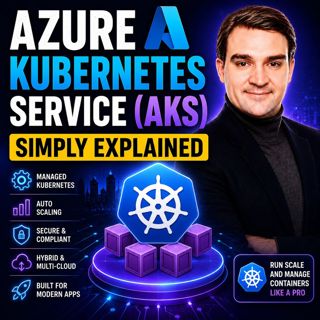
Azure Kubernetes Service (AKS) - Simply Explained

Azure Kubernetes Service (AKS) - Simply Explained

Azure Kubernetes Service (AKS) is Microsoft's fully managed Kubernetes platform that makes it easier to deploy, manage, and scale containerized applications in Azure. Instead of building and maintaini...

17 Jul 18min

Azure Container Apps - Simply Explained

Azure Container Apps - Simply Explained

Azure Container Apps make it possible to run modern containerized applications without the operational complexity of managing Kubernetes clusters. Instead of worrying about virtual machines, node pool...

17 Jul 15min
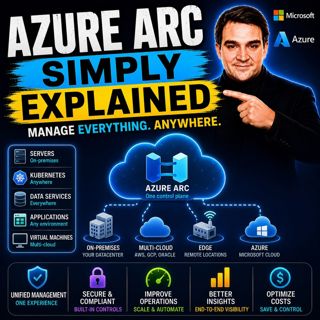
Azure Arc - Simply Explained

Azure Arc - Simply Explained

Modern IT environments rarely exist in a single cloud. Most organizations run Windows and Linux servers across on-premises data centers, Microsoft Azure, Amazon Web Services (AWS), Google Cloud Platfo...

17 Jul 17min
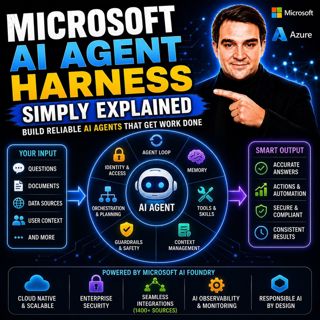
Microsoft AI Agent Harness - Simply Explained

Microsoft AI Agent Harness - Simply Explained

Writing the perfect AI prompt used to be the goal of every AI developer. But as businesses began asking AI to perform increasingly complex tasks—analyzing code, researching topics, coordinating workfl...

17 Jul 16min

Populært innen Politikk og nyheter

giver-og-gjengen-vg
aftenpodden-usa
fotballpodden-2
aftenpodden
forklart
stopp-verden
popradet
det-store-bildet
rss-gukild-johaug
hanna-de-heldige
rss-ness
aftenbla-bla
nokon-ma-ga
dine-penger-pengeradet
rss-penger-polser-og-politikk
lydartikler-fra-aftenposten
rss-utenrikskomiteen-med-bogen-og-grasvik
rss-hor-na-krim-2
e24-podden
unitedno