

Intranet Search That Works: Information Architecture, Metadata & Why Your SharePoint IA Is Failing Users

Intranet Search That Works: Information Architecture, Metadata & Why Your SharePoint IA Is Failing Users

Intranet search, information architecture, SharePoint IA, metadata, navigation, Copilot and findability – this episode is for people searching “why intranet search sucks”, “improve intranet search”, “SharePoint information architecture best practices”, “metadata vs folders”, “intranet navigation framework” or “Copilot intranet search”. If your users type the exact document title into search and still get nothing useful back, that’s not user error – that’s broken IA, and we walk through how to fix the underlying structure so both humans and AI can finally find what they need.

We start with the hidden dungeon map behind every good intranet: six core elements that quietly decide whether your content is visible or lost – global navigation, hub navigation, local navigation, metadata, search and personalization. You’ll hear why these six “party roles” must work together, how overbuilding one (giant menus) while neglecting another (meaningful metadata) destroys trust in search, and why Copilot or semantic search can’t magically repair missing structure. Using practical examples, we talk about the real test: can someone outside your team find last year’s travel policy in under 90 seconds, or do they bounce between random sites, folders and Teams links until they give up?

From there, we zoom into the three maps every intranet runs on: world map (global navigation), regional maps (hub navigation) and street‑level maps (local navigation) – and what happens when they don’t line up. You’ll learn how misaligned labels, subsites five levels deep and inconsistent naming create loops and dead ends, why users abandon nav and flood colleagues with “can you send me the link?” messages, and how to quickly audit your own world‑/hub‑/local map so people can reach core tasks in two clicks instead of five.

Finally, we focus on metadata – the magic runes of search – and why “final_v2” is not a strategy. We explain how columns, content types and shallow folders turn your libraries into structured, queryable spaces, how AI and Copilot rely on that metadata to retrieve the right content instead of guessing, and why investing in tags, site pages fields and consistent structures is the only way to get reliable highlighted content, rollups and search results. You’ll walk away with simple audits and design moves that improve search without a full rebuild: tightening navigation, defining a small, shared metadata set, and aligning IA responsibilities across comms, site owners and IT so your intranet stops feeling like a dungeon and starts acting like a map.

WHAT YOU WILL LEARN
  • Why intranet search often fails even when users type the exact document title.
  • The six core elements of information architecture that make or break findability.
  • How global, hub and local navigation work together as world, regional and street‑level maps.
  • How misaligned labels, deep subsites and clumsy menus quietly destroy trust in search.
  • Why metadata (columns, content types) is the magic rune set that powers good search and rollups.
  • How overusing folders and “final_v2” file names leaves AI and Copilot guessing.
  • How IA is a team sport across comms, site owners, content creators and IT admins.
  • Quick audits you can run to spot broken IA before launching more search or Copilot projects.
THE CORE INSIGHT

The core insight of this episode is that bad intranet search is almost never a search problem – it’s an information architecture problem hiding underneath. Once you align global/hub/local navigation, treat metadata as non‑optional and share IA ownership across teams, your intranet becomes a place where both humans and AI can actually find content instead of wandering in circles.

WHO THIS IS FOR
  • Intranet owners and digital workplace leads responsible for SharePoint or similar platforms.
  • Communications and HR teams who rely on the intranet for policies and employee information.
  • SharePoint admins and site owners frustrated by constant “send me the link” messages.
  • Architects and product owners planning Copilot or search improvements on a messy intranet.
  • Anyone who knows their intranet search “sucks” but doesn’t know where the IA is breaking.
ABOUT THE HOST

Mirko Peters is a Microsoft 365 consultant and host of M365.FM, where he explores modern work, security and productivity with Microsoft 365, SharePoint and Copilot. He helps organizations move from chaotic, folder‑driven intranets to structured information architectures where navigation, metadata and search work together so people and AI can actually find what matters.

Become a supporter of this podcast: https://www.spreaker.com/podcast/m365-fm-modern-work-security-and-productivity-with-microsoft-365--6704921/support.

Denne episoden er hentet fra en åpen RSS-feed og er ikke publisert av Podme. Den kan derfor inneholde annonser.

Episoder(795)

Azure DNS - Simply Explained

Azure DNS - Simply Explained

Azure DNS is Microsoft's fully managed Domain Name System (DNS) hosting service that translates human-friendly domain names like contoso.com into the IP addresses computers use to communicate. Instead...

18 Jul 15min
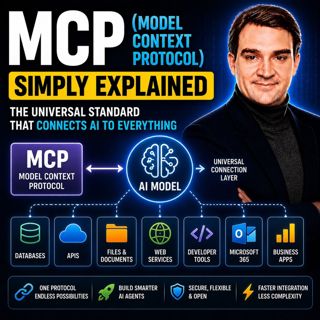
MCP (Model Context Protocol) - Simply Explained

MCP (Model Context Protocol) - Simply Explained

The Model Context Protocol (MCP) is an open standard that allows AI models to securely connect to external tools, applications, and data sources using a single, consistent protocol. Before MCP, every ...

17 Jul 15min

Azure AI Search – Simply Explained

Azure AI Search – Simply Explained

Azure AI Search is Microsoft's fully managed cloud search service that helps developers build fast, intelligent, and AI-powered search experiences for applications, websites, and enterprise systems. U...

17 Jul 13min

Microsoft Fabric OneLake - Simply Explained

Microsoft Fabric OneLake - Simply Explained

Microsoft Fabric OneLake is the unified storage layer at the heart of Microsoft Fabric, designed to eliminate one of the biggest challenges in modern analytics: data duplication. Instead of every depa...

17 Jul 14min
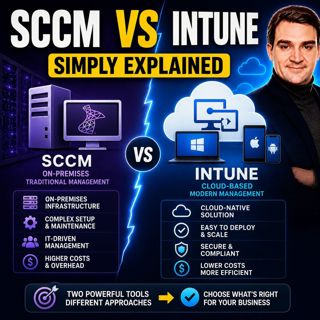
SCCM vs Intune - Simply Explained

SCCM vs Intune - Simply Explained

SCCM (System Center Configuration Manager), now officially known as Microsoft Endpoint Configuration Manager (MECM), and Microsoft Intune are two of Microsoft's most important endpoint management solu...

17 Jul 16min

Microsoft Intune - Simply Explained

Microsoft Intune - Simply Explained

Microsoft Intune is Microsoft's cloud-based endpoint management platform that allows organizations to securely manage laptops, desktops, smartphones, tablets, and applications from a single web-based ...

17 Jul 12min

Azure Virtual Desktop - Simply Explained

Azure Virtual Desktop - Simply Explained

Azure Virtual Desktop (AVD) is Microsoft's cloud-based desktop virtualization platform that delivers a complete Windows desktop and business applications securely from Azure to virtually any device. I...

17 Jul 18min

Azure ExpressRoute - Simply Explained

Azure ExpressRoute - Simply Explained

Azure ExpressRoute is Microsoft's private network connection service that links your on-premises infrastructure directly to Microsoft's global cloud network without using the public internet. Instead ...

17 Jul 13min

Populært innen Politikk og nyheter

giver-og-gjengen-vg
aftenpodden
aftenpodden-usa
fotballpodden-2
forklart
stopp-verden
popradet
rss-gukild-johaug
det-store-bildet
hanna-de-heldige
rss-ness
aftenbla-bla
nokon-ma-ga
dine-penger-pengeradet
rss-penger-polser-og-politikk
bt-dokumentar-2
lydartikler-fra-aftenposten
rss-utenrikskomiteen-med-bogen-og-grasvik
e24-podden
unitedno