Teams Security Hardening: Why Teams Channels Are Not Secure by Default

Teams Security Hardening: Why Teams Channels Are Not Secure by Default

(00:00:00) The Importance of Secure Microsoft Teams Configuration
(00:00:43) Case Studies: Guest Access Gone Wrong
(00:02:49) The Truth About Private Channels
(00:03:44) MFA for Everyone: The First Layer of Defense
(00:05:27) Device Compliance and Session Controls
(00:07:14) Guest Access Governance: The Second Layer
(00:08:54) DLP: The Tripwires in the Carpet
(00:14:09) Guest Life Cycle Management: The Third Layer
(00:19:46) Audit and Forensics: The Fourth Layer

In this episode of M365.fm, Mirko Peters shows why Microsoft Teams channels are not secure by default — especially in hybrid, guest‑heavy environments — and walks you through a five‑layer hardening plan you can copy into your own tenant.

WHAT YOU WILL LEARN
  • How “set and forget” Teams defaults quietly expose data through guests, private channels, and synced libraries
  • Two real‑world style incidents: the guest that never left, and the PII paste that turned into a data fork across systems
  • Why Teams is just the lobby and the real vault lives in Conditional Access, Purview DLP, Entra ID governance, and SharePoint sharing policies
  • A Conditional Access baseline that actually bites: MFA everywhere, no legacy auth, compliant/protected devices for Teams/SharePoint/Exchange, and risk‑aware session controls
  • How to wire Purview DLP into Teams chat and channels with policy tips, block/override, and tuned confidence levels
  • How to govern guests with expirations, access reviews, and external sharing controls — especially for private‑channel SharePoint sites
  • How to prove everything in logs, legal holds, and audits, so your security story survives scrutiny
THE CORE INSIGHT

Teams itself is not the security boundary; it is the front door. Real protection comes from identity, devices, data loss prevention, guest governance, and logging that sit underneath the app.
When those layers are weak or misaligned, one stale guest, one synced private channel, or one tired PII paste can create an incident that Teams alone cannot stop or even fully show you.
This episode argues that serious Teams security is not about “locking down chat,” but about designing a layered system where Conditional Access, Purview, Entra ID, and SharePoint all agree on who can see what, from where, and for how long.

WHY YOUR TEAMS CHANNELS ARE NOT SECURE BY DEFAULT
  • Guests don’t expire, private channels create separate SharePoint sites, and sync clients keep pulling fresh files long after projects end
  • Purview DLP is often missing for Teams, so sensitive data pasted into chat silently replicates into email, exports, and local drives
  • Conditional Access is set to “good enough,” leaving legacy auth, unmanaged devices, and long‑lived sessions in play
  • Guest governance and external sharing policies are loose, and owners assume “project over” means “access over” when it doesn’t
THE FIVE-LAYER HARDENING PLAN YOU’LL HEAR
  • Conditional Access that actually bites: MFA for everyone (including guests), legacy auth killed, compliant/protected devices required for Teams/SharePoint/Exchange, and risk‑based session controls
  • Purview DLP for Teams chat and channels with high‑confidence block/override rules and mirrored policies for SharePoint and OneDrive
  • Entra ID guest governance: expirations, access reviews, limited external collaboration, and special care for private‑channel sites
  • SharePoint sharing and sync controls that reduce blast radius when sync clients and “anyone” links go wrong
  • Logging, holds, and audits designed up‑front so you can reconstruct what happened and prove containment
WHO THIS EPISODE IS FOR

This episode is essential for Microsoft 365 security engineers, Teams admins, collaboration platform owners, and cloud architects who run hybrid or partner‑heavy environments.
If your Teams rollout “just works” but you can’t clearly explain how guests are governed, how DLP reacts in chat, or what happens when a private channel syncs to a contractor’s laptop, this episode will give you a concrete blueprint to fix it.

ABOUT THE HOST

Mirko Peters is a Microsoft 365 consultant and digital workplace architect focused on building secure, guest‑ready collaboration environments on the Microsoft cloud.
Through M365.fm, Mirko shares practical incident stories, policy patterns, and governance models that help organizations turn Teams from a default‑open chat app into a hardened collaboration platform.

Become a supporter of this podcast: https://www.spreaker.com/podcast/m365-fm-modern-work-security-and-productivity-with-microsoft-365--6704921/support.

Det här avsnittet är hämtat från ett öppet RSS-flöde och publiceras inte av Podme. Det kan innehålla reklam.

Avsnitt(857)

Microsoft Purview Insider Risk Management - Simply Explained

Microsoft Purview Insider Risk Management - Simply Explained

Welcome to another episode of Knowledge Nuggets with Mirko Peters. Today we're exploring Microsoft Purview Insider Risk Management, Microsoft's intelligent solution for identifying risky user behavior...

24 Juli 0s
Microsoft Purview Information Protection - Simply Explained

Microsoft Purview Information Protection - Simply Explained

Welcome to another episode of Knowledge Nuggets with Mirko Peters. Today we're exploring Microsoft Purview Information Protection, the foundation of Microsoft's data classification and protection stra...

24 Juli 0s
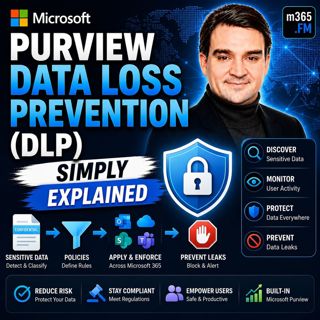
Microsoft Purview Data Loss Prevention (DLP) - Simply Explained

Microsoft Purview Data Loss Prevention (DLP) - Simply Explained

Welcome to another episode of Knowledge Nuggets with Mirko Peters. Today we're exploring Microsoft Purview Data Loss Prevention (DLP), one of the most important security capabilities in Microsoft 365 ...

24 Juli 0s
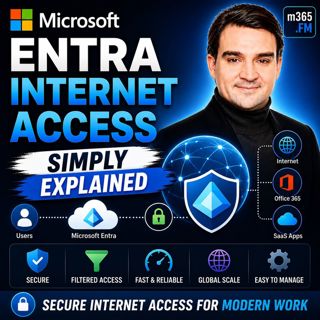
Microsoft Entra Private Access - Simply Explained

Microsoft Entra Private Access - Simply Explained

Welcome to another episode of Knowledge Nuggets with Mirko Peters. Today we're exploring Microsoft Entra Internet Access, Microsoft's modern cloud-native approach to secure internet connectivity that ...

24 Juli 0s
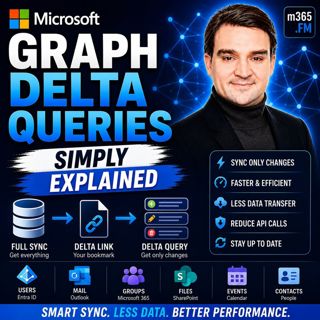
Microsoft Graph Delta Queries - Simply Explained

Microsoft Graph Delta Queries - Simply Explained

Welcome to another episode of Knowledge Nuggets with Mirko Peters. Today we're exploring Microsoft Graph Delta Queries, one of the most powerful features for building efficient synchronization solutio...

24 Juli 0s

Responsible AI Is Good Business — Featuring Wiebke Apitzsch

Responsible AI Is Good Business — Featuring Wiebke Apitzsch

Artificial intelligence is transforming every industry, but successful AI adoption requires far more than deploying the latest models or building autonomous agents. In this episode of M365.fm, Mirko P...

24 Juli 0s

Microsoft Graph Webhooks - Simply Explained

Microsoft Graph Webhooks - Simply Explained

Welcome to another episode of Knowledge Nuggets with Mirko Peters. Today we're exploring Microsoft Graph Webhooks, one of the core building blocks for creating modern, event-driven Microsoft 365 appli...

24 Juli 0s
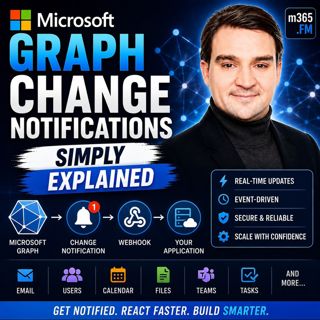
Microsoft Graph Change Notifications - Simply Explained

Microsoft Graph Change Notifications - Simply Explained

Welcome to another episode of Knowledge Nuggets with Mirko Peters. Today we're exploring Microsoft Graph Change Notifications, one of the most important capabilities for building modern, event-driven ...

24 Juli 0s

Populärt inom Politik & nyheter

svenska-fall
p3-krim
aftonbladet-daily
aftonbladet-krim
rss-krimstad
flashback-forever
rss-sanning-konsekvens
tv4-nyheterna-story
rss-krimreportrarna
motiv
rss-frandfors-horna
mannen-utan-spar
rss-vad-fan-hande
de-fyras-gang
rss-flodet
spar
politiken
rss-aftonbladet-krim
olyckan-inifran
grans