Build AI assistants with Copilot Studio: from email bot to social media generator in a 24‑hour no‑code challenge

Build AI assistants with Copilot Studio: from email bot to social media generator in a 24‑hour no‑code challenge

In this episode of M365.fm, Mirko Peters takes you behind the scenes of the Copilot Studio Challenge—showing how you can build working AI assistants in just 24 hours without writing a single line of code. Starting from a blank Copilot Studio tenant and a ticking clock, he walks through the mindset, planning, and practical steps that turned a vague idea into a fully functioning helper that answers real questions from your company’s own knowledge base.

The journey begins with setup and scoping. Mirko explains how to get your Copilot Studio environment ready, why using a work or school account matters, and how to pick a challenge that is ambitious but realistic for one day—like an email assistant that handles routine customer inquiries. Instead of diving straight into prompts, he stresses initial research, goal‑setting, and mapping out which documents and FAQs your assistant will need so you do not discover gaps when the deadline is already looming.

From there, he walks through designing and building the email assistant as a beginner‑friendly project. You hear how to define concrete goals (handle recurring questions, stay within company policy, reply in your brand voice), connect your knowledge base so the assistant can “read” existing documentation, and use pre‑built templates to move fast while still customizing the conversation flow. Mirko shows how this one assistant can free whole teams from repetitive inbox work and create more consistent responses for customers

The second half of the episode moves into creativity with a social media content generator. Mirko demonstrates how to use templates for posts, adapt output to different platforms like LinkedIn, Instagram, and X, and tune the assistant to match your brand voice so AI‑generated posts still sound like you. He shares the moment of seeing the assistant produce real, on‑brand content for the first time—and how that shifts AI from an abstract idea to a concrete partner in your daily content workflow.

Throughout, user experience and iteration are front and center. Mirko covers natural language understanding, feedback loops, and personalization so your assistants feel helpful instead of robotic. His core message: you do not need a computer science degree to build useful AI assistants with Copilot Studio—what you need is a clear goal, a bit of structure, and the willingness to learn by doing.

WHAT YOU WILL LEARN
  • How to prepare for a 24‑hour Copilot Studio challenge and pick a realistic scope.
  • How to build an email assistant that uses your company knowledge base to handle routine inquiries.
  • How to create a social media content generator and adapt posts to different platforms and brand voice.
  • How to use templates, no‑code tools, and simple planning to move from idea to working assistant fast.
  • UX tips for natural conversations, feedback, and personalization so your AI feels genuinely helpful.
THE CORE INSIGHT

AI assistants are no longer reserved for developers. With Copilot Studio, anyone willing to plan, experiment, and iterate can build useful helpers—email bots, content generators, and more—in a single day, turning AI from a buzzword into a practical part of everyday work.

WHO THIS EPISODE IS FOR

This episode is ideal for knowledge workers, marketers, and makers who are curious about AI but do not see themselves as developers. It is especially valuable if you want to build your first assistant for email or social media and need a concrete, time‑boxed blueprint instead of abstract AI theory.

ABOUT THE HOST

Mirko Peters is a Microsoft 365 and Power Platform consultant focused on making AI assistants practical for real teams using Copilot Studio, no‑code tools, and existing company content. Through M365.fm, he shares hands‑on stories, challenges, and patterns that help organizations move from talking about AI potential to actually shipping their first working assistant.

Become a supporter of this podcast: https://www.spreaker.com/podcast/m365-fm-modern-work-security-and-productivity-with-microsoft-365--6704921/support.

Det här avsnittet är hämtat från ett öppet RSS-flöde och publiceras inte av Podme. Det kan innehålla reklam.

Avsnitt(694)

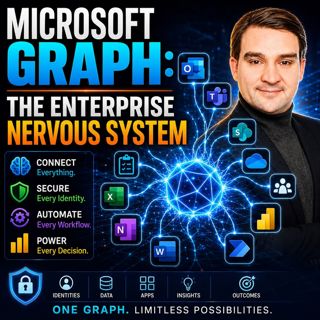
Microsoft Graph: The Enterprise Nervous System

Microsoft Graph: The Enterprise Nervous System

Enterprise IT has reached a tipping point. Organizations now manage millions of identities, files, applications, permissions, policies, and AI-powered workloads across Microsoft 365. Yet many IT depar...

5 Juli 1h 11min
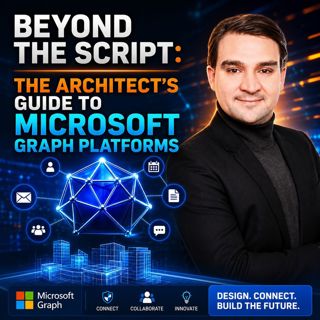
Beyond the Script: The Architect's Guide to Microsoft Graph Platforms

Beyond the Script: The Architect's Guide to Microsoft Graph Platforms

Automation has become a cornerstone of digital transformation, yet many organizations unknowingly create more complexity than they eliminate. What starts as a simple PowerShell script or Power Automat...

5 Juli 1h 10min
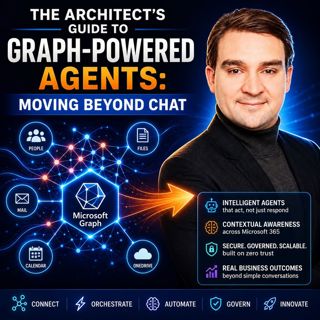
The Architect's Guide to Graph-Powered Agents: Moving Beyond Chat

The Architect's Guide to Graph-Powered Agents: Moving Beyond Chat

Artificial Intelligence has rapidly evolved from simple chatbots into sophisticated enterprise agents capable of reasoning, orchestrating workflows, and executing business processes. Yet many organiza...

4 Juli 1h 20min
The Hidden Logic of Microsoft Graph

The Hidden Logic of Microsoft Graph

Most Microsoft 365 professionals know Microsoft Graph as the API behind users, groups, Teams, and SharePoint. But beneath those familiar endpoints lies a much larger reality. Microsoft Graph has evolv...

4 Juli 1h 11min

Everything Microsoft Didn't Tell You About Teams with Everything Microsoft Didn't Tell You About Teams with Josh Blalock [MVP]

Everything Microsoft Didn't Tell You About Teams with Everything Microsoft Didn't Tell You About Teams with Josh Blalock [MVP]

Microsoft Teams has evolved from a simple collaboration platform into the digital workplace at the heart of modern business. But behind every successful Teams meeting lies far more than software. In t...

3 Juli 45min

Beyond the Portal: The Strategic Architecture of Microsoft Graph and PowerShell

Beyond the Portal: The Strategic Architecture of Microsoft Graph and PowerShell

For years, Microsoft 365 administration has been defined by portals. Administrators spend their days inside the Microsoft 365 Admin Center, Exchange Admin Center, SharePoint Admin Center, Teams Admin ...

3 Juli 1h 10min

Think Like an Attacker: Microsoft Security Exposure Management with Uros Babic [MVP-MCT]

Think Like an Attacker: Microsoft Security Exposure Management with Uros Babic [MVP-MCT]

Traditional cybersecurity focuses on vulnerabilities, alerts, and dashboards. Attackers don't. They look for opportunities, weak identities, exposed cloud resources, excessive permissions, forgotten e...

2 Juli 1h 9min
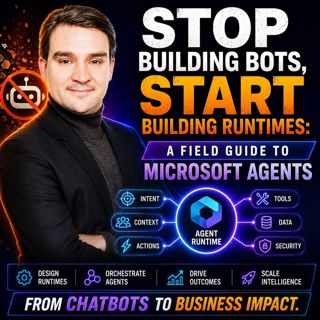
Stop Building Bots, Start Building Runtimes: A Field Guide to Microsoft Agents

Stop Building Bots, Start Building Runtimes: A Field Guide to Microsoft Agents

Everyone is calling Build 2026 the AI conference. Most of the attention went toward new copilots, voice experiences, and increasingly capable models. But beneath the headlines, Microsoft quietly intro...

2 Juli 1h 16min
Populärt inom Politik & nyheter

svenska-fall
aftonbladet-krim
tv4-nyheterna-story
p3-krim
rss-krimstad
aftonbladet-daily
motiv
de-fyras-gang
flashback-forever
spar
rss-sanning-konsekvens
rss-expressen-dok
rss-krimreportrarna
politiken
rss-vad-fan-hande
rss-flodet
rss-frandfors-horna
kungligt
krimmagasinet
olyckan-inifran