
Conditional Access vs Identity: Who Actually Decides?

Conditional Access vs Identity: Who Actually Decides?

What if I told you that the most powerful security signal inside Microsoft 365 might not be who’s knocking at the door, but what the identity does after you let them in? Most admins obsess over Conditional Access policy settings. But identity-based threat signals don’t stop once access is granted. Want to know when and how those signals actually talk to each other—and what that means for your security posture?Who’s Actually in Control? The Gatekeeper vs. The WatcherIf you've ever set up Conditional Access in Azure AD, you know the drill: build your policy, test it, and assume you've got a competent bouncer standing guard at the door. We tend to picture Conditional Access as this sharp-eyed, clipboard-wielding gatekeeper who checks credentials with the thoroughness of a high-end nightclub security guard. You either match the guest list—right country, right device, right risk score—or you don’t even make it to the velvet rope. For many IT shops, this is where most of the mental energy goes. You worry about location, require compliant devices, make sure Multi-Factor Authentication is in play, and basically stack every requirement you can in hopes of keeping the bad actors out. It feels satisfying, like triple-locking the front door of your house and heading out for the weekend.But here’s the catch. Once Conditional Access opens that door, most admins finally take a breath and move on. It’s easy to forget that attacks don’t always happen at the entry point. Threats often show up after the system gives the green light. That focus on the front door is natural, but it exposes a giant blind spot. The reality is, hackers aren’t always standing outside, rattling the doorknob. Sometimes, they’re quietly invited in—valid password, legitimate device—and the real danger starts after the initial handshake.Let’s pause for a second and think about what Conditional Access—and only Conditional Access—sees. It checks the basics. Are you logging in from a weird place? Does your device meet company standards? Have you passed all the MFA hoops? It’s a solid checkpoint, but it’s surprisingly forgetful. Once you’re through, it barely glances back. It doesn’t monitor your next steps, and it doesn’t care if you wander into the VIP section or start rifling through the safe. That’s not in its job description. It stands at the door and assumes everyone follows the rules once inside.That’s where Defender for Identity rolls in, and honestly, it brings a totally different energy. If we keep going with the nightclub analogy, Defender for Identity is less like the person at the door and more like the security team watching upstairs on the monitors. The bouncer focused on who enters; Defender for Identity cares about who’s sneaking behind the bar, who’s talking their way into restricted areas, and who’s spiking the punch. It tracks the behavior of identities post-login by watching Active Directory and cloud signals for odd access patterns, lateral movement, or even attempts to use techniques like Pass-the-Hash or credential dumping. It’s not just about having a valid ticket—it’s about what you do once you’re inside the building.A scenario we see all the time goes something like this: A user passes all the Conditional Access tests—familiar device, verified location, proper MFA—and gets in without any hassle. Admins see the log and feel good. But an hour later, that same user account starts accessing SharePoint files never touched before or poking at admin portals it shouldn’t even know exist. Conditional Access gave its stamp of approval because, in the moment, everything looked right. Defender for Identity, on the other hand, starts raising its hand: “This behavior doesn’t fit—something’s up.” Sometimes, the alerts pile up while the people monitoring the Conditional Access logs are none the wiser.These systems don’t always agree. Conditional Access can trust an account based on how polished their paperwork looks, while Defender for Identity starts sweating over weird behavior that doesn’t match the user’s normal habits. Imagine the gatekeeper nodding someone inside, and five minutes later, the security camera catches that same person wandering into staff-only areas. Now you’ve got a real-time debate—one tool saying, “all clear,” the other hinting, “no, seriously, check this one out.”What’s tricky is that neither piece actually has the final word at all times. Admins love a simple “yes/no” moment, but the reality is more like a negotiation. Sometimes Conditional Access has the decisive say and blocks access, especially if you’re logging in from Minsk on a jailbroken phone. Other times, it lets the user through, and only after some mischief does Defender for Identity trigger an alarm that demands another look—or even pulls the plug on that session. It’s rarely one and done. Security here is dynamic, and the system’s “final call” shifts depending on the situation. Some days it’s the gatekeeper’s world; other days the watcher behind the scenes quietly takes over.But here’s the pain point—and honestly, it keeps showing up in real organizations. If Conditional Access and Defender for Identity aren’t tuned into each other, it’s not hard for suspicious activity to slip by. The bouncer might let someone “standard” inside, only for the watcher to spot a pattern hours later that should have raised a flag from the start. Both roles are important—but if they’re not talking, the whole layered security model starts to look a little shaky. And that’s where the real blind spots start growing. The big question, then: when these two tools run in silos, what are you missing? Because as much as we want a single source of truth for access, a lot can fall through the cracks when these two don’t sync up.Blind Spots: Where Separate Tools Create Real RiskIf you’ve worked in enterprise IT lately, you already know the feeling: one browser tab open for the Azure portal with your Conditional Access policies, another tab for Defender for Identity, and maybe a third for emails or Teams pings about yesterday’s alert review. Conditional Access lives one life—almost like it’s managing guest lists and dress codes—and Defender for Identity operates quietly, surfacing cryptic alerts over here in its own universe. This is what a lot of admin setups actually look like right now. You get two separate dashboards, with two sets of notifications, and unless you go out of your way to create custom automations, information just doesn’t naturally travel between them. A user looks clean according to Conditional Access, so they’re inside, no questions asked. If Defender for Identity waves a red flag later? Well, someone has to see it at the right time, tucked away in a different part of the security center.Let’s say it’s 1:47am. Your on-call admin finally nods off and a user logs in from the company laptop. It’s the same device they’ve used all week, nothing fancy. Conditional Access is satisfied because technically, every box ticks green: familiar device, familiar IP, policy says “go ahead.” The problem is, that account belongs to a project manager who never, ever works past dinner, let alone in the middle of the night. Defender for Identity, working in the background, actually catches this late-night activity and notices something new—the user is poking around folders labeled “Finance – Sensitive” and “HR Restricted.” Suddenly, there are failed access attempts, and then—oddly—a bunch of files are downloaded in quick succession.Now, in a fully integrated world, that sequence of events would pop up as one clear “this isn’t right” signal. But when you treat these tools like they're on parallel tracks, what happens is more subtle—and more dangerous. Maybe the admin who checks Conditional Access logs comes in the next morning, reviews the login, and moves on. Meanwhile, someone else, maybe from a different team, is reading emails about the batch of Defender for Identity alerts, trying to piece them together with other events. There’s a lag. Context gets lost. Nobody connects the dots quickly enough.Attackers take full advantage of this. Once they get inside with legit credentials—maybe via phishing, maybe something darker—they move slow. They mimic regular user patterns just enough to stay out of Conditional Access’s line of sight. Then, using privileges the real user shouldn’t even have, they start their lateral movement: mapping shares, searching for credentials in files, looking for stale administrator accounts. Because the original access point was “approved,” and your tools aren’t automatically swapping insights, these activities don’t trigger an instant escalation. Skilled attackers live in that gap for days, sometimes weeks. The best-case scenario? You catch them because someone finally reviews both sources and pieces the story together. Worst case—you only find out after financial data leaks or ransomware drops.In Microsoft’s own case analysis from recent years, you’ll see this play out over and over. They’ve tracked breaches where Conditional Access was configured right out of the box, blocking obvious risky sign-ins or device anomalies. But because Defender for Identity wasn’t set to send risk signals back—or wasn’t actively monitored—attackers spent weeks crawling through the network, exfiltrating data or prepping lateral movement. The incident post-mortems almost always talk about alert fatigue, fragmented logs, and missed tea leaves that only made sense in hindsight. It turns out, having the best tools running in parallel doesn’t matter much if nobody integrates the story they’re telling.Even the basics like risk scores and logs start to lose value in these silos. One system kicks out “low risk” based on location and device health; meanwhile, the other is quietly logging a steady stream of suspicious access attempts or protocol use. Unless someone cross-references these, risky patterns fall into the cracks. Security teams get stuck in reactive mode—always a step behind—because they’

Become a supporter of this podcast: https://www.spreaker.com/podcast/m365-fm-modern-work-security-and-productivity-with-microsoft-365--6704921/support.

Det här avsnittet är hämtat från ett öppet RSS-flöde och publiceras inte av Podme. Det kan innehålla reklam.

Avsnitt(697)

The PowerShell Ceiling: Why You Need Bicep

The PowerShell Ceiling: Why You Need Bicep

Every IT professional eventually reaches a point where automation stops feeling like freedom and starts becoming a burden. What begins as a handful of PowerShell scripts quickly grows into dozens of a...

7 Juli 1h 9min

Beyond the Prompt: Architecting Multi-Agent AI Solutions with Microsoft Copilot & SharePoint with Reshmee Auckloo [MVP]

Beyond the Prompt: Architecting Multi-Agent AI Solutions with Microsoft Copilot & SharePoint with Reshmee Auckloo [MVP]

Artificial Intelligence is rapidly moving beyond simple chatbots and prompt engineering. Today's enterprise AI solutions must reason, collaborate, orchestrate multiple agents, securely access business...

6 Juli 1h

How To Trick Microsoft Graph Into Securing Your Entire Tenant

How To Trick Microsoft Graph Into Securing Your Entire Tenant

Most Microsoft 365 administrators believe their tenant is secure because every dashboard is green, policies are enabled, and alerts appear to be flowing normally. Unfortunately, modern security doesn'...

6 Juli 1h 12min

Microsoft Graph: The Enterprise Nervous System

Microsoft Graph: The Enterprise Nervous System

Enterprise IT has reached a tipping point. Organizations now manage millions of identities, files, applications, permissions, policies, and AI-powered workloads across Microsoft 365. Yet many IT depar...

5 Juli 1h 11min

Beyond the Script: The Architect's Guide to Microsoft Graph Platforms

Beyond the Script: The Architect's Guide to Microsoft Graph Platforms

Automation has become a cornerstone of digital transformation, yet many organizations unknowingly create more complexity than they eliminate. What starts as a simple PowerShell script or Power Automat...

5 Juli 1h 10min
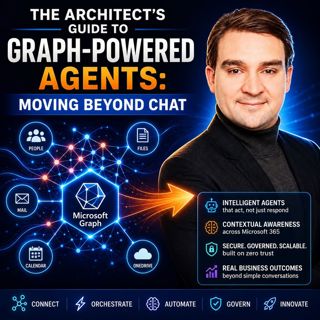
The Architect's Guide to Graph-Powered Agents: Moving Beyond Chat

The Architect's Guide to Graph-Powered Agents: Moving Beyond Chat

Artificial Intelligence has rapidly evolved from simple chatbots into sophisticated enterprise agents capable of reasoning, orchestrating workflows, and executing business processes. Yet many organiza...

4 Juli 1h 20min

The Hidden Logic of Microsoft Graph

The Hidden Logic of Microsoft Graph

Most Microsoft 365 professionals know Microsoft Graph as the API behind users, groups, Teams, and SharePoint. But beneath those familiar endpoints lies a much larger reality. Microsoft Graph has evolv...

4 Juli 1h 11min

Everything Microsoft Didn't Tell You About Teams with Everything Microsoft Didn't Tell You About Teams with Josh Blalock [MVP]

Everything Microsoft Didn't Tell You About Teams with Everything Microsoft Didn't Tell You About Teams with Josh Blalock [MVP]

Microsoft Teams has evolved from a simple collaboration platform into the digital workplace at the heart of modern business. But behind every successful Teams meeting lies far more than software. In t...

3 Juli 45min

Populärt inom Politik & nyheter

svenska-fall
aftonbladet-krim
p3-krim
rss-krimstad
tv4-nyheterna-story
aftonbladet-daily
flashback-forever
motiv
de-fyras-gang
spar
rss-sanning-konsekvens
rss-krimreportrarna
rss-expressen-dok
rss-flodet
rss-vad-fan-hande
politiken
rss-frandfors-horna
kungligt
rss-aftonbladet-krim
krimmagasinet