
Automated Licensing: Fix The Invisible Failures

Automated Licensing: Fix The Invisible Failures

Ever wonder why your automated license assignments sometimes vanish into thin air, even though your group rules seem perfect? You’re not alone—and there’s a hidden trap in dynamic groups that most admins overlook. If you’ve ever spent hours troubleshooting licensing failures, stick around: today we’re breaking down the invisible reasons your licensing automations suddenly go sideways, and how to catch problems before they impact your users.Why Your License Assignments Break When You Least Expect ItIf you’ve ever changed a user’s department or job title and then weeks later wondered why their email stopped working, you’re far from alone. It’s one of those hidden admin headaches: a perfectly routine update in Azure AD, and suddenly a license that should be assigned—or removed—is in the wind. Most of us build these dynamic groups in the first place because, let’s face it, manual license management is chaos. Group-based licensing feels like it should solve everything with simple rules tied to things like “Department” or “Location.” You design your group, set a filter, and expect smooth sailing from there. That’s the promise. But actually, there’s a trap hidden in the logic.Picture this: someone moves from Sales to Marketing, and you update their attributes in the source directory. Feels low-key, barely worth thinking about. But what you don’t see is that Azure AD uses those field values to decide who belongs where. Change the attribute, and the user can silently drop out of a group. If that group controls a Microsoft 365 license, they could lose email, OneDrive, or Teams access without anyone hearing a peep. Or the opposite—they hang onto an expensive license because the system didn’t quite process the change, or a conditional rule didn’t include their new value. If the automation doesn’t pick up every detail, users slip through. And that’s where the invisible failures start stacking up.Ask around and most admins will tell you a similar story. There’s the classic scenario where HR renames a department. Suddenly, users are floating outside the licensing groups you spent months designing. Nobody notices until someone tries to book a meeting and gets rejected by Outlook, or finance stares in disbelief at a bill full of unused premium licenses. It all looks like everything’s working—until someone needs something. And then, you’re off chasing logs and support tickets, wishing there had been a heads up before things went sideways.One admin I know was doing nothing more dramatic than updating a division field. It should’ve taken a minute. Instead, a critical user lost their license to a line-of-business app, and it was days before anyone put the pieces together. The audit trail showed a smooth change: attribute updated, group membership recalculated, license removed—just like you’d expect. Except, nobody thought to check if that business app was tied to an old department field value. That’s the problem—these connections are invisible until something breaks. The technical process makes sense, but it’s quietly dependent on staying in sync with ever-changing real-world data.Behind the curtain, what’s really happening is that group membership is all about Azure AD attributes. Every time you assign a rule—say, anyone in “Department equals Sales”—you’re betting that the field will always be set and always match the logic you wrote months ago. The reality is, department names change, locations consolidate, and hybrid work means users don’t fit neatly into checkboxes anymore. When the group’s logic gets out of sync with what’s actually happening in the business, licenses disappear or stick around far longer than they should. You usually don’t feel it until you’re chasing a missing permission or, worse, trying to explain a licensing bill that just spiked for no clear reason.Research backs this up—recent industry surveys show that over sixty percent of organizations have experienced unexpected licensing mismatches, and more often than not, the root cause is overlooked dynamic group rule logic. In a world where the user lifecycle is getting more dynamic, it’s not surprising that these rules fail silently rather than causing obvious errors. No pop-up or bright red warning tells you a user just fell through the cracks. Users usually don’t report issues with services they never had access to; they just work around them or ping support when something critical fails. Meanwhile, finance teams only see the impact months later, when a fresh round of license renewals brings surprise overages.Here’s where things get risky. If you’re not watching the link between directory attributes, group memberships, and license assignments, you risk user downtime and licensing overages creeping up on you. Every disconnected attribute is another chance for an invisible failure to stall productivity or slip through unnoticed—until the cost lands on your budget. I’ve worked with organizations that learned this the hard way: unmonitored changes led to entire departments stranded without access after a reorg, or payroll analysts inexplicably racking up high-end licenses for tools they never touched.The simple truth is, most organizations break their license assignments all the time, without realizing it’s because a field like “division” or “cost center” changed and nobody double-checked the group rules. It’s not bad automation—it’s automation built on shifting data, and most admins don’t have time to babysit the connections every day. The good news is, you can build smarter group logic and set up checks to catch these slip-ups early. There are approaches that make dynamic licensing what it was promised to be: predictable and invisible in the right way. And that’s exactly what we’ll break down next—how to build group rules that actually hold up and spot failures before your users or your finance team get the surprise.The Anatomy of Dynamic Rules: Building Smarter, Not Just FasterEver notice how a group rule that made perfect sense with a hundred users suddenly turns into a minefield once the org stretches to a thousand? You start with something clean and obvious—“Everyone in Marketing gets a standard M365 license.” The logic clicks. Nobody questions it. Fast-forward a few months, new regions come aboard, departments get split, special projects pop up, and suddenly the clean rulebook gets buried under a pile of new exceptions and tweaks. Now, you’re staring at a dynamic group membership formula that looks more like a college-level logic puzzle than a practical admin tool.Let’s walk through how these rules actually work. Under the hood, it’s all about user attributes—those fields in Azure AD like “Department,” “Country,” “Title,” or even custom entries your HR system feeds in. The system watches these values constantly, and your rules basically say, “If someone meets these conditions, put them in this group.” It saves hours, sometimes days, in manual assignment—no question. What gets interesting is how you mix and match those properties to get the targeting right. The moment you want to be more specific—like granting a license strictly to U.S.-based sales staff—you start stacking conditions: Department equals ‘Sales’ AND Country equals ‘USA’. Feels airtight at first glance.But when you kick the tires, the edge cases start piling up. Someone’s country field is never filled out, or their department was updated to “North America Sales” by a well-meaning HR admin. Suddenly, your bulletproof group has holes. You’ve got users floating “in between”—not matching any rule, and therefore missing the licenses they need. It can be even sneakier the other way: a misspelled or incomplete country field leaves staff from a newly launched branch holding onto the wrong set of tools. If you factor in contractors, consultants, and employees shifting job roles, the potential for drift only grows.Now, add in custom attributes. Extension properties sound like a great way to capture specifics about your users, but unless you enforce standards, they become a wild west. One admin uses “Division: Marketing,” another types “Mktg,” a third skips it for new hires. Azure AD isn’t going to guess what you meant—it will just quietly include or exclude users in your groups. Microsoft actually points out these issues, cautioning against relying too heavily on custom fields or properties that aren’t reliably populated. In large orgs, syncing data across multiple systems only adds more room for mix-ups. It isn’t just about keeping spelling in check. Every time a field is blank, mistyped, or used differently by separate teams, you get invisible gaps in group membership. Over time, these build into bigger headaches—people without the right licenses or, just as often, consuming costly licenses they shouldn’t have.Comparing a basic rule to a truly robust one brings this to life. With a simple rule—say, “Department equals Sales”—you’re exposed to any shift in naming, any missed entry. “Sales” gets renamed to “Global Sales,” and your logic immediately breaks down. A well-thought-out dynamic rule, on the other hand, bakes in protection: you add OR conditions to allow for variants, presence checks to skip blanks, maybe even a fallback condition that includes certain job titles as a backup. Instead of a single fragile checkbox, you have a flexible net. For example, “(Department equals Sales OR Department equals Global Sales) AND Country is not blank”. The moment a department name shifts, or an attribute is missed, you still catch the right people—or at least identify who’s fallen out, fast.Before you start building complex group rules, it pays to map out which attributes actually drive business processes and which ones are just convenient labels. If your rule uses Department, Country, and Title, you need to know every place in the business where those values get updated, and who controls the source of truth. Is it HR, is it IT, or a random script somewhere in the joiner/mover/leaver process? This mapping isn

Become a supporter of this podcast: https://www.spreaker.com/podcast/m365-fm-modern-work-security-and-productivity-with-microsoft-365--6704921/support.

Det här avsnittet är hämtat från ett öppet RSS-flöde och publiceras inte av Podme. Det kan innehålla reklam.

Avsnitt(697)

The PowerShell Ceiling: Why You Need Bicep

The PowerShell Ceiling: Why You Need Bicep

Every IT professional eventually reaches a point where automation stops feeling like freedom and starts becoming a burden. What begins as a handful of PowerShell scripts quickly grows into dozens of a...

7 Juli 1h 9min

Beyond the Prompt: Architecting Multi-Agent AI Solutions with Microsoft Copilot & SharePoint with Reshmee Auckloo [MVP]

Beyond the Prompt: Architecting Multi-Agent AI Solutions with Microsoft Copilot & SharePoint with Reshmee Auckloo [MVP]

Artificial Intelligence is rapidly moving beyond simple chatbots and prompt engineering. Today's enterprise AI solutions must reason, collaborate, orchestrate multiple agents, securely access business...

6 Juli 1h

How To Trick Microsoft Graph Into Securing Your Entire Tenant

How To Trick Microsoft Graph Into Securing Your Entire Tenant

Most Microsoft 365 administrators believe their tenant is secure because every dashboard is green, policies are enabled, and alerts appear to be flowing normally. Unfortunately, modern security doesn'...

6 Juli 1h 12min
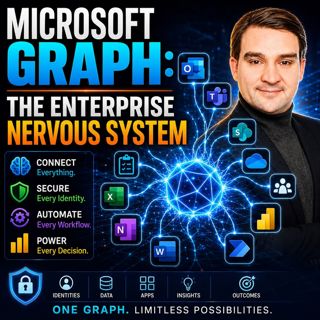
Microsoft Graph: The Enterprise Nervous System

Microsoft Graph: The Enterprise Nervous System

Enterprise IT has reached a tipping point. Organizations now manage millions of identities, files, applications, permissions, policies, and AI-powered workloads across Microsoft 365. Yet many IT depar...

5 Juli 1h 11min

Beyond the Script: The Architect's Guide to Microsoft Graph Platforms

Beyond the Script: The Architect's Guide to Microsoft Graph Platforms

Automation has become a cornerstone of digital transformation, yet many organizations unknowingly create more complexity than they eliminate. What starts as a simple PowerShell script or Power Automat...

5 Juli 1h 10min
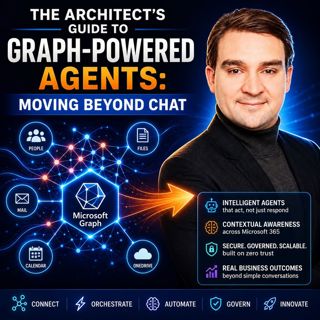
The Architect's Guide to Graph-Powered Agents: Moving Beyond Chat

The Architect's Guide to Graph-Powered Agents: Moving Beyond Chat

Artificial Intelligence has rapidly evolved from simple chatbots into sophisticated enterprise agents capable of reasoning, orchestrating workflows, and executing business processes. Yet many organiza...

4 Juli 1h 20min

The Hidden Logic of Microsoft Graph

The Hidden Logic of Microsoft Graph

Most Microsoft 365 professionals know Microsoft Graph as the API behind users, groups, Teams, and SharePoint. But beneath those familiar endpoints lies a much larger reality. Microsoft Graph has evolv...

4 Juli 1h 11min

Everything Microsoft Didn't Tell You About Teams with Everything Microsoft Didn't Tell You About Teams with Josh Blalock [MVP]

Everything Microsoft Didn't Tell You About Teams with Everything Microsoft Didn't Tell You About Teams with Josh Blalock [MVP]

Microsoft Teams has evolved from a simple collaboration platform into the digital workplace at the heart of modern business. But behind every successful Teams meeting lies far more than software. In t...

3 Juli 45min

Populärt inom Politik & nyheter

svenska-fall
aftonbladet-krim
p3-krim
rss-krimstad
tv4-nyheterna-story
aftonbladet-daily
flashback-forever
motiv
de-fyras-gang
spar
rss-sanning-konsekvens
rss-krimreportrarna
rss-expressen-dok
rss-flodet
rss-vad-fan-hande
politiken
rss-frandfors-horna
kungligt
rss-aftonbladet-krim
krimmagasinet