
Extending Microsoft Viva Connections: How to Build Custom Dashboards with SPFx and Adaptive Cards That Users Actually Open

Extending Microsoft Viva Connections: How to Build Custom Dashboards with SPFx and Adaptive Cards That Users Actually Open

If you’ve ever rolled out a new SharePoint dashboard, only to watch your users ignore it completely, you’re not alone. This episode is for admins, intranet owners, and digital workplace leads who want Viva Connections to become the homepage people actually use—not just another tab they click past on the way to Outlook or Teams. We start from the hard truth: most dashboards fail not because the tiles are ugly, but because they don’t line up with how people really work, which systems hold their daily tasks, and what they expect when they open Teams in the morning.

From there, we unpack why “out of the box” Viva Connections often falls flat. You’ll hear how generic layouts, static links, and poorly targeted content turn your dashboard into a graveyard of nice ideas, even when leadership is excited and IT has done everything “by the book.” We connect this to the reality of fragmented systems—SAP here, Jira there, files scattered across Teams and SharePoint—and show why just surfacing a few pages and news web parts isn’t enough to win attention in a busy workday.

Then we move into the foundation work most rollouts skip. We look at how to design a dashboard that actually fits your ecosystem: cleaning up site structure, fixing navigation, getting audience targeting right, and making sure permissions don’t secretly break the experience for entire groups. You’ll learn why treating Viva Connections like a renovation in a busy kitchen—rather than a greenfield project—helps you avoid breaking workflows people already rely on, especially across desktop and mobile.

Only then do we turn to extending Viva Connections with SPFx web parts and Adaptive Card Extensions. We explore how to turn those “nice looking tiles” into live entry points for real processes: surfacing department‑specific apps, exposing data from line‑of‑business systems, and building interactive cards that feel personal to each role and region. By the end, you’ll see Viva Connections less as a static SharePoint homepage and more as a governed, evolving system that reflects your actual business—not just Microsoft’s demo environments.

WHAT YOU LEARN
  • Why many Viva Connections dashboards fail after launch, even when the technology works.
  • How to design a dashboard that fits your existing Microsoft 365 ecosystem instead of fighting it.
  • Which foundation steps (navigation, audience targeting, permissions, mobile behavior) you must stabilize before extending.
  • How SPFx web parts and Adaptive Card Extensions turn generic tiles into role‑specific, data‑driven entry points.
  • How to think of Viva Connections as a system that evolves with your business, not a one‑time intranet project.
CORE INSIGHT

The core insight of this episode is that Viva Connections only becomes valuable when you stop treating it as “just another SharePoint homepage” and start treating it as the front door into your real business workflows. When the dashboard is grounded in your existing architecture, permission model, and daily tasks—and extended with custom components that surface the right apps and data for each audience—it stops being digital wallpaper and starts becoming the place people naturally go to get work done.

WHO THIS IS FOR
  • Microsoft 365 and SharePoint admins responsible for rolling out Viva Connections.
  • Intranet and digital workplace owners who want a home experience inside Teams that users actually adopt.
  • Developers and platform teams building SPFx web parts and Adaptive Card Extensions for business scenarios.
  • Leaders who’ve been burned by low dashboard adoption and want a more realistic, system‑level approach.
ABOUT THE HOST

Mirko Peters is a Microsoft 365 consultant and podcast host who helps organizations turn modern work, security, and intranet projects into coherent, governed systems. He works with teams to design context‑driven architectures across Microsoft 365 and SharePoint so Viva Connections, Teams, and line‑of‑business apps reinforce each other instead of competing for attention. In M365.FM, Mirko turns longform experiments, rollouts, and lessons learned into practical stories and steps you can copy into your own tenant.

Become a supporter of this podcast: https://www.spreaker.com/podcast/m365-fm-modern-work-security-and-productivity-with-microsoft-365--6704921/support.

Det här avsnittet är hämtat från ett öppet RSS-flöde och publiceras inte av Podme. Det kan innehålla reklam.

Avsnitt(722)

Data Analysis Expressions (DAX) - Simply Explained

Data Analysis Expressions (DAX) - Simply Explained

If you've spent any time working with Power BI, you've almost certainly heard about DAX. Some people describe it as "Excel formulas for Power BI," while others treat it like a complex programming lang...

14 Juli 15min

Graph API - Simply Explained

Graph API - Simply Explained

Microsoft Graph API is one of the most important technologies in the Microsoft ecosystem, yet it's often misunderstood. Is it a database? A service? Or simply another developer tool? In this episode o...

13 Juli 12min
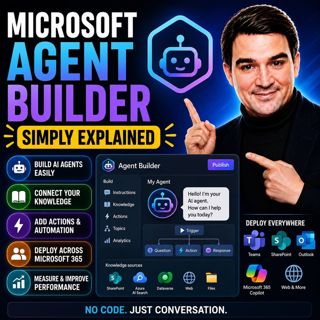
Microsoft Agent Builder — Simply Explained

Microsoft Agent Builder — Simply Explained

Building AI agents used to require developers, code, and complex AI platforms. Microsoft Agent Builder changes that completely. Built directly into Microsoft 365 Copilot, Agent Builder allows anyone t...

13 Juli 15min
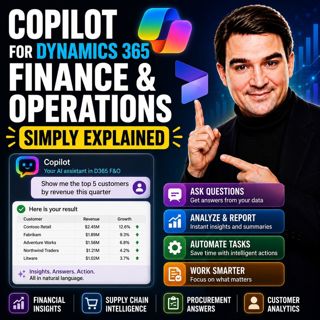
Copilot for Dynamics 365 Finance and Operations - Simply Explained

Copilot for Dynamics 365 Finance and Operations - Simply Explained

Finance teams have never struggled with a lack of data—they struggle with the time it takes to find, organize, analyze, and act on that information. Traditional ERP workflows often require switching b...

13 Juli 11min

AI Under Attack: Building Zero Trust Security with Microsoft Copilot, Azure & Microsoft 365 - Mourtaza Fazlehoussen [MVP]

AI Under Attack: Building Zero Trust Security with Microsoft Copilot, Azure & Microsoft 365 - Mourtaza Fazlehoussen [MVP]

Artificial intelligence is transforming cybersecurity faster than any technology before it. But while AI helps defenders automate investigations and respond to incidents faster, it also gives cybercri...

13 Juli 1h 1min
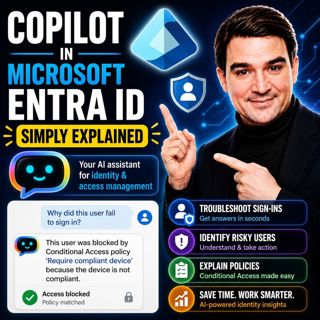
Copilot in Microsoft Entra ID - Simply Explained

Copilot in Microsoft Entra ID - Simply Explained

Managing identities has become one of the most challenging responsibilities for modern IT teams. Every day, organizations process thousands of sign-ins, evaluate Conditional Access policies, detect ri...

13 Juli 14min

Copilot for Microsoft Fabric - Simply Explained

Copilot for Microsoft Fabric - Simply Explained

Microsoft has several Copilots, but each one serves a completely different purpose. Microsoft 365 Copilot helps you write documents and summarize meetings. GitHub Copilot helps developers write code. ...

13 Juli 11min

Platform Engineering: The New Operating Model for Azure

Platform Engineering: The New Operating Model for Azure

DevOps changed how software is built, but it didn't eliminate complexity—it simply redistributed it. As organizations adopted cloud platforms, Infrastructure as Code, containers, and CI/CD pipelines, ...

13 Juli 1h 16min

Populärt inom Politik & nyheter

aftonbladet-krim
svenska-fall
p3-krim
tv4-nyheterna-story
flashback-forever
aftonbladet-daily
motiv
rss-sanning-konsekvens
de-fyras-gang
rss-vad-fan-hande
rss-krimstad
rss-krimreportrarna
spar
mannen-utan-spar
rss-flodet
rss-frandfors-horna
rss-aftonbladet-krim
kungligt
olyckan-inifran
grans