Custom Copilot Plugins for Microsoft 365: How to Turn Planner, SharePoint and Teams Data into One Reliable Answer

Custom Copilot Plugins for Microsoft 365: How to Turn Planner, SharePoint and Teams Data into One Reliable Answer

If your project data lives in ten different places across Microsoft 365, how do you get a single, reliable status update without spending half your day clicking around? In this episode, I show you how to build a custom Copilot plugin that turns questions like “Where are we on Project Apollo?” into one accurate answer—by wiring Copilot directly into Planner, SharePoint, and Teams instead of relying on screenshots and spreadsheets. You’ll see the real API calls, the manifest that teaches Copilot what to do, and the secure access model that keeps everything inside your governance boundaries.

We start where the pain is worst: Friday status reports that require hopping between Planner buckets, SharePoint lists, and long Teams threads just to reconstruct what actually happened this week. Planner knows the tasks, SharePoint tracks approvals, Teams holds the conversations—but none of them talk to each other without you in the middle. I walk through concrete examples of how scattered APIs, inconsistent field names, and different auth models make manual reporting slow, error‑prone, and exhausting.

From there, we map the APIs that matter—Microsoft Graph for Planner and Teams, SharePoint REST for list data—and turn that map into a plugin manifest Copilot can actually understand. You’ll learn how to describe each operation in plain language, define parameters like projectId or date ranges, and give Copilot enough structure to turn a vague user question into precise, filtered API calls. This is where Copilot stops guessing and starts reliably pulling the right data with the right filters and scopes.

Finally, we connect everything into a secure, production‑ready flow: the plugin manifest, the backend service that calls the APIs, and the permission model that makes sure Copilot only sees what each user is allowed to see. By the end, “ask Copilot for a project status” is no longer a dream or a demo—it’s a capability you can design, build, and roll out across your own Microsoft 365 tenant.

WHAT YOU LEARN
  • Where project data actually hides in Microsoft 365 (Planner, SharePoint, Teams) and why that breaks traditional reporting.
  • How to identify and design the key Microsoft Graph and SharePoint REST API calls your plugin needs.
  • How to write a Copilot plugin manifest that translates natural language questions into specific, filtered API operations.
  • Why scopes, permissions, and rate limits matter when your plugin hits multiple services at once.
  • How to design a secure backend and access model so Copilot only uses data users are allowed to see.
CORE INSIGHT

The core insight of this episode is that custom Copilot plugins are not magic—they’re carefully designed bridges between the way humans ask questions and the way Microsoft 365’s APIs deliver data. Once you treat your plugin as a map (manifest), a set of routes (API calls), and a lock system (permissions), Copilot can finally give you one trustworthy project answer from many scattered sources, without you acting as the manual integration layer.

WHO THIS IS FOR
  • Project managers and owners tired of manually stitching together Planner, SharePoint, and Teams data for status reports.
  • Microsoft 365 and Power Platform developers who want to build their first Copilot plugin from real‑world APIs, not just samples.
  • Architects and platform owners designing Copilot integration patterns that respect existing security and governance models.
  • Tech leads who want Copilot to answer domain‑specific questions (“How is Project X going?”) instead of generic summaries.
ABOUT THE HOST

Mirko Peters is a Microsoft 365 consultant and podcast host who helps organizations connect modern work, AI, and governance into coherent, secure systems. He works with teams to design context‑driven architectures on Microsoft 365 and Azure, where tools like Copilot and custom plugins sit on top of well‑structured APIs and permission models instead of shortcuts. In M365.FM, Mirko turns deep technical implementation details—like manifests, Graph calls, and plugin security—into practical stories and patterns you can reuse in your own tenant.


Become a supporter of this podcast: https://www.spreaker.com/podcast/m365-fm-modern-work-security-and-productivity-with-microsoft-365--6704921/support.

Det här avsnittet är hämtat från ett öppet RSS-flöde och publiceras inte av Podme. Det kan innehålla reklam.

Avsnitt(724)

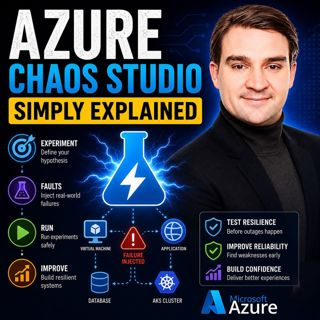
Azure Chaos Studio - Simply Explained

Azure Chaos Studio - Simply Explained

Cloud applications rarely fail because of a single bug. More often, they fail because of unexpected combinations of network latency, overloaded servers, unavailable databases, or infrastructure outage...

14 Juli 14min

Your AI Landing Zone Is A Liability

Your AI Landing Zone Is A Liability

Most organizations believe deploying Azure OpenAI is as simple as provisioning another Azure resource. Create an endpoint, generate an API key, connect your application, and start building AI experien...

14 Juli 1h 21min

Data Analysis Expressions (DAX) - Simply Explained

Data Analysis Expressions (DAX) - Simply Explained

If you've spent any time working with Power BI, you've almost certainly heard about DAX. Some people describe it as "Excel formulas for Power BI," while others treat it like a complex programming lang...

14 Juli 15min
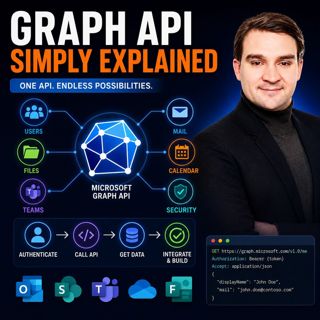
Graph API - Simply Explained

Graph API - Simply Explained

Microsoft Graph API is one of the most important technologies in the Microsoft ecosystem, yet it's often misunderstood. Is it a database? A service? Or simply another developer tool? In this episode o...

13 Juli 12min
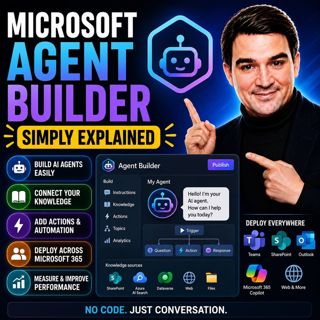
Microsoft Agent Builder — Simply Explained

Microsoft Agent Builder — Simply Explained

Building AI agents used to require developers, code, and complex AI platforms. Microsoft Agent Builder changes that completely. Built directly into Microsoft 365 Copilot, Agent Builder allows anyone t...

13 Juli 15min
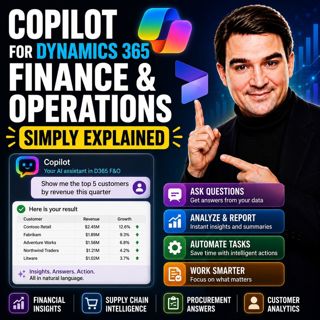
Copilot for Dynamics 365 Finance and Operations - Simply Explained

Copilot for Dynamics 365 Finance and Operations - Simply Explained

Finance teams have never struggled with a lack of data—they struggle with the time it takes to find, organize, analyze, and act on that information. Traditional ERP workflows often require switching b...

13 Juli 11min

AI Under Attack: Building Zero Trust Security with Microsoft Copilot, Azure & Microsoft 365 - Mourtaza Fazlehoussen [MVP]

AI Under Attack: Building Zero Trust Security with Microsoft Copilot, Azure & Microsoft 365 - Mourtaza Fazlehoussen [MVP]

Artificial intelligence is transforming cybersecurity faster than any technology before it. But while AI helps defenders automate investigations and respond to incidents faster, it also gives cybercri...

13 Juli 1h 1min
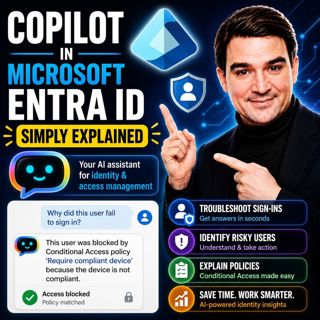
Copilot in Microsoft Entra ID - Simply Explained

Copilot in Microsoft Entra ID - Simply Explained

Managing identities has become one of the most challenging responsibilities for modern IT teams. Every day, organizations process thousands of sign-ins, evaluate Conditional Access policies, detect ri...

13 Juli 14min

Populärt inom Politik & nyheter

aftonbladet-krim
svenska-fall
p3-krim
tv4-nyheterna-story
flashback-forever
aftonbladet-daily
motiv
rss-sanning-konsekvens
de-fyras-gang
rss-vad-fan-hande
rss-krimstad
rss-krimreportrarna
spar
mannen-utan-spar
rss-flodet
rss-frandfors-horna
rss-aftonbladet-krim
kungligt
olyckan-inifran
grans