
Step‑by‑Step Guide to Organizing Projects in Microsoft Teams: How to Build a Durable Project System with SharePoint and Power Automate

Step‑by‑Step Guide to Organizing Projects in Microsoft Teams: How to Build a Durable Project System with SharePoint and Power Automate

Step‑by-Step Guide to Organizing Projects in Teams

What’s the difference between a project that feels effortless and one that leaves everyone chasing files and status updates? It’s not the app you picked—it’s the system behind it, and most Teams workspaces quietly fall apart within 90 days because that system is missing. In this episode, I walk you through how to design a durable project setup in Microsoft Teams, with SharePoint as the backbone and Power Automate as the glue, so visibility, updates and document versions stay in sync without relying on everyone’s daily discipline.

We start with why most “new project spaces” slowly collapse into chaos. At the beginning, everyone is motivated: channels are clean, files land in the right folders, and Planner or a task app looks up to date. But small shortcuts—dropping files into chat, creating private folders, keeping side trackers in Excel—compound until nobody knows which version or board reflects reality. You’ll hear how this erosion happens in real projects and why it’s almost never about the wrong tool, but about missing system rules that survive stress, new team members and deadlines.

Then we introduce the three core principles of a durable project system. First: one source of truth, with SharePoint as the structured backbone for files, lists and records, and Teams surfacing that data instead of duplicating it. Second: minimal duplication, using automation to carry updates from the core data into Teams, notifications and dashboards so project managers aren’t copying the same status into three tools. Third: visibility without micromanagement—designing views and dashboards that show real project health and risk, not just lists of overdue tasks that push leaders into day‑to‑day policing.

Finally, we turn principles into a concrete blueprint you can reuse. You’ll learn how to standardize a project template in Teams that automatically provisions the right SharePoint structure, connects boards and lists, and wires in Power Automate flows so status, documents and communication stay aligned. By the end, you’ll be able to move from “every project is a fresh experiment” to a repeatable system where new projects spin up fast, stay organized, and remain reliable long after the initial enthusiasm fades.

WHAT YOU’LL LEARN
  • Why most Teams‑based project setups collapse within 90 days even if everyone likes the tool.
  • The three principles of a durable project system: one source of truth, minimal duplication, and visibility without micromanagement.
  • How to use SharePoint as the project backbone and Teams as the collaboration front‑end instead of parallel silos.
  • How Power Automate can keep updates, files and status in sync without constant manual effort.
THE CORE INSIGHT

The core insight of this episode is that long‑lasting project systems aren’t created by adding more channels or apps; they come from a small set of clear principles that every project follows. Once you treat SharePoint as the structured source of truth and use Teams and Power Automate to reflect and automate that structure, you stop fighting chaos in every new project and start scaling a project environment that actually holds under real‑world pressure.

WHO THIS EPISODE IS FOR
  • Project managers who run their work in Microsoft Teams and are tired of version chaos and missing updates.
  • Team leads who want a repeatable project template that doesn’t collapse after the first busy phase.
  • Microsoft 365 admins and champions who design collaboration standards for multiple teams and departments.
ABOUT THE AUTHOR / HOST

Mirko Peters is a Microsoft 365 and collaboration consultant and host of the M365.FM podcast, helping teams turn ad‑hoc Teams workspaces into structured, repeatable project systems that survive real‑world stress. He works with organizations to design SharePoint‑first information architectures, automation patterns and Teams templates so project coordination becomes easier the more projects you run—not harder.

Become a supporter of this podcast: https://www.spreaker.com/podcast/m365-fm-modern-work-security-and-productivity-with-microsoft-365--6704921/support.

Det här avsnittet är hämtat från ett öppet RSS-flöde och publiceras inte av Podme. Det kan innehålla reklam.

Avsnitt(741)

How to Build a Winning Microsoft Partner Strategy

How to Build a Winning Microsoft Partner Strategy

What separates Microsoft partners that consistently grow from those that simply maintain their status? In this episode of m365.fm, we break down the four strategic pillars that transform Microsoft par...

15 Juli 17min
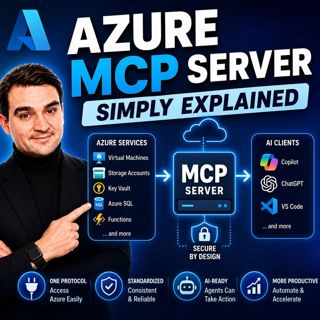
Azure MCP Server - Simply Explained

Azure MCP Server - Simply Explained

Artificial Intelligence is rapidly evolving from simply answering questions to actively performing real work. But for AI agents to become truly useful, they need secure access to cloud resources, data...

15 Juli 17min
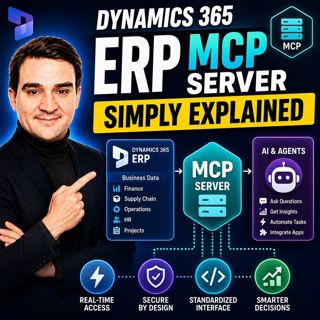
Dynamics 365 ERP MCP Server - Simply Explained

Dynamics 365 ERP MCP Server - Simply Explained

Artificial Intelligence is transforming how businesses interact with enterprise systems, but connecting AI assistants to ERP platforms has traditionally required custom APIs, complex integrations, and...

15 Juli 13min
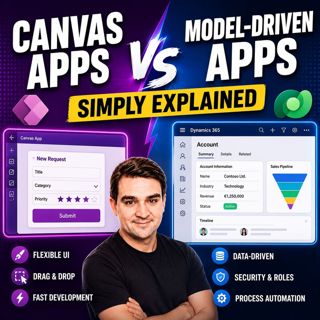
Canvas Apps vs Model-Driven Apps - Simply Explained

Canvas Apps vs Model-Driven Apps - Simply Explained

Microsoft Power Apps offers two primary ways to build business applications: Canvas Apps and Model-Driven Apps. At first glance they may appear similar, but they are designed for very different scenar...

15 Juli 15min

Infrastructure as Code - Simply Explained

Infrastructure as Code - Simply Explained

Managing cloud infrastructure by clicking through the Azure Portal might work for a single virtual machine, but it quickly becomes slow, inconsistent, and difficult to maintain as environments grow. I...

15 Juli 16min

Bicep - Simply Explained

Bicep - Simply Explained

Deploying Azure resources through the Azure Portal is great for learning, but it quickly becomes difficult to repeat, document, and automate. That's where Bicep comes in. In this episode, we explain M...

15 Juli 16min

ARM Templates - Simply Explained

ARM Templates - Simply Explained

If you've ever built Azure resources by clicking through the Azure Portal, you've probably wondered how large organizations deploy identical environments over and over again without making mistakes. T...

15 Juli 15min

Teams Telephony - Simply Explained

Teams Telephony - Simply Explained

Microsoft Teams Telephony transforms Microsoft Teams into a complete cloud-based business phone system, replacing traditional office PBXs with a modern, software-powered solution. In this episode, we ...

15 Juli 17min

Populärt inom Politik & nyheter

aftonbladet-krim
svenska-fall
p3-krim
tv4-nyheterna-story
aftonbladet-daily
flashback-forever
rss-vad-fan-hande
motiv
de-fyras-gang
rss-krimreportrarna
rss-krimstad
spar
rss-sanning-konsekvens
rss-frandfors-horna
rss-flodet
mannen-utan-spar
rss-aftonbladet-krim
kungligt
politiken
krimmagasinet