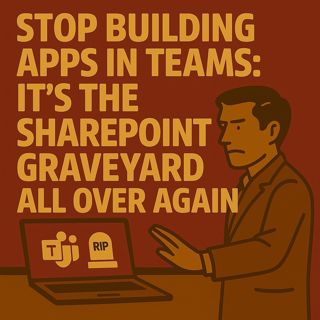
Stop Building Apps in Teams: How SPFx ACEs Create a New SharePoint Graveyard

Stop Building Apps in Teams: How SPFx ACEs Create a New SharePoint Graveyard

(00:00:00) Stop Building Apps in Teams
(00:00:34) The ACE Trap: Quick Wins and Long-Term Consequences
(00:05:27) The Five Governance Failures of ACEs
(00:11:43) Reference Architecture for Governed ACEs
(00:17:18) The Decision Tree for ACE Approval
(00:21:19) The Governance Checklist for ACEs
(00:25:24) Final Thoughts and Call to Action

Stop building apps inside Teams and calling it progress. You already feel it: Microsoft Teams is becoming the new SharePoint graveyard — same chaos, better emojis. “Quick” Adaptive Card Extensions (ACEs) and lightweight dashboard apps look harmless in demos, but they quietly create a compliance landfill while leaving your Viva dashboard full of orphaned cards nobody owns. In this episode of m365.fm, Mirko Peters breaks down why SPFx ACEs rot fast, how governance fails around them every single time, and what a reference architecture looks like if you want dashboards that stay useful, safe, and maintainable longer than one project cycle.

THE ACE TRAP: WHY “QUICK APPS” BECOME LONG‑TERM RISK

“Just a SharePoint list.”
“Just JSON.”
“Just a rotating announcement.”That is the trap. ACEs demo beautifully but age like milk. Mirko explains how they hide logic in lists with no versioning, ship without real lifecycle or ownership tracking, surface unlabeled content in Teams on mobile, and multiply unpredictably across departments. Schema lives in random lists. Permissions drift. Nobody knows which cards still matter. The result is app sprawl, ghost owners, broken automations, and compliance gaps that leaders only discover after a screenshot circulates in the wrong meeting.

THE FIVE GOVERNANCE FAILURES YOU ALWAYS SEE

Every time organizations go “all in” on ACEs and Teams home dashboard cards, the same five governance failures show up:
  • App sprawl: Every team builds “their” card, with no portfolio view or prioritization. The dashboard becomes a digital flea market.
  • Orphaned owners: Contractors leave, project teams move on, cards stay. No one is accountable for content, fixes, or retirement.
  • Data silos: Each ACE uses its own schema and list. Analytics break, consistency dies, and schema drift becomes inevitable.
  • Compliance gaps: Content appears in Teams mobile without the right labels, retention, or DLP. Broadcast channel + unmanaged data = quiet compliance nightmare.
  • Broken lifecycle: No expiry, no archiving, no governance. Stale outage notices and old campaigns haunt your dashboard forever.
Each failure compounds until Teams looks exactly like old SharePoint: noisy, untrusted, and impossible to clean up without pain.

THE REFERENCE ARCHITECTURE THAT DOESN’T ROT

The fix is not “no ACEs ever.” The fix is treating the ACE as a skin, not an application. All business logic, schema, and lifecycle live beneath the card in governed systems, not inside the card itself. Mirko walks through a layered design where:
  • Governed data storage (SharePoint content types or Dataverse tables) holds the truth.
  • Canonical content contracts (Announcement, Event, Alert, KPI) keep structure consistent across cards.
  • SPFx lives in a proper repo with CI/CD, environments, and change control.
  • Purview labels, retention, and DLP apply at the data layer, not per card.
  • Placement governance (slots, schedules, audiences, expiry) decides where and how long cards appear.
  • Telemetry and monitoring auto‑pull failing or noisy cards before users complain.
In this model, ACEs render. The platform governs.

THE DECISION TREE: WHEN TO BLOCK OR ALLOW A TEAMS APP

You also get a practical decision tree you can use to say “no” without being the villain:
  • Is there a governed data contract and schema? If not → block.
  • Is data stored in a labeled, retention‑enabled site or Dataverse table? If not → block until migrated.
  • Are two named owners documented? If not → block.
  • Does the ACE write data or trigger business logic? If yes → move to Power Apps or a web app with real ALM.
  • Is there a placement record with scope, audience, and expiry? If not → block.
  • Are Purview and DLP requirements met for the data it surfaces? If not → block.
  • Is telemetry wired with a rollback plan? If not → block or limit to a pilot.
If everything is green, you allow a limited rollout, measure behavior, then scale with evidence instead of vibes.

GOVERNANCE CHECKLIST YOU CAN APPLY TODAY

To keep dashboards from decaying, Mirko proposes a fast, brutal, effective checklist for intake and quarterly reviews:
  • Catalog entry exists in a central app inventory.
  • Two accountable owners assigned (and still active).
  • Contract schema validated against standard content types.
  • Only governed data stores used (no random lists as databases).
  • Card is read‑only, or all writes go through governed APIs/Power Apps.
  • Placement scope, audience, and expiry defined and documented.
  • Sensitivity labels and retention policies enforced on the underlying data.
  • Telemetry wired for usage, failures, and errors.
  • No manual package deployments directly to production.
  • Accessibility and localization expectations met.
  • Rollback or “kill switch” plan ready.
  • No functional duplicates in the portfolio.
Fail more than one or two items? Freeze deployment and fix the foundations first.

WHAT YOU WILL LEARN
  • Why building “quick” apps directly in Teams recreates the old SharePoint graveyard in a new place.
  • How SPFx ACEs drift into risk when schema, owners, and lifecycle live in unmanaged lists.
  • The five governance failures that show up in every ACE‑heavy dashboard and how to see them early.
  • A reference architecture where ACEs are only a UI layer on top of governed data, contracts, and ALM.
  • How to use a decision tree and checklist to say “no” with evidence — and protect your Teams home experience from rot.
WHO THIS EPISODE IS FOR
  • Microsoft 365 and Teams admins responsible for dashboards, Teams apps, and governance.
  • SharePoint and SPFx developers building ACEs and Teams integrations.
  • Power Platform and Viva Connections owners curating the employee experience.
  • Security, compliance, and governance teams concerned about unmanaged apps in the collaboration layer.
  • Architects and product owners who want Teams to be a reliable front door, not another graveyard of forgotten apps.
ABOUT THE HOST

Mirko Peters is a Microsoft 365 expert, architect, and host of m365.fm. He works with organizations from small businesses to large enterprises on Microsoft 365 architecture, security, AI integration, governance design, and system architecture. His work focuses on designing context‑driven systems that reduce complexity, enable autonomous execution, and create scalable performance across modern enterprises.

Become a supporter of this podcast: https://www.spreaker.com/podcast/m365-fm-modern-work-security-and-productivity-with-microsoft-365--6704921/support.

Tämä jakso on lisätty Podme-palveluun avoimen RSS-syötteen kautta eikä se ole Podmen omaa tuotantoa. Siksi jakso saattaa sisältää mainontaa.

Jaksot(860)

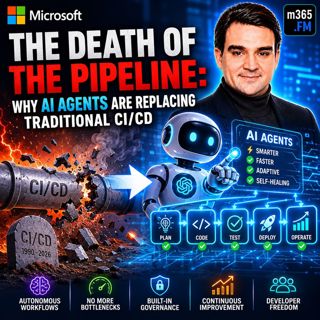
The Death of the Pipeline: Why AI Agents are Replacing Traditional

The Death of the Pipeline: Why AI Agents are Replacing Traditional

For more than two decades, CI/CD pipelines have been the backbone of modern software delivery. Developers commit code, automated builds run, tests execute, security scans complete, someone approves th...

25 Heinä 0s
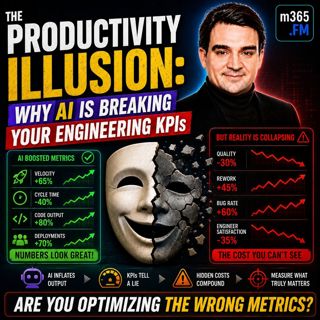
The Productivity Illusion: Why AI is Breaking Your Engineering KPIs

The Productivity Illusion: Why AI is Breaking Your Engineering KPIs

At first glance, the numbers look incredible. Deployment frequency is increasing, pull requests are being merged faster than ever, AI is generating more code, and engineering teams appear dramatically...

25 Heinä 0s
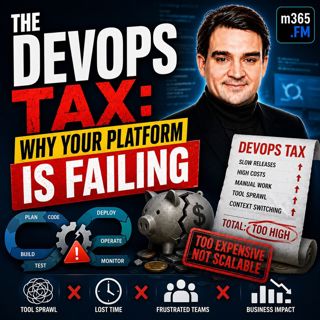
The DevOps Tax: Why Your Platform is Failing

The DevOps Tax: Why Your Platform is Failing

Welcome to another episode of Knowledge Nuggets with Mirko Peters. Today we're exploring The DevOps Tax—the hidden cost that silently reduces engineering productivity, increases cognitive overload, an...

25 Heinä 0s
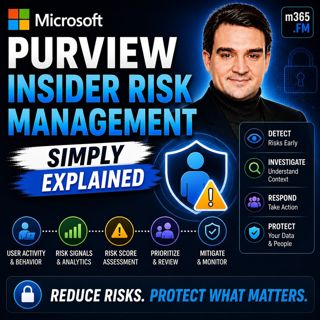
Microsoft Purview Insider Risk Management - Simply Explained

Microsoft Purview Insider Risk Management - Simply Explained

Welcome to another episode of Knowledge Nuggets with Mirko Peters. Today we're exploring Microsoft Purview Insider Risk Management, Microsoft's intelligent solution for identifying risky user behavior...

24 Heinä 0s
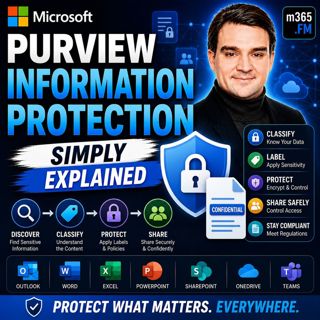
Microsoft Purview Information Protection - Simply Explained

Microsoft Purview Information Protection - Simply Explained

Welcome to another episode of Knowledge Nuggets with Mirko Peters. Today we're exploring Microsoft Purview Information Protection, the foundation of Microsoft's data classification and protection stra...

24 Heinä 0s
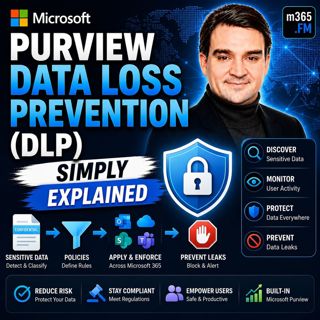
Microsoft Purview Data Loss Prevention (DLP) - Simply Explained

Microsoft Purview Data Loss Prevention (DLP) - Simply Explained

Welcome to another episode of Knowledge Nuggets with Mirko Peters. Today we're exploring Microsoft Purview Data Loss Prevention (DLP), one of the most important security capabilities in Microsoft 365 ...

24 Heinä 0s

Microsoft Entra Private Access - Simply Explained

Microsoft Entra Private Access - Simply Explained

Welcome to another episode of Knowledge Nuggets with Mirko Peters. Today we're exploring Microsoft Entra Internet Access, Microsoft's modern cloud-native approach to secure internet connectivity that ...

24 Heinä 0s
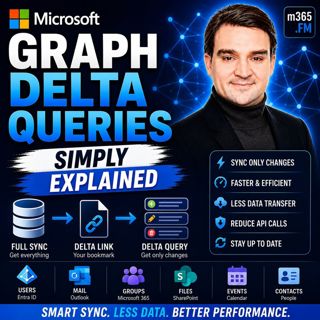
Microsoft Graph Delta Queries - Simply Explained

Microsoft Graph Delta Queries - Simply Explained

Welcome to another episode of Knowledge Nuggets with Mirko Peters. Today we're exploring Microsoft Graph Delta Queries, one of the most powerful features for building efficient synchronization solutio...

24 Heinä 0s

Suosittua kategoriassa Politiikka ja uutiset

aikalisa
uutiscast
ootsa-kuullut-tasta-2
rss-ootsa-kuullut-tasta
rss-seksicast
otetaan-yhdet
rss-podme-livebox
rss-vaalirankkurit-podcast
aihe
politiikan-puskaradio
rikosmyytit
rss-girls-finish-f1rst
rss-mina-ukkola
rss-raha-talous-ja-politiikka
rss-asiastudio
rss-varsinaista-puhetta