Graph API Permissions and Consent Models: How Delegated vs Application Permissions Decide Whether Your App Succeeds in Production

Graph API Permissions and Consent Models: How Delegated vs Application Permissions Decide Whether Your App Succeeds in Production

Ever clicked “Consent” in Azure and wondered what you just allowed? In this episode, we turn that uneasy moment into a clear mental model for how Microsoft Graph actually handles permissions and consent in real tenants—not just in dev sandboxes. Starting from the familiar story of “worked perfectly in test, exploded in production,” we unpack why apps run smoothly in your playground tenant but slam into admin‑consent walls, cryptic error codes, and security reviews the moment real users and real policies show up.

We follow the journey of a typical Graph‑powered app: flawless demos, silent optimism, and then a flood of “Need admin approval” pop‑ups and AADSTS errors once you hit production. You’ll see how the difference between a relaxed dev tenant and a locked‑down enterprise environment isn’t your code quality—it’s how Graph permissions interact with consent policies, who’s allowed to grant which rights, and how Microsoft tries to balance user empowerment with protection against rogue apps. With concrete examples like calendar‑reading flows for out‑of‑office checks, we show how the exact same permission request looks harmless to a developer and like a potential data‑exfiltration vector to security.

From there, we break down delegated versus application permissions in plain language. Delegated permissions let your app “borrow” a signed‑in user’s identity and act only within what that user can already see; application permissions let the app act on its own, often with organization‑wide reach. We translate the documentation into real scenarios—user‑driven calendar apps versus unattended HR exports—and show why the latter always triggers stricter admin controls, longer reviews, and tighter defaults. Research and Microsoft’s own tightening of app‑only defaults make it clear: application permissions are treated like master keys, and your consent journey changes completely once you cross that line.

Finally, we connect these models back to architecture and rollout strategy. You’ll learn how early permission choices lock in your app’s risk profile, why most Graph deployment incidents trace back to misunderstood consent flows, and how to design with production policies in mind from day one instead of relying on “trampoline” dev tenants. By the end, you’ll know how to read those consent prompts as architecture decisions, not just pop‑ups—and how to pick the right permission model so your next Graph app survives contact with real admins, real policies, and real users.

WHAT YOU LEARN
  • Why Graph apps that work in dev often break in production with “admin consent required” messages and AADSTS errors.
  • How the difference between dev and enterprise tenants (policies, roles, consent restrictions) shapes Graph behavior more than your code does.
  • What delegated permissions really mean in practice—apps acting in a signed‑in user’s bubble, limited to what they can already access.
  • What application permissions mean—apps acting on their own with potentially org‑wide reach—and why they trigger strict admin review.
  • How early choices between delegated and application permissions define your rollout path, security posture, and likelihood of hitting consent roadblocks.
CORE INSIGHT

The core insight of this episode is that most Graph API “permission problems” aren’t bugs at all—they are the consent system doing exactly what it was designed to do. Once you understand how delegated and application permissions map to real‑world risk, and how tenant consent policies enforce that risk model, you stop being surprised by blocked rollouts and start designing apps whose permission stories make sense to both developers and security from the very first sprint.

WHO THIS IS FOR
  • Developers building apps or flows on Microsoft Graph who are tired of surprise “admin approval” roadblocks in production.
  • Tenant and security admins who need a clearer way to explain Graph permission risks and consent decisions to project teams.
  • Architects designing new solutions that rely on Graph and want to avoid re‑architecting permissions right before go‑live.
  • Power Platform makers using Graph‑backed flows who keep running into consent errors they don’t fully understand.
ABOUT THE HOST

Mirko Peters is a Microsoft 365 consultant and podcast host focused on modern work, security, and governance in the Microsoft cloud. He works with organizations of all sizes to design context‑driven architectures on Microsoft 365 and Azure where identity, permissions, and automation align with real‑world security and compliance expectations. In M365.FM, Mirko turns complex topics like Graph API permissions, consent models, and tenant policy design into practical stories and patterns listeners can apply in their own environments.

Become a supporter of this podcast: https://www.spreaker.com/podcast/m365-fm-modern-work-security-and-productivity-with-microsoft-365--6704921/support.

Tämä jakso on lisätty Podme-palveluun avoimen RSS-syötteen kautta eikä se ole Podmen omaa tuotantoa. Siksi jakso saattaa sisältää mainontaa.

Jaksot(714)

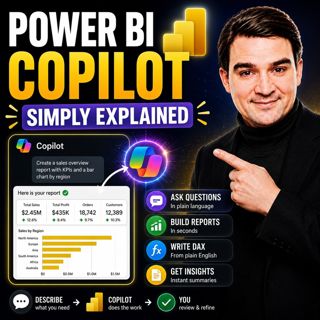
Power BI Copilot - Simply Explained

Power BI Copilot - Simply Explained

Power BI Copilot brings generative AI directly into Microsoft's business intelligence platform, helping users build reports, write DAX formulas, analyze data, and generate insights using natural langu...

13 Heinä 11min
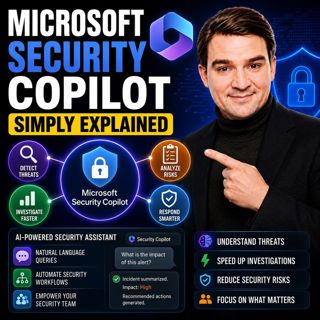
Microsoft Security Copilot - Simply Explained

Microsoft Security Copilot - Simply Explained

Security teams face a common challenge: thousands of security alerts, limited staff, and not enough time to investigate every incident. Most alerts turn out to be harmless, but hidden among them can b...

12 Heinä 13min
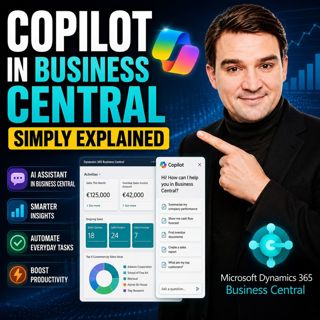
Copilot in Business Central - Simply Explained

Copilot in Business Central - Simply Explained

Microsoft Copilot is becoming a core part of Dynamics 365 Business Central, transforming it from a traditional ERP system into an AI-powered business assistant. Instead of switching between applicatio...

12 Heinä 11min
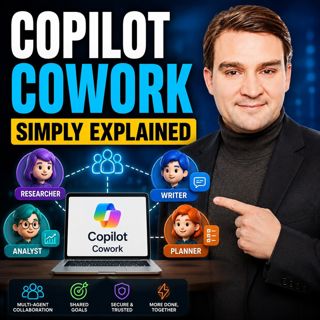
Copilot Cowork - Simply Explained

Copilot Cowork - Simply Explained

Microsoft Copilot changed how we interact with AI by helping us summarize emails, draft documents, and answer questions. But there's still one major problem: you're responsible for connecting everythi...

12 Heinä 13min
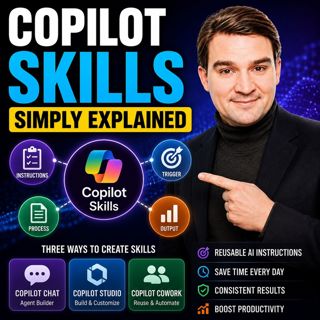
Copilot Skills - Simply Explained

Copilot Skills - Simply Explained

Copilot Skills are one of Microsoft's most important AI building blocks, yet they're also one of the most misunderstood. Depending on which Microsoft product you're using, the same concept appears und...

12 Heinä 13min

Microsoft Scout - Simply Explained

Microsoft Scout - Simply Explained

Microsoft has introduced a growing family of AI assistants, and Microsoft Scout represents the next major step in that evolution. While Copilot helps when you ask questions and Cowork executes multi-s...

12 Heinä 16min

Compliance as Code: The Architect’s Blueprint for Automated Trust

Compliance as Code: The Architect’s Blueprint for Automated Trust

Compliance has traditionally been treated as documentation. Policies live in PDFs, access reviews sit in spreadsheets, and governance depends on people remembering to follow processes. But cloud envir...

12 Heinä 1h 13min

Power Apps Code Apps - Simply Explained

Power Apps Code Apps - Simply Explained

Power Apps has traditionally been known for its low-code, drag-and-drop experience, allowing business users and citizen developers to build applications quickly using Power Fx. But Microsoft is introd...

12 Heinä 14min

Suosittua kategoriassa Politiikka ja uutiset

aikalisa
uutiscast
ootsa-kuullut-tasta-2
rss-ootsa-kuullut-tasta
rss-podme-livebox
otetaan-yhdet
rss-seksicast
politiikan-puskaradio
tervo-halme
aihe
rss-vaalirankkurit-podcast
rss-girls-finish-f1rst
rss-mina-ukkola
rss-aijat-hopottaa-podcast
rss-mita-tapahtuu
rss-merja-mahkan-rahat
rss-raha-talous-ja-politiikka
rss-tekoalyfoorumi
rss-asiastudio
rss-pinnalla