Copilot Extensibility for Microsoft 365 Developers: How to Use Graph Connectors and Plugins to Bring Your Real Business Data into AI

Copilot Extensibility for Microsoft 365 Developers: How to Use Graph Connectors and Plugins to Bring Your Real Business Data into AI

Most teams try Copilot, hit its blind spots, and quietly assume “that’s all it can do.” In this episode, we start from that frustration—generic answers, missing context, and invisible legacy systems—and show how extensibility turns Copilot from a clever text assistant into a real interface for your own business data and workflows.

We walk through why Copilot struggles with your internal wikis, old CRMs, and custom line‑of‑business apps, even though that’s where most of your institutional knowledge actually lives. You’ll see how Graph Connectors, plugins, and custom data integrations each extend Copilot’s field of view differently—and why Connectors often give you the best blend of reach, security, and maintainability when you need broad access to previously “dark” data.

From there, we get practical: mapping which systems are truly worth connecting, designing connectors that respect existing permissions, and avoiding the trap of “just indexing everything.” Using concrete scenarios like quarterly reviews, onboarding processes, and support investigations, we show how a well‑designed connector lets Copilot answer real business questions in seconds instead of sending people on a scavenger hunt across tools.

Finally, we tackle trust, scale, and governance. You’ll learn how to treat Copilot extensibility as part of your architecture—not a side project—so security, compliance, and ownership are baked in from the start. By the end, you’ll have a clear mental model: Copilot as the front door, Graph and plugins as the hallways, and your connected systems as the rooms—each one carefully chosen, described, and access‑controlled.

WHAT YOU LEARN
  • Why Copilot’s out‑of‑the‑box view of your tenant is so limited compared to where your real knowledge lives.
  • How Graph Connectors, plugins, and custom data integrations each extend Copilot in different ways.
  • When Graph Connectors are the right choice to bring legacy apps, wikis, and CRMs into Copilot’s reach.
  • How to design extensibility so security trimming, permissions, and compliance are preserved end‑to‑end.
  • How to pick the first high‑value scenarios where Copilot extensibility will actually change how people work.
CORE INSIGHT

The core insight of this episode is that Copilot doesn’t become truly powerful by “getting smarter” on its own—it becomes powerful when you deliberately extend it into the systems that already run your business. When you treat Graph Connectors and plugins as architectural building blocks, not gadgets, Copilot stops guessing from a narrow slice of Microsoft 365 and starts reasoning from your real processes, history, and data—within the same permission and compliance boundaries you already trust.

WHO THIS IS FOR
  • Microsoft 365 and Azure developers who want to move beyond basic Copilot usage into real extensibility.
  • Architects designing how Copilot should interact with legacy systems, CRMs, wikis, and internal apps.
  • Security and compliance teams evaluating the risks and controls around connecting more data to Copilot.
  • Product owners and tech leads who need Copilot to answer domain‑specific questions, not just generic prompts.
ABOUT THE HOST

Mirko Peters is a Microsoft 365 consultant and podcast host focused on modern work, security, and AI architectures that respect real‑world governance. He helps organizations design context‑driven systems on Microsoft 365 and Azure where Copilot, Graph, and custom integrations extend existing processes instead of bypassing them. In M365.FM, Mirko turns deep technical patterns—like Copilot extensibility with Graph Connectors and plugins—into practical stories and steps you can apply in your own tenant.

Become a supporter of this podcast: https://www.spreaker.com/podcast/m365-fm-modern-work-security-and-productivity-with-microsoft-365--6704921/support.

Tämä jakso on lisätty Podme-palveluun avoimen RSS-syötteen kautta eikä se ole Podmen omaa tuotantoa. Siksi jakso saattaa sisältää mainontaa.

Jaksot(714)

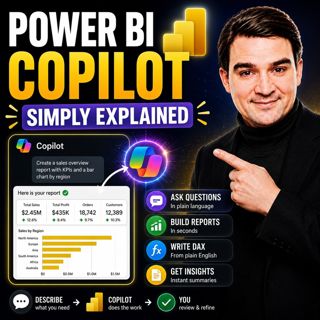
Power BI Copilot - Simply Explained

Power BI Copilot - Simply Explained

Power BI Copilot brings generative AI directly into Microsoft's business intelligence platform, helping users build reports, write DAX formulas, analyze data, and generate insights using natural langu...

13 Heinä 11min
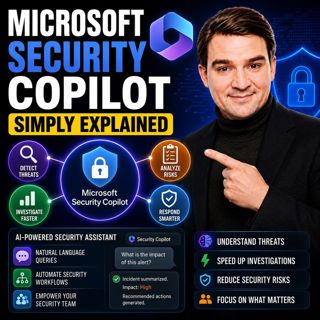
Microsoft Security Copilot - Simply Explained

Microsoft Security Copilot - Simply Explained

Security teams face a common challenge: thousands of security alerts, limited staff, and not enough time to investigate every incident. Most alerts turn out to be harmless, but hidden among them can b...

12 Heinä 13min
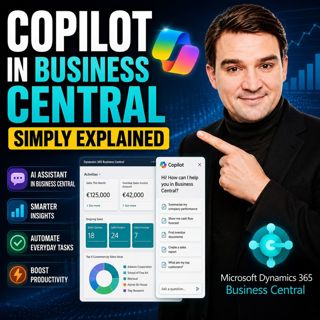
Copilot in Business Central - Simply Explained

Copilot in Business Central - Simply Explained

Microsoft Copilot is becoming a core part of Dynamics 365 Business Central, transforming it from a traditional ERP system into an AI-powered business assistant. Instead of switching between applicatio...

12 Heinä 11min
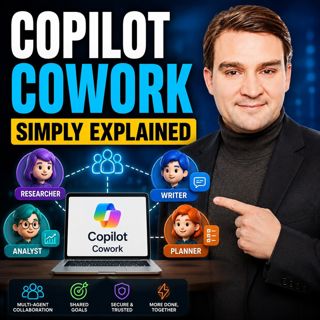
Copilot Cowork - Simply Explained

Copilot Cowork - Simply Explained

Microsoft Copilot changed how we interact with AI by helping us summarize emails, draft documents, and answer questions. But there's still one major problem: you're responsible for connecting everythi...

12 Heinä 13min
Copilot Skills - Simply Explained

Copilot Skills - Simply Explained

Copilot Skills are one of Microsoft's most important AI building blocks, yet they're also one of the most misunderstood. Depending on which Microsoft product you're using, the same concept appears und...

12 Heinä 13min

Microsoft Scout - Simply Explained

Microsoft Scout - Simply Explained

Microsoft has introduced a growing family of AI assistants, and Microsoft Scout represents the next major step in that evolution. While Copilot helps when you ask questions and Cowork executes multi-s...

12 Heinä 16min

Compliance as Code: The Architect’s Blueprint for Automated Trust

Compliance as Code: The Architect’s Blueprint for Automated Trust

Compliance has traditionally been treated as documentation. Policies live in PDFs, access reviews sit in spreadsheets, and governance depends on people remembering to follow processes. But cloud envir...

12 Heinä 1h 13min
Power Apps Code Apps - Simply Explained

Power Apps Code Apps - Simply Explained

Power Apps has traditionally been known for its low-code, drag-and-drop experience, allowing business users and citizen developers to build applications quickly using Power Fx. But Microsoft is introd...

12 Heinä 14min

Suosittua kategoriassa Politiikka ja uutiset

aikalisa
uutiscast
ootsa-kuullut-tasta-2
rss-ootsa-kuullut-tasta
rss-podme-livebox
otetaan-yhdet
rss-seksicast
politiikan-puskaradio
tervo-halme
aihe
rss-vaalirankkurit-podcast
rss-girls-finish-f1rst
rss-mina-ukkola
rss-aijat-hopottaa-podcast
rss-mita-tapahtuu
rss-merja-mahkan-rahat
rss-raha-talous-ja-politiikka
rss-tekoalyfoorumi
rss-asiastudio
rss-pinnalla