SharePoint Online Permission Auditing at Scale

SharePoint Online Permission Auditing at Scale

Your SharePoint permissions are probably a mess—not because you don’t manage them, but because nobody can keep up with thousands of sites changing daily. In this episode, I show you how to move from one‑off, spreadsheet‑driven reviews to an automated, tenant‑wide auditing approach that actually keeps up with reality. We start from the real pain of traditional reviews: endless exports, missed nested groups, and “final” reports that are already outdated by the time the meeting starts.

From there, we dig into why manual permission reviews break at enterprise scale and treat permissions as living data, not a static list. You’ll hear how inheritance, group nesting, and constant content churn make eyeballing site members useless beyond a small intranet scenario. We talk through real incidents where guests and ex‑employees still had edit access—despite “complete” audits—because their permissions were buried in group hierarchies no human could reliably track.

Then we build the technical foundation for real automation with PnP PowerShell. You’ll learn how to connect to every site in your tenant without opening a single browser tab, why app‑only, certificate‑based authentication is essential for unattended jobs, and how to enumerate sites in a way that respects throttling and actually finishes on schedule. Instead of brittle, one‑off scripts, you get a repeatable pattern that plugs directly into your admin center and Graph.

Finally, we add Microsoft Graph API to mine the permission data that actually matters. We walk through how to pull site, library, folder, and file‑level permissions; resolve nested Azure AD groups into real users; and consolidate everything into a single dataset you can slice by user, site, or sensitivity. By the end, you’ll see how to turn weeks of manual review into automated reports that can run daily—and how that changes your conversations with security, compliance, and auditors.

WHAT YOU LEARN
  • Why traditional, spreadsheet‑based permission reviews collapse once you have thousands of sites and constant change.
  • How hidden inheritance and nested groups create blind spots that humans rarely catch in manual audits.
  • How to use PnP PowerShell with app‑only authentication to connect to every SharePoint site automatically.
  • How Microsoft Graph API exposes site, library, and item‑level permissions so you can see real effective access.
  • How to combine both tools into an automated reporting pipeline that delivers accurate, repeatable permission snapshots.
CORE INSIGHT

The core insight of this episode is that SharePoint Online permission auditing only becomes trustworthy when you stop treating it as a yearly snapshot and start treating it as a continuous, automated data problem. When PnP PowerShell handles discovery, Microsoft Graph surfaces the full permission graph, and your reports update on a schedule, you trade luck and heroics for a system that actually shows who has access to what—before your next incident or audit does.

WHO THIS IS FOR
  • Microsoft 365 and SharePoint admins who know their current permission reviews don’t scale but aren’t sure what to do next.
  • Security and compliance teams who need real, tenant‑wide evidence of who can access sensitive content.
  • Architects and engineers tasked with building automated governance and reporting around SharePoint Online.
  • IT leaders who want to sleep better knowing permission risks are monitored continuously, not once a year.
ABOUT THE HOST

Mirko Peters is a Microsoft 365 consultant and podcast host who helps organizations turn messy, manual governance processes into automated, data‑driven systems. He works with teams across IT, security, and compliance to design context‑driven architectures in Microsoft 365 and SharePoint that make permission visibility, auditing, and reporting repeatable instead of heroic. In M365.FM, Mirko turns deeply technical topics like PnP PowerShell, Microsoft Graph, and tenant‑wide auditing into practical stories and patterns you can apply in your own environment.

Become a supporter of this podcast: https://www.spreaker.com/podcast/m365-fm-modern-work-security-and-productivity-with-microsoft-365--6704921/support.

Tämä jakso on lisätty Podme-palveluun avoimen RSS-syötteen kautta eikä se ole Podmen omaa tuotantoa. Siksi jakso saattaa sisältää mainontaa.

Jaksot(722)

Data Analysis Expressions (DAX) - Simply Explained

Data Analysis Expressions (DAX) - Simply Explained

If you've spent any time working with Power BI, you've almost certainly heard about DAX. Some people describe it as "Excel formulas for Power BI," while others treat it like a complex programming lang...

14 Heinä 15min

Graph API - Simply Explained

Graph API - Simply Explained

Microsoft Graph API is one of the most important technologies in the Microsoft ecosystem, yet it's often misunderstood. Is it a database? A service? Or simply another developer tool? In this episode o...

13 Heinä 12min
Microsoft Agent Builder — Simply Explained

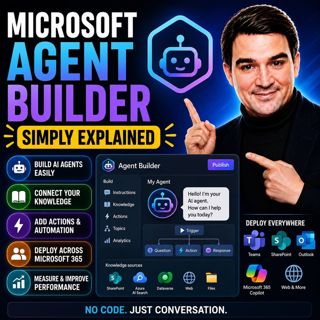
Microsoft Agent Builder — Simply Explained

Building AI agents used to require developers, code, and complex AI platforms. Microsoft Agent Builder changes that completely. Built directly into Microsoft 365 Copilot, Agent Builder allows anyone t...

13 Heinä 15min
Copilot for Dynamics 365 Finance and Operations - Simply Explained

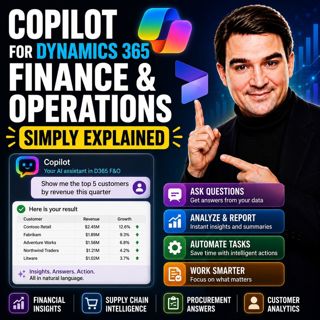
Copilot for Dynamics 365 Finance and Operations - Simply Explained

Finance teams have never struggled with a lack of data—they struggle with the time it takes to find, organize, analyze, and act on that information. Traditional ERP workflows often require switching b...

13 Heinä 11min

AI Under Attack: Building Zero Trust Security with Microsoft Copilot, Azure & Microsoft 365 - Mourtaza Fazlehoussen [MVP]

AI Under Attack: Building Zero Trust Security with Microsoft Copilot, Azure & Microsoft 365 - Mourtaza Fazlehoussen [MVP]

Artificial intelligence is transforming cybersecurity faster than any technology before it. But while AI helps defenders automate investigations and respond to incidents faster, it also gives cybercri...

13 Heinä 1h 1min
Copilot in Microsoft Entra ID - Simply Explained

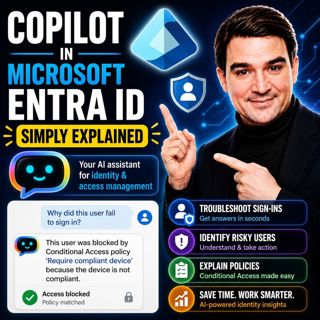
Copilot in Microsoft Entra ID - Simply Explained

Managing identities has become one of the most challenging responsibilities for modern IT teams. Every day, organizations process thousands of sign-ins, evaluate Conditional Access policies, detect ri...

13 Heinä 14min

Copilot for Microsoft Fabric - Simply Explained

Copilot for Microsoft Fabric - Simply Explained

Microsoft has several Copilots, but each one serves a completely different purpose. Microsoft 365 Copilot helps you write documents and summarize meetings. GitHub Copilot helps developers write code. ...

13 Heinä 11min

Platform Engineering: The New Operating Model for Azure

Platform Engineering: The New Operating Model for Azure

DevOps changed how software is built, but it didn't eliminate complexity—it simply redistributed it. As organizations adopted cloud platforms, Infrastructure as Code, containers, and CI/CD pipelines, ...

13 Heinä 1h 16min

Suosittua kategoriassa Politiikka ja uutiset

aikalisa
uutiscast
ootsa-kuullut-tasta-2
rss-ootsa-kuullut-tasta
rss-seksicast
rss-podme-livebox
otetaan-yhdet
rss-vaalirankkurit-podcast
politiikan-puskaradio
tervo-halme
aihe
rss-girls-finish-f1rst
linda-maria
rikosmyytit
rss-aijat-hopottaa-podcast
rss-mita-tapahtuu
rss-merja-mahkan-rahat
rss-raha-talous-ja-politiikka
rss-asiastudio
rss-pinnalla