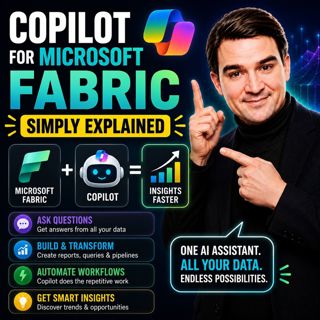
Copilot for Microsoft Fabric - Simply Explained

Copilot for Microsoft Fabric - Simply Explained

Microsoft has several Copilots, but each one serves a completely different purpose. Microsoft 365 Copilot helps you write documents and summarize meetings. GitHub Copilot helps developers write code. Copilot for Microsoft Fabric is designed specifically for data and analytics. It acts as an AI-powered data assistant that helps you write SQL, generate DAX measures, build reports, create data pipelines, and transform datasets using plain English. Instead of memorizing complex syntax, you simply describe what you want, and Copilot generates a working first draft that you can review and refine.

AN AI ASSISTANT FOR YOUR DATA
Copilot is built directly into Microsoft Fabric and understands your organization's data. Powered by Azure OpenAI, it doesn't rely on generic internet knowledge. Instead, it understands your Fabric workspace, semantic models, tables, schemas, and relationships. Whether you're asking for a SQL query, a Power BI report, or a PySpark transformation, Copilot generates content based on your actual business data. Think of it as a junior data engineer who works incredibly fast—but still needs your review before anything goes into production.

WHERE COPILOT WORKS
Copilot is integrated across several Microsoft Fabric workloads. Inside Data Factory, it helps build Power Query transformations and data pipelines using natural language. Within Data Engineering, it generates PySpark code for Fabric Notebooks, explains existing code, and helps developers understand complex data transformations. In the Data Warehouse, Copilot converts plain English into SQL queries, making data exploration much easier for users who don't write SQL every day. Finally, in Power BI, Copilot creates dashboards, generates DAX measures, builds visualizations, and summarizes reports in natural language for business users.

REAL-WORLD EXAMPLES
Different roles benefit from Copilot in different ways. A data engineer can generate PySpark code to clean and transform raw datasets without manually writing every line of code. A business analyst can describe a dashboard in plain English and have Copilot build the initial Power BI report, complete with charts, KPIs, and calculated measures. A SQL user can request a query such as "Show total sales by region for last quarter," allowing Copilot to generate the SQL automatically instead of manually writing joins and aggregations. Each scenario dramatically reduces repetitive work while allowing experts to focus on analysis rather than syntax.

GETTING STARTED
Using Copilot requires very little setup. Organizations need Microsoft Fabric running on a paid Fabric capacity (F2 or higher), and a Fabric administrator must enable Copilot within the tenant settings. Once enabled, Copilot appears directly inside the supported Fabric experiences without requiring additional installation or configuration. It also respects existing security permissions, meaning users only receive AI assistance for data they are already authorized to access.

WHY BEGINNERS SHOULD CARE
One of the biggest barriers to analytics has always been learning technical languages such as SQL, DAX, and PySpark. Copilot dramatically lowers that barrier by allowing users to describe business problems in natural language instead of writing code from scratch. Rather than spending weeks learning syntax before becoming productive, beginners can start building reports, exploring data, and learning by reviewing the code Copilot generates. It accelerates learning while making self-service analytics accessible to a much wider audience.

THE HUMAN STILL MATTERS
Despite its impressive capabilities, Copilot should never be treated as an autonomous data engineer. It can misunderstand prompts, generate inefficient SQL, select the wrong visual, or produce calculations that require refinement. Every generated query, DAX measure, notebook, and report should be reviewed and validated before being used in production. Copilot removes repetitive work—but data quality, governance, security, and business decisions still belong to people.

WHY COPILOT FOR FABRIC MATTERS
Copilot for Microsoft Fabric represents one of Microsoft's biggest advances in modern data analytics. By combining AI with Fabric's unified data platform, it enables both beginners and experienced professionals to build pipelines, analyze data, create reports, and generate insights much faster than before. Rather than replacing data professionals, it allows them to spend less time writing repetitive code and more time solving business problems. When paired with a clean semantic model and strong governance, Copilot becomes an incredibly powerful productivity tool that makes Microsoft Fabric more approachable, more efficient, and significantly easier to learn.

Become a supporter of this podcast: https://www.spreaker.com/podcast/m365-fm-modern-work-security-and-productivity-with-microsoft-365--6704921/support.

Tämä jakso on lisätty Podme-palveluun avoimen RSS-syötteen kautta eikä se ole Podmen omaa tuotantoa. Siksi jakso saattaa sisältää mainontaa.

Jaksot(717)

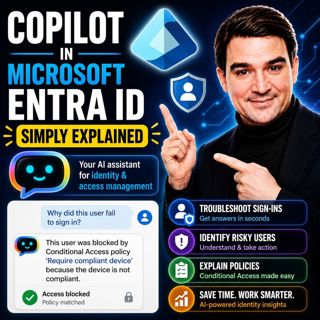
Copilot in Microsoft Entra ID - Simply Explained

Copilot in Microsoft Entra ID - Simply Explained

Managing identities has become one of the most challenging responsibilities for modern IT teams. Every day, organizations process thousands of sign-ins, evaluate Conditional Access policies, detect ri...

13 Heinä 14min

Platform Engineering: The New Operating Model for Azure

Platform Engineering: The New Operating Model for Azure

DevOps changed how software is built, but it didn't eliminate complexity—it simply redistributed it. As organizations adopted cloud platforms, Infrastructure as Code, containers, and CI/CD pipelines, ...

13 Heinä 1h 16min
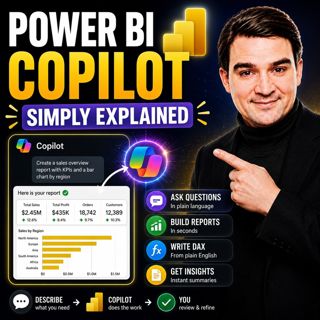
Power BI Copilot - Simply Explained

Power BI Copilot - Simply Explained

Power BI Copilot brings generative AI directly into Microsoft's business intelligence platform, helping users build reports, write DAX formulas, analyze data, and generate insights using natural langu...

13 Heinä 11min

Microsoft Security Copilot - Simply Explained

Microsoft Security Copilot - Simply Explained

Security teams face a common challenge: thousands of security alerts, limited staff, and not enough time to investigate every incident. Most alerts turn out to be harmless, but hidden among them can b...

12 Heinä 13min
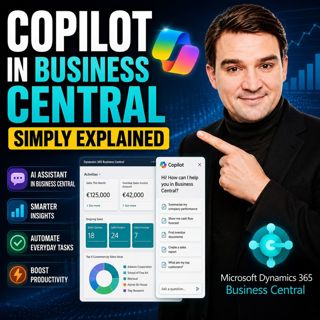
Copilot in Business Central - Simply Explained

Copilot in Business Central - Simply Explained

Microsoft Copilot is becoming a core part of Dynamics 365 Business Central, transforming it from a traditional ERP system into an AI-powered business assistant. Instead of switching between applicatio...

12 Heinä 11min

Copilot Cowork - Simply Explained

Copilot Cowork - Simply Explained

Microsoft Copilot changed how we interact with AI by helping us summarize emails, draft documents, and answer questions. But there's still one major problem: you're responsible for connecting everythi...

12 Heinä 13min

Copilot Skills - Simply Explained

Copilot Skills - Simply Explained

Copilot Skills are one of Microsoft's most important AI building blocks, yet they're also one of the most misunderstood. Depending on which Microsoft product you're using, the same concept appears und...

12 Heinä 13min

Suosittua kategoriassa Politiikka ja uutiset

aikalisa
uutiscast
ootsa-kuullut-tasta-2
rss-ootsa-kuullut-tasta
rss-podme-livebox
otetaan-yhdet
rss-seksicast
politiikan-puskaradio
tervo-halme
aihe
rss-vaalirankkurit-podcast
rss-girls-finish-f1rst
rss-mina-ukkola
rss-aijat-hopottaa-podcast
rss-mita-tapahtuu
rss-merja-mahkan-rahat
rss-raha-talous-ja-politiikka
rss-tekoalyfoorumi
rss-asiastudio
rss-pinnalla