Custom Copilot Plugins for Microsoft 365: How to Turn Planner, SharePoint and Teams Data into One Reliable Answer

Custom Copilot Plugins for Microsoft 365: How to Turn Planner, SharePoint and Teams Data into One Reliable Answer

If your project data lives in ten different places across Microsoft 365, how do you get a single, reliable status update without spending half your day clicking around? In this episode, I show you how to build a custom Copilot plugin that turns questions like “Where are we on Project Apollo?” into one accurate answer—by wiring Copilot directly into Planner, SharePoint, and Teams instead of relying on screenshots and spreadsheets. You’ll see the real API calls, the manifest that teaches Copilot what to do, and the secure access model that keeps everything inside your governance boundaries.

We start where the pain is worst: Friday status reports that require hopping between Planner buckets, SharePoint lists, and long Teams threads just to reconstruct what actually happened this week. Planner knows the tasks, SharePoint tracks approvals, Teams holds the conversations—but none of them talk to each other without you in the middle. I walk through concrete examples of how scattered APIs, inconsistent field names, and different auth models make manual reporting slow, error‑prone, and exhausting.

From there, we map the APIs that matter—Microsoft Graph for Planner and Teams, SharePoint REST for list data—and turn that map into a plugin manifest Copilot can actually understand. You’ll learn how to describe each operation in plain language, define parameters like projectId or date ranges, and give Copilot enough structure to turn a vague user question into precise, filtered API calls. This is where Copilot stops guessing and starts reliably pulling the right data with the right filters and scopes.

Finally, we connect everything into a secure, production‑ready flow: the plugin manifest, the backend service that calls the APIs, and the permission model that makes sure Copilot only sees what each user is allowed to see. By the end, “ask Copilot for a project status” is no longer a dream or a demo—it’s a capability you can design, build, and roll out across your own Microsoft 365 tenant.

WHAT YOU LEARN
  • Where project data actually hides in Microsoft 365 (Planner, SharePoint, Teams) and why that breaks traditional reporting.
  • How to identify and design the key Microsoft Graph and SharePoint REST API calls your plugin needs.
  • How to write a Copilot plugin manifest that translates natural language questions into specific, filtered API operations.
  • Why scopes, permissions, and rate limits matter when your plugin hits multiple services at once.
  • How to design a secure backend and access model so Copilot only uses data users are allowed to see.
CORE INSIGHT

The core insight of this episode is that custom Copilot plugins are not magic—they’re carefully designed bridges between the way humans ask questions and the way Microsoft 365’s APIs deliver data. Once you treat your plugin as a map (manifest), a set of routes (API calls), and a lock system (permissions), Copilot can finally give you one trustworthy project answer from many scattered sources, without you acting as the manual integration layer.

WHO THIS IS FOR
  • Project managers and owners tired of manually stitching together Planner, SharePoint, and Teams data for status reports.
  • Microsoft 365 and Power Platform developers who want to build their first Copilot plugin from real‑world APIs, not just samples.
  • Architects and platform owners designing Copilot integration patterns that respect existing security and governance models.
  • Tech leads who want Copilot to answer domain‑specific questions (“How is Project X going?”) instead of generic summaries.
ABOUT THE HOST

Mirko Peters is a Microsoft 365 consultant and podcast host who helps organizations connect modern work, AI, and governance into coherent, secure systems. He works with teams to design context‑driven architectures on Microsoft 365 and Azure, where tools like Copilot and custom plugins sit on top of well‑structured APIs and permission models instead of shortcuts. In M365.FM, Mirko turns deep technical implementation details—like manifests, Graph calls, and plugin security—into practical stories and patterns you can reuse in your own tenant.


Become a supporter of this podcast: https://www.spreaker.com/podcast/m365-fm-modern-work-security-and-productivity-with-microsoft-365--6704921/support.

Tämä jakso on lisätty Podme-palveluun avoimen RSS-syötteen kautta eikä se ole Podmen omaa tuotantoa. Siksi jakso saattaa sisältää mainontaa.

Jaksot(720)

Microsoft Agent Builder — Simply Explained

Microsoft Agent Builder — Simply Explained

Building AI agents used to require developers, code, and complex AI platforms. Microsoft Agent Builder changes that completely. Built directly into Microsoft 365 Copilot, Agent Builder allows anyone t...

13 Heinä 15min
Copilot for Dynamics 365 Finance and Operations - Simply Explained

Copilot for Dynamics 365 Finance and Operations - Simply Explained

Finance teams have never struggled with a lack of data—they struggle with the time it takes to find, organize, analyze, and act on that information. Traditional ERP workflows often require switching b...

13 Heinä 11min

AI Under Attack: Building Zero Trust Security with Microsoft Copilot, Azure & Microsoft 365 - Mourtaza Fazlehoussen [MVP]

AI Under Attack: Building Zero Trust Security with Microsoft Copilot, Azure & Microsoft 365 - Mourtaza Fazlehoussen [MVP]

Artificial intelligence is transforming cybersecurity faster than any technology before it. But while AI helps defenders automate investigations and respond to incidents faster, it also gives cybercri...

13 Heinä 1h 1min
Copilot in Microsoft Entra ID - Simply Explained

Copilot in Microsoft Entra ID - Simply Explained

Managing identities has become one of the most challenging responsibilities for modern IT teams. Every day, organizations process thousands of sign-ins, evaluate Conditional Access policies, detect ri...

13 Heinä 14min
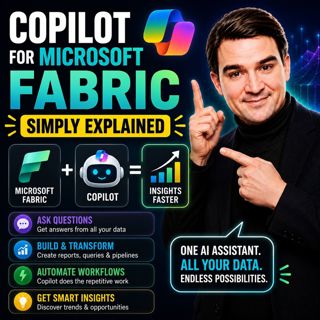
Copilot for Microsoft Fabric - Simply Explained

Copilot for Microsoft Fabric - Simply Explained

Microsoft has several Copilots, but each one serves a completely different purpose. Microsoft 365 Copilot helps you write documents and summarize meetings. GitHub Copilot helps developers write code. ...

13 Heinä 11min
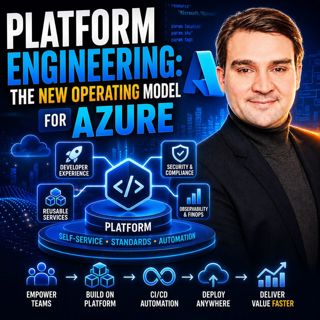
Platform Engineering: The New Operating Model for Azure

Platform Engineering: The New Operating Model for Azure

DevOps changed how software is built, but it didn't eliminate complexity—it simply redistributed it. As organizations adopted cloud platforms, Infrastructure as Code, containers, and CI/CD pipelines, ...

13 Heinä 1h 16min
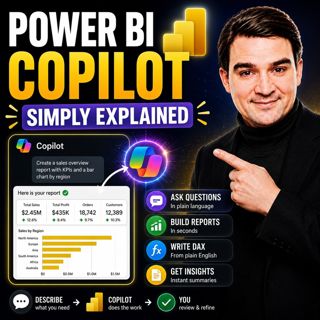
Power BI Copilot - Simply Explained

Power BI Copilot - Simply Explained

Power BI Copilot brings generative AI directly into Microsoft's business intelligence platform, helping users build reports, write DAX formulas, analyze data, and generate insights using natural langu...

13 Heinä 11min

Microsoft Security Copilot - Simply Explained

Microsoft Security Copilot - Simply Explained

Security teams face a common challenge: thousands of security alerts, limited staff, and not enough time to investigate every incident. Most alerts turn out to be harmless, but hidden among them can b...

12 Heinä 13min

Suosittua kategoriassa Politiikka ja uutiset

aikalisa
uutiscast
ootsa-kuullut-tasta-2
rss-ootsa-kuullut-tasta
rss-podme-livebox
otetaan-yhdet
rss-seksicast
politiikan-puskaradio
tervo-halme
aihe
rss-vaalirankkurit-podcast
rss-girls-finish-f1rst
rss-mina-ukkola
rss-aijat-hopottaa-podcast
rss-mita-tapahtuu
rss-merja-mahkan-rahat
rss-raha-talous-ja-politiikka
rss-tekoalyfoorumi
rss-asiastudio
rss-pinnalla