Fabric Data Activator for Real-Time AI Insights: How to Turn Live Data Streams into Instant, Automated Actions

Fabric Data Activator for Real-Time AI Insights: How to Turn Live Data Streams into Instant, Automated Actions

Fabric Data Activator for Real-Time AI Insights

Most teams say they’re “real time,” but their decisions still wait on people checking dashboards and chats. In this episode, I show how Fabric Data Activator closes that gap by watching your event streams in Microsoft Fabric and triggering actions the moment something important happens—without you exporting data, refreshing reports or manually kicking off the next step. We connect the dots between raw signals, instant detection and automated responses, so your data doesn’t just describe what happened, it actively drives what happens next.

We start with the missing link in the typical BI loop. Dashboards and alerts tell you what changed, but then everything stops until a human notices, decides and acts. You’ll hear how that delay quietly kills opportunities: promotions launched hours after a sales dip, incident responses waiting for the “next review,” and Teams channels full of FYI alerts nobody has time to read. Fabric Data Activator lives exactly in that gap, listening to streams in near real time and turning clear conditions into immediate actions instead of more notifications.

Then we look at how Data Activator fits into the rest of Fabric. Because it sits alongside Power BI, Synapse and your Lakehouse, it doesn’t need fragile exports or extra glue code—it taps the same data flows already feeding your reports and models. You’ll learn how it can pause a bad pipeline run before dirty data hits your warehouse, kick off remediation flows when thresholds are breached, or launch campaigns when live metrics cross a line, all using the same Fabric-native context your analytics stack already understands.

Finally, we move from alerts to external action. We explore how Data Activator can call APIs and talk to systems outside Fabric—ordering stock, opening tickets, updating records—so the moment your data sees a problem or an opportunity, the right external system hears about it and responds. By the end, you’ll have a practical mental model: dashboards tell you the story, but Fabric Data Activator changes the ending by letting your data trigger the next move automatically.

WHAT YOU’LL LEARN
  • Why “real-time” dashboards still leave a human bottleneck between insight and action.
  • How Fabric Data Activator listens to event streams inside Fabric and reacts in near real time.
  • How it works alongside Power BI, Synapse and pipelines to stop bad data and trigger remediation.
  • How to let your data call external APIs so systems outside Fabric respond automatically.
THE CORE INSIGHT

The core insight of this episode is that analytics alone don’t change outcomes—automated responses do. Once Fabric Data Activator sits on top of your streams and pipelines, your environment stops waiting for people to notice patterns and starts acting on them the second they appear.

WHO THIS EPISODE IS FOR
  • Data and BI teams who already use Fabric and want to go beyond passive dashboards.
  • Architects designing real-time, event-driven analytics and operations.
  • Business owners who want their systems to react automatically when key metrics move.
ABOUT THE AUTHOR / HOST

Mirko Peters is a Microsoft 365 and data platform consultant and host of the M365.FM podcast, helping organizations turn static reporting setups into real-time, action-driven architectures with Microsoft Fabric. He works with data, BI and operations teams to design event-driven patterns where insights don’t just show up on a dashboard—they trigger the next step in the process.

Become a supporter of this podcast: https://www.spreaker.com/podcast/m365-fm-modern-work-security-and-productivity-with-microsoft-365--6704921/support.

Tämä jakso on lisätty Podme-palveluun avoimen RSS-syötteen kautta eikä se ole Podmen omaa tuotantoa. Siksi jakso saattaa sisältää mainontaa.

Jaksot(722)

Data Analysis Expressions (DAX) - Simply Explained

Data Analysis Expressions (DAX) - Simply Explained

If you've spent any time working with Power BI, you've almost certainly heard about DAX. Some people describe it as "Excel formulas for Power BI," while others treat it like a complex programming lang...

14 Heinä 15min
Graph API - Simply Explained

Graph API - Simply Explained

Microsoft Graph API is one of the most important technologies in the Microsoft ecosystem, yet it's often misunderstood. Is it a database? A service? Or simply another developer tool? In this episode o...

13 Heinä 12min
Microsoft Agent Builder — Simply Explained

Microsoft Agent Builder — Simply Explained

Building AI agents used to require developers, code, and complex AI platforms. Microsoft Agent Builder changes that completely. Built directly into Microsoft 365 Copilot, Agent Builder allows anyone t...

13 Heinä 15min
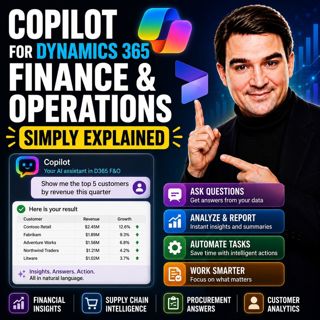
Copilot for Dynamics 365 Finance and Operations - Simply Explained

Copilot for Dynamics 365 Finance and Operations - Simply Explained

Finance teams have never struggled with a lack of data—they struggle with the time it takes to find, organize, analyze, and act on that information. Traditional ERP workflows often require switching b...

13 Heinä 11min

AI Under Attack: Building Zero Trust Security with Microsoft Copilot, Azure & Microsoft 365 - Mourtaza Fazlehoussen [MVP]

AI Under Attack: Building Zero Trust Security with Microsoft Copilot, Azure & Microsoft 365 - Mourtaza Fazlehoussen [MVP]

Artificial intelligence is transforming cybersecurity faster than any technology before it. But while AI helps defenders automate investigations and respond to incidents faster, it also gives cybercri...

13 Heinä 1h 1min
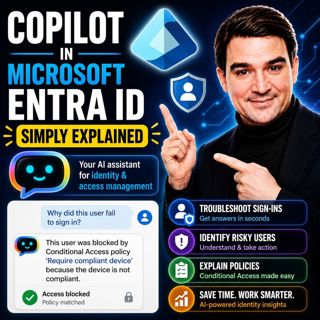
Copilot in Microsoft Entra ID - Simply Explained

Copilot in Microsoft Entra ID - Simply Explained

Managing identities has become one of the most challenging responsibilities for modern IT teams. Every day, organizations process thousands of sign-ins, evaluate Conditional Access policies, detect ri...

13 Heinä 14min
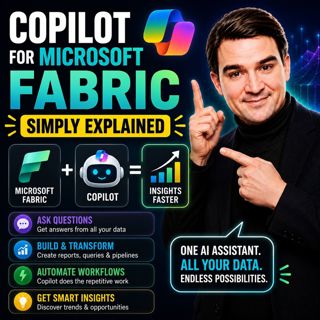
Copilot for Microsoft Fabric - Simply Explained

Copilot for Microsoft Fabric - Simply Explained

Microsoft has several Copilots, but each one serves a completely different purpose. Microsoft 365 Copilot helps you write documents and summarize meetings. GitHub Copilot helps developers write code. ...

13 Heinä 11min
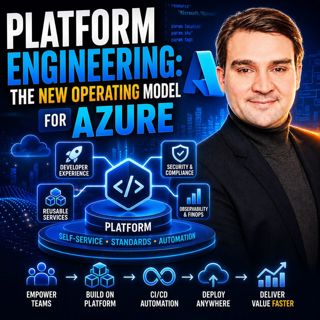
Platform Engineering: The New Operating Model for Azure

Platform Engineering: The New Operating Model for Azure

DevOps changed how software is built, but it didn't eliminate complexity—it simply redistributed it. As organizations adopted cloud platforms, Infrastructure as Code, containers, and CI/CD pipelines, ...

13 Heinä 1h 16min

Suosittua kategoriassa Politiikka ja uutiset

aikalisa
uutiscast
ootsa-kuullut-tasta-2
rss-ootsa-kuullut-tasta
rss-seksicast
rss-podme-livebox
otetaan-yhdet
rss-vaalirankkurit-podcast
politiikan-puskaradio
tervo-halme
aihe
rss-girls-finish-f1rst
linda-maria
rikosmyytit
rss-aijat-hopottaa-podcast
rss-mita-tapahtuu
rss-merja-mahkan-rahat
rss-raha-talous-ja-politiikka
rss-asiastudio
rss-pinnalla