How SharePoint Clutter, Broken Permissions and Bad Metadata Destroy AI Accuracy in Microsoft 365

How SharePoint Clutter, Broken Permissions and Bad Metadata Destroy AI Accuracy in Microsoft 365

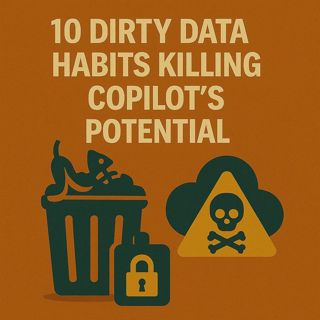
10 Dirty Data Habits Killing Copilot’s Potential

Copilot isn’t “too weak” for your business—it’s too polite to tell you your data is a mess. When SharePoint turns into a graveyard of outdated files, metadata is treated as optional, and permissions drift for years, Copilot does exactly what it’s designed to do: generate answers from whatever it can see. The result isn’t intelligence, it’s noise—vague summaries, half‑complete reports and insights nobody fully trusts. In this episode, we walk through ten dirty data habits that quietly sabotage Copilot every day, and show you the practical clean‑up work that transforms it from a guessing engine into a precision tool.

We start with the silent saboteurs hiding in SharePoint. Abandoned project sites, duplicate “final” files and years of unmanaged uploads create data graveyards that Copilot must wade through on every query. You’ll hear how this sprawl dilutes context, forces the AI to choose between conflicting versions and leaves users wondering why the answers feel generic when “the right file” is definitely somewhere in the tenant. We show how simple steps—archiving dead libraries, enforcing basic naming, and making key metadata mandatory—act like turning the lights on in a cluttered garage so Copilot can finally grab the right tool instead of the nearest box.

Then we tackle broken permissions and blind spots. Out‑of‑date access, stale accounts and inconsistent sharing models mean Copilot often sees only a fraction of the content your people assume it can reach. That’s why summaries look incomplete and why different users get different “truths” from the same question. We connect this to real‑world identity and RBAC problems: guest accounts that never expire, security groups no one cleans up, and sensitive content stored in places Copilot is blocked from by accident rather than design. The lesson is clear: if the AI can’t see your best data, it will confidently answer from whatever scraps are left.

Finally, we broaden the view to data hygiene as the real Copilot readiness checklist. Beyond clutter and access, we look at inconsistent structures, missing owners and lack of lifecycle rules that turn your tenant into shifting sand. You’ll leave with a practical set of next steps: which libraries to clean first, how to tighten permissions without killing collaboration, how to use metadata as signals instead of afterthoughts, and how to explain to leadership that “fixing the data estate” is the upgrade that makes Copilot truly worth the investment.

WHAT YOU’LL LEARN
  • How SharePoint clutter, version chaos and missing metadata quietly wreck Copilot accuracy.
  • How broken permissions and stale accounts create AI blind spots and inconsistent answers.
  • Why Copilot quality is a direct reflection of your data hygiene, not just the AI model.
  • Concrete first steps to clean your tenant so Copilot’s responses become sharper, richer and more trustworthy.
THE CORE INSIGHT

The core insight of this episode is that Copilot doesn’t have a data problem—you do. Once you treat clutter, access drift and missing metadata as critical AI inputs instead of background noise, Copilot stops feeling like a vague assistant and starts acting like a focused, reliable colleague powered by the best version of your own information.WHO THIS EPISODE IS FOR
  • Microsoft 365 admins and architects preparing their tenant for Copilot.
  • Business and data owners frustrated by “mid” AI answers despite rich internal content.
  • Security and governance teams who want AI value without sacrificing control over data quality and access.
ABOUT THE AUTHOR / HOST

Mirko Peters is a Microsoft 365, Copilot and data governance consultant and host of the M365.FM podcast, helping organizations turn messy content estates into AI‑ready foundations. He works with teams on SharePoint, Entra ID and Purview to fix data hygiene, permissions and metadata—so Copilot can finally deliver the sharp, context‑rich answers leaders expected when they signed the license contract.


Become a supporter of this podcast: https://www.spreaker.com/podcast/m365-fm-modern-work-security-and-productivity-with-microsoft-365--6704921/support.

Tämä jakso on lisätty Podme-palveluun avoimen RSS-syötteen kautta eikä se ole Podmen omaa tuotantoa. Siksi jakso saattaa sisältää mainontaa.

Jaksot(738)

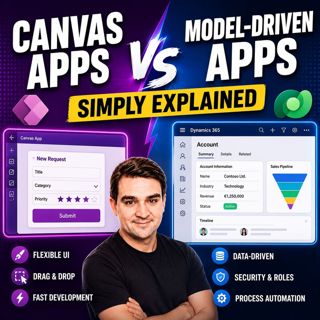
Canvas Apps vs Model-Driven Apps - Simply Explained

Canvas Apps vs Model-Driven Apps - Simply Explained

Microsoft Power Apps offers two primary ways to build business applications: Canvas Apps and Model-Driven Apps. At first glance they may appear similar, but they are designed for very different scenar...

15 Heinä 15min

Infrastructure as Code - Simply Explained

Infrastructure as Code - Simply Explained

Managing cloud infrastructure by clicking through the Azure Portal might work for a single virtual machine, but it quickly becomes slow, inconsistent, and difficult to maintain as environments grow. I...

15 Heinä 16min

Bicep - Simply Explained

Bicep - Simply Explained

Deploying Azure resources through the Azure Portal is great for learning, but it quickly becomes difficult to repeat, document, and automate. That's where Bicep comes in. In this episode, we explain M...

15 Heinä 16min

ARM Templates - Simply Explained

ARM Templates - Simply Explained

If you've ever built Azure resources by clicking through the Azure Portal, you've probably wondered how large organizations deploy identical environments over and over again without making mistakes. T...

15 Heinä 15min

Teams Telephony - Simply Explained

Teams Telephony - Simply Explained

Microsoft Teams Telephony transforms Microsoft Teams into a complete cloud-based business phone system, replacing traditional office PBXs with a modern, software-powered solution. In this episode, we ...

15 Heinä 17min
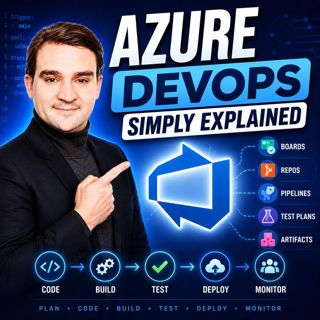
Azure DevOps - Simply Explained

Azure DevOps - Simply Explained

Azure DevOps is one of Microsoft's most comprehensive platforms for software development, yet many people mistakenly believe it's only for developers. In reality, Azure DevOps brings together project ...

15 Heinä 17min
PowerShell - Simply Explained

PowerShell - Simply Explained

PowerShell is one of Microsoft's most powerful technologies, yet many people only see it as a black command window. In reality, it's a complete automation platform that combines a command-line shell, ...

15 Heinä 15min
Dataverse - Simply Explained

Dataverse - Simply Explained

Microsoft Dataverse is one of the most important services in the Power Platform ecosystem, yet many people assume it's simply another database. In reality, Dataverse is much more than storage. It's a ...

15 Heinä 18min

Suosittua kategoriassa Politiikka ja uutiset

aikalisa
uutiscast
ootsa-kuullut-tasta-2
rss-ootsa-kuullut-tasta
rss-seksicast
rss-vaalirankkurit-podcast
rss-podme-livebox
otetaan-yhdet
politiikan-puskaradio
tervo-halme
aihe
linda-maria
rikosmyytit
mtv-uutiset-polloraati
rss-aijat-hopottaa-podcast
rss-merja-mahkan-rahat
rss-raha-talous-ja-politiikka
rss-tekoalyfoorumi
rss-asiastudio
rss-girls-finish-f1rst