Dynamics 365 Sales HQ: Sales Copilot, Outlook/Teams Integration & Why This CRM Actually Helps You Sell

Dynamics 365 Sales HQ: Sales Copilot, Outlook/Teams Integration & Why This CRM Actually Helps You Sell

Dynamics 365 Sales, Sales Copilot, Outlook/Teams integration and guided selling – this episode is for people searching “Dynamics 365 Sales vs CRM”, “Sales Copilot in Outlook and Teams”, “guided selling playbooks”, “lead prioritization scoring” or “intelligent CRM for sellers”. If your CRM still feels like a clunky address book that eats admin time, this conversation shows how Dynamics 365 Sales turns into a real command center that helps you decide what to do next instead of just recording what happened.

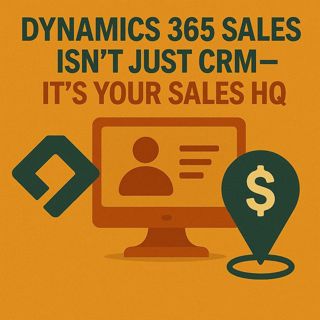
We start by breaking up with the “fancy Rolodex” view of CRM. Traditional systems act like filing cabinets: you log calls, notes and activities, then get static reports at the end of the quarter—busywork wearing a business suit. Dynamics 365 Sales repositions itself as Sales HQ: a mission control where playbooks, guided sequences, next‑best‑action prompts and health bars on accounts and opportunities show you what deserves attention right now. Instead of guessing in a spreadsheet dungeon, you work from a live tactical console that surfaces signals from deals, calls, emails and interactions so each move advances the story instead of just filling in fields.

Then we tackle the tab‑hopping tax and why sellers lose so much time context‑switching between Outlook, Teams and CRM. With Dynamics 365 Sales stitched directly into Outlook, you get account and opportunity insights beside the email you’re writing, while Sales Copilot summarizes long threads, suggests tracking, and drafts answers using past interactions and your calendar. In Teams, account and deal data show up right in chat and dedicated deal rooms, so the whole squad sees the same board without hunting links. The result: fewer windows, fewer micro‑delays, and a workflow where CRM stops being “that extra place to update” and becomes the layer that quietly powers email, meetings and collaboration where you already live.

Finally, we bring Sales Copilot fully onto the board as your pipeline’s Dungeon Master instead of a glorified autocomplete. Copilot scores leads and opportunities, highlights relationship health, surfaces risks, and suggests next steps based on real activity—not vibes. It compresses prep for calls into quick briefings, drafts client‑ready emails from your notes and proposals, and turns a noisy pipeline spreadsheet into a prioritized quest log. Together, Dynamics 365 Sales, Outlook, Teams and Sales Copilot shift selling from reactive logging to proactive guidance: less keyboard logging, more strategic steering, with a Sales HQ that feels like a live HUD for your pipeline, not a cold storage archive.

WHAT YOU WILL LEARN
  • Why treating CRM as a filing cabinet kills seller focus and adoption.
  • How Dynamics 365 Sales acts as a Sales HQ with playbooks, guidance and real‑time signals.
  • How Outlook and Teams integrations kill tab‑hopping and bring CRM data into daily tools.
  • How Sales Copilot summarizes emails, suggests tracking and drafts replies in context.
  • How lead and opportunity scoring, plus relationship health, prioritize your next moves.
  • How guided selling sequences turn “what now?” into a clear, trusted worklist.
  • How this combo reclaims selling time from admin time for individual reps and teams.
  • A practical picture of “Sales HQ” you can use when talking about Dynamics 365 with stakeholders.
THE CORE INSIGHT

The core insight of this episode is that modern CRM value comes from guidance, not storage. Once Dynamics 365 Sales becomes a live Sales HQ—wired into Outlook, Teams and Sales Copilot—you stop logging history for later and start getting real‑time direction on where to swing next, making every seller’s day feel more like playing from a clear mission board than wrestling a spreadsheet.

WHO THIS IS FOR
  • Sales leaders and operations teams evaluating Dynamics 365 Sales and Sales Copilot.
  • Sellers tired of CRMs that only take data and never give help back.
  • RevOps and CRM owners who want adoption, not just licenses and dashboards.
  • Product and IT teams planning deeper Outlook/Teams + CRM integration for sellers.
  • Anyone trying to explain why “Sales HQ” is more than just another CRM tagline.
ABOUT THE HOST

Mirko Peters is a Microsoft 365 consultant and host of M365.FM, where he explores modern work, security and productivity with Microsoft 365, Dynamics 365 and Copilot. He helps sales and RevOps teams turn CRMs from passive systems of record into active Sales HQs that guide next steps, reduce admin grind and keep the whole squad aligned on the deals that actually move the needle.

Become a supporter of this podcast: https://www.spreaker.com/podcast/m365-fm-modern-work-security-and-productivity-with-microsoft-365--6704921/support.

Tämä jakso on lisätty Podme-palveluun avoimen RSS-syötteen kautta eikä se ole Podmen omaa tuotantoa. Siksi jakso saattaa sisältää mainontaa.

Jaksot(801)

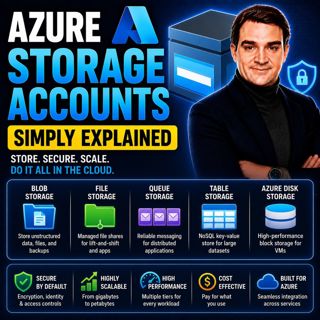
Azure Storage Accounts - Simply Explained

Azure Storage Accounts - Simply Explained

An Azure Storage Account is the foundation of Microsoft's cloud storage platform and acts as a single container that brings together multiple storage services under one roof. Rather than creating sepa...

18 Heinä 13min

Azure DDoS Protection - Simply Explained

Azure DDoS Protection - Simply Explained

Azure DDoS Protection is Microsoft's managed service for defending internet-facing applications against Distributed Denial-of-Service (DDoS) attacks. These attacks attempt to overwhelm websites, APIs,...

18 Heinä 16min

Azure Network Security Groups - Simply Explained

Azure Network Security Groups - Simply Explained

Azure DDoS Protection is Microsoft's managed service for defending internet-facing applications against Distributed Denial-of-Service (DDoS) attacks. These attacks attempt to overwhelm websites, APIs,...

18 Heinä 14min

Azure Virtual Network - Simply Explained

Azure Virtual Network - Simply Explained

An Azure Virtual Network (VNet) is your own private network inside Microsoft Azure. It provides the secure foundation for virtually every cloud workload you deploy, including virtual machines, databas...

18 Heinä 17min
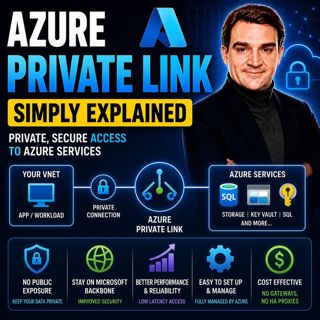
Azure Private Link - Simply Explained

Azure Private Link - Simply Explained

Azure Private Link is Microsoft's networking service that enables secure, private connectivity between your Azure Virtual Network and Azure Platform-as-a-Service (PaaS) resources such as Azure Storage...

18 Heinä 16min
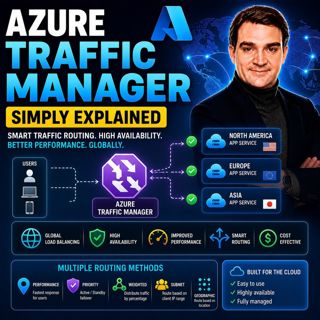
Azure Traffic Manager - Simply Explained

Azure Traffic Manager - Simply Explained

Azure Traffic Manager is Microsoft's global DNS-based traffic distribution service that directs users to the most appropriate application endpoint anywhere in the world. Instead of sending every user ...

18 Heinä 16min
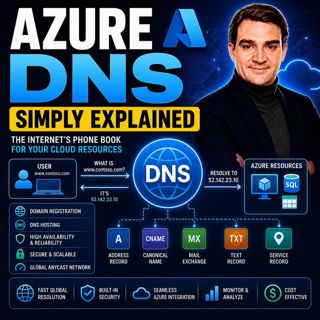
Azure DNS - Simply Explained

Azure DNS - Simply Explained

Azure DNS is Microsoft's fully managed Domain Name System (DNS) hosting service that translates human-friendly domain names like contoso.com into the IP addresses computers use to communicate. Instead...

18 Heinä 15min
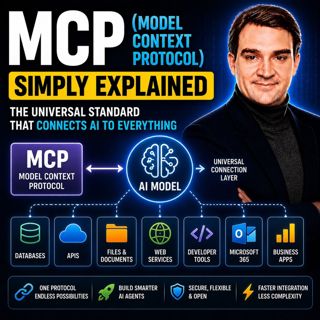
MCP (Model Context Protocol) - Simply Explained

MCP (Model Context Protocol) - Simply Explained

The Model Context Protocol (MCP) is an open standard that allows AI models to securely connect to external tools, applications, and data sources using a single, consistent protocol. Before MCP, every ...

17 Heinä 15min

Suosittua kategoriassa Politiikka ja uutiset

aikalisa
uutiscast
ootsa-kuullut-tasta-2
rss-ootsa-kuullut-tasta
rss-vaalirankkurit-podcast
rss-podme-livebox
rss-seksicast
otetaan-yhdet
tervo-halme
aihe
politiikan-puskaradio
linda-maria
et-sa-noin-voi-sanoo-esittaa
rss-girls-finish-f1rst
viela-yksi-sivu
the-ulkopolitist
mtv-uutiset-polloraati
rss-kovin-paikka
rss-sveriges-radio-finska
rss-raha-talous-ja-politiikka