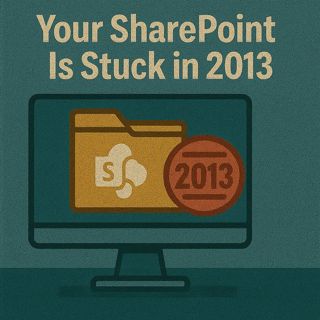
SharePoint 2013 Workflow Retirement: Modernize Legacy SharePoint with Power Platform, Power Apps & Power Automate

SharePoint 2013 Workflow Retirement: Modernize Legacy SharePoint with Power Platform, Power Apps & Power Automate

SharePoint modernization, legacy SharePoint 2010/2013 workflows, InfoPath migration, Power Apps, Power Automate, AI Builder and Copilot Studio – this episode is for people searching “SharePoint 2013 workflow retirement”, “modernize SharePoint lists”, “replace InfoPath with Power Apps”, “SharePoint Power Automate migration” or “SharePoint modernization with Power Platform”. Your SharePoint isn’t outdated because you’re lazy – it’s outdated because legacy workflows are basically bosses that refuse to retire, and this conversation gives you the practical cheat codes to turn that 2013 dungeon into a modern, AI‑powered collaboration hub without starting from scratch.

We start where the pain is loudest: brittle SharePoint 2010/2013 workflows, InfoPath forms and subsites that still “kind of work” but quietly slow everything down. You’ll hear why Microsoft’s retirement of SharePoint 2013 workflows in SharePoint Online (no new 2013 workflows since April 2, 2024 and full retirement on April 2, 2026) turns this from “someday” into a deadline, how legacy helpdesk and approval flows turn into invisible tax on your teams, and why sticking to old workflows is like running a Windows XP tower in a modern office.

From there, we move into what you actually do about it. We walk step‑by‑step through how to inventory legacy workflows and InfoPath forms, identify the real boss fights, and map them into Power Automate flows and Power Apps instead of doing a risky big‑bang rebuild. You’ll learn how to treat SharePoint lists as a stable backend while Power Apps delivers a modern, mobile‑ready UX, how Power Automate replaces brittle 2013 workflows with resilient automation, and how AI Builder and Copilot Studio join the party to auto‑tag files and remove repetitive tasks without breaking data residency or governance because model training data lives in Dataverse under controlled access.

Finally, we zoom into concrete examples and quick wins. From turning a clunky SharePoint helpdesk list into a tap‑friendly app and automated flow, to using “Create an app” directly on a list to generate your first canvas app in minutes, you’ll see how to unlock fast travel in your existing environment instead of burning it down. The goal: keep your lists, libraries and history, but upgrade how people interact with them so SharePoint stops feeling stuck in 2013 and starts behaving like a modern, Power Platform‑driven, AI‑assisted workspace.

WHAT YOU WILL LEARN
  • Why legacy SharePoint 2010/2013 workflows and InfoPath forms keep your environment stuck in “2013 mode”.
  • What Microsoft’s retirement of SharePoint 2013 workflows in SharePoint Online really means for you.
  • How to inventory and prioritize old workflows and forms for migration to Power Automate and Power Apps.
  • How to treat SharePoint lists as a solid backend and layer modern UX with canvas apps.
  • How Power Automate replaces brittle approvals and helpdesk flows with resilient automation.
  • Where AI Builder and Copilot Studio add value with file tagging, document understanding and bots.
  • How data residency and governance work when AI Builder models train on your SharePoint data via Dataverse.
  • Practical first steps and low‑risk experiments to modernize without tearing everything down at once.
THE CORE INSIGHT

The core insight of this episode is that you don’t have to burn down your SharePoint to modernize it – you keep the bones (lists, libraries, data) and upgrade how you interact with them using Power Platform and AI. Once you replace fragile legacy workflows with Power Automate, wrap your key lists in Power Apps, and selectively bring in AI Builder and Copilot Studio, your “2013 dungeon” becomes a modern, governed, AI‑powered hub that actually supports how people want to work today.

WHO THIS IS FOR
  • SharePoint admins and owners responsible for legacy workflows and InfoPath forms.
  • Power Platform makers and platform owners driving SharePoint modernization.
  • IT leaders planning for SharePoint 2013 workflow retirement in SharePoint Online.
  • Business process owners stuck with clunky ticketing, approval or tracking lists.
  • Microsoft 365 architects looking to align SharePoint, Power Platform and AI under one governance model.
ABOUT THE HOST

Mirko Peters is a Microsoft 365 consultant and host of M365.FM, where he explores modern work, security and productivity with Microsoft 365, Power Platform and AI. He helps organizations turn “stuck in 2013” SharePoint environments into modern, governed, app‑ and automation‑driven platforms without losing the data and structure they rely on every day.

Become a supporter of this podcast: https://www.spreaker.com/podcast/m365-fm-modern-work-security-and-productivity-with-microsoft-365--6704921/support.

Tämä jakso on lisätty Podme-palveluun avoimen RSS-syötteen kautta eikä se ole Podmen omaa tuotantoa. Siksi jakso saattaa sisältää mainontaa.

Jaksot(801)

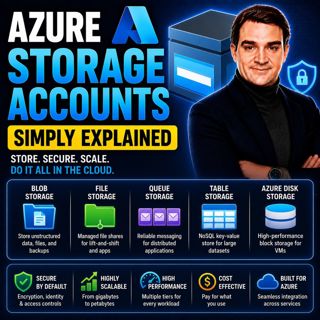
Azure Storage Accounts - Simply Explained

Azure Storage Accounts - Simply Explained

An Azure Storage Account is the foundation of Microsoft's cloud storage platform and acts as a single container that brings together multiple storage services under one roof. Rather than creating sepa...

18 Heinä 13min

Azure DDoS Protection - Simply Explained

Azure DDoS Protection - Simply Explained

Azure DDoS Protection is Microsoft's managed service for defending internet-facing applications against Distributed Denial-of-Service (DDoS) attacks. These attacks attempt to overwhelm websites, APIs,...

18 Heinä 16min

Azure Network Security Groups - Simply Explained

Azure Network Security Groups - Simply Explained

Azure DDoS Protection is Microsoft's managed service for defending internet-facing applications against Distributed Denial-of-Service (DDoS) attacks. These attacks attempt to overwhelm websites, APIs,...

18 Heinä 14min
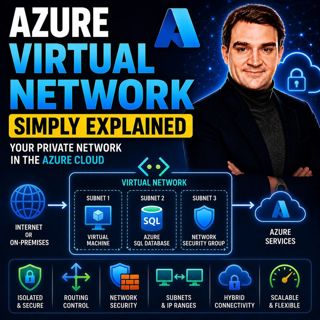
Azure Virtual Network - Simply Explained

Azure Virtual Network - Simply Explained

An Azure Virtual Network (VNet) is your own private network inside Microsoft Azure. It provides the secure foundation for virtually every cloud workload you deploy, including virtual machines, databas...

18 Heinä 17min
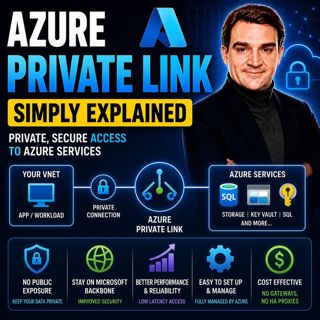
Azure Private Link - Simply Explained

Azure Private Link - Simply Explained

Azure Private Link is Microsoft's networking service that enables secure, private connectivity between your Azure Virtual Network and Azure Platform-as-a-Service (PaaS) resources such as Azure Storage...

18 Heinä 16min
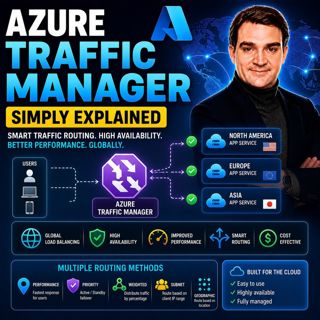
Azure Traffic Manager - Simply Explained

Azure Traffic Manager - Simply Explained

Azure Traffic Manager is Microsoft's global DNS-based traffic distribution service that directs users to the most appropriate application endpoint anywhere in the world. Instead of sending every user ...

18 Heinä 16min
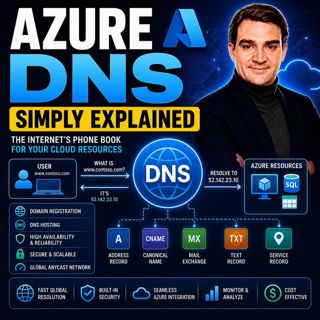
Azure DNS - Simply Explained

Azure DNS - Simply Explained

Azure DNS is Microsoft's fully managed Domain Name System (DNS) hosting service that translates human-friendly domain names like contoso.com into the IP addresses computers use to communicate. Instead...

18 Heinä 15min
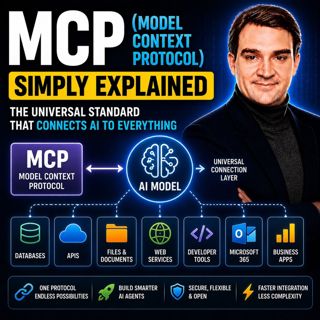
MCP (Model Context Protocol) - Simply Explained

MCP (Model Context Protocol) - Simply Explained

The Model Context Protocol (MCP) is an open standard that allows AI models to securely connect to external tools, applications, and data sources using a single, consistent protocol. Before MCP, every ...

17 Heinä 15min

Suosittua kategoriassa Politiikka ja uutiset

aikalisa
uutiscast
ootsa-kuullut-tasta-2
rss-ootsa-kuullut-tasta
rss-vaalirankkurit-podcast
rss-podme-livebox
rss-seksicast
otetaan-yhdet
tervo-halme
aihe
politiikan-puskaradio
linda-maria
et-sa-noin-voi-sanoo-esittaa
rss-girls-finish-f1rst
viela-yksi-sivu
the-ulkopolitist
mtv-uutiset-polloraati
rss-kovin-paikka
rss-sveriges-radio-finska
rss-raha-talous-ja-politiikka