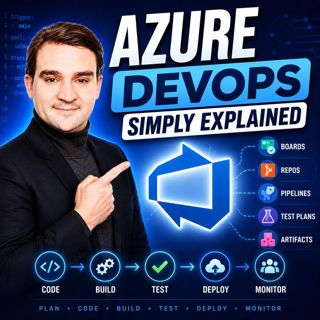

Azure DevOps - Simply Explained
Azure DevOps is one of Microsoft's most comprehensive platforms for software development, yet many people mistakenly believe it's only for developers. In reality, Azure DevOps brings together project planning, source control, automation, testing, and package management into one connected ecosystem. In this episode, we explain Azure DevOps in plain English, exploring how its five core services work together to streamline the entire software development lifecycle. Whether you're a developer, project manager, DevOps engineer, IT professional, or simply curious about modern software delivery, this episode provides a practical introduction without unnecessary complexity.

WHAT IS AZURE DEVOPS?
Azure DevOps is Microsoft's integrated platform for managing every stage of software development, from the first project idea to production deployment. Instead of using separate tools for planning, coding, testing, deployment, and collaboration, Azure DevOps combines everything into one unified environment. The platform consists of five tightly integrated services—Azure Boards, Azure Repos, Azure Pipelines, Azure Test Plans, and Azure Artifacts—allowing teams to work more efficiently while maintaining complete visibility across every stage of development.

AZURE BOARDS – PLAN AND TRACK YOUR WORK
Every successful software project starts with proper planning. Azure Boards provides agile project management through backlogs, Kanban boards, sprints, dashboards, epics, features, user stories, tasks, and bug tracking. Teams can organize work, prioritize features, monitor progress, and collaborate in real time. Unlike spreadsheets or physical whiteboards, Azure Boards connects every work item directly to code changes, builds, tests, and deployments, providing complete traceability throughout the project lifecycle.

AZURE REPOS – SECURE VERSION CONTROL
Azure Repos offers enterprise-grade Git repositories where development teams securely store and manage their source code. Features such as branching, pull requests, code reviews, commit history, and merge validation allow multiple developers to work on the same project without overwriting each other's work. Every code change can be linked directly to work items in Azure Boards, making it easy to understand why changes were made and which business requirements they support.

AZURE PIPELINES – AUTOMATE EVERYTHING
Azure Pipelines is the automation engine behind Azure DevOps, enabling Continuous Integration and Continuous Delivery (CI/CD). Whenever developers commit code, pipelines automatically build applications, execute tests, validate quality, and deploy software across development, testing, staging, and production environments. Using YAML-based pipeline definitions, organizations eliminate repetitive manual deployment tasks, reduce human error, and accelerate software delivery while maintaining consistency across every release.

AZURE TEST PLANS – BUILD QUALITY INTO EVERY RELEASE
Reliable software requires structured testing. Azure Test Plans provides comprehensive support for manual testing, exploratory testing, test cases, test suites, and defect management. Test failures automatically generate linked work items inside Azure Boards, creating a seamless feedback loop between quality assurance and development teams. This integrated approach helps organizations identify issues earlier, improve release quality, and reduce costly production incidents.

AZURE ARTIFACTS – SHARE CODE THE SMART WAY
As development teams grow, reusable components become increasingly important. Azure Artifacts serves as a centralized package repository supporting NuGet, npm, Maven, Python, and Universal Packages. Teams can publish, version, and securely share internal libraries across multiple projects without duplicating code. Combined with Azure Pipelines, Artifacts enables fully automated package creation and distribution, simplifying dependency management while promoting code reuse throughout the organization.

HOW THE FIVE SERVICES WORK TOGETHER
The true power of Azure DevOps lies in the integration between its services. Work begins in Azure Boards, developers implement features using Azure Repos, Azure Pipelines automatically builds and deploys applications, Azure Test Plans validates quality, and Azure Artifacts distributes reusable components. Every stage is connected, allowing organizations to track requirements from initial planning through deployment while maintaining complete visibility across the entire development lifecycle.

AI AND THE FUTURE OF DEVOPS
Microsoft continues expanding Azure DevOps with AI-powered capabilities through Copilot integration. Intelligent work item creation, automated pull request reviews, discussion summaries, and AI-assisted development workflows are transforming how software teams collaborate. As these capabilities mature, Azure DevOps is evolving beyond project management into an intelligent engineering platform that helps teams build higher-quality software faster and with greater confidence.

GETTING STARTED WITH AZURE DEVOPS

Azure DevOps offers a generous free tier, making it easy for individuals and small teams to begin exploring the platform without upfront costs. The best approach is to start small by creating a project, organizing work in Azure Boards, storing code in Azure Repos, and gradually introducing automated pipelines and testing as your project grows. By adopting Azure DevOps incrementally, teams can steadily improve collaboration, automation, and software quality without becoming overwhelmed.

KEY TAKEAWAYS
Azure DevOps is far more than a collection of developer tools—it's a unified software engineering platform that connects planning, coding, automation, testing, package management, and collaboration into one integrated ecosystem. By eliminating disconnected workflows and automating repetitive processes, Azure DevOps enables teams to deliver software faster, improve quality, increase visibility, and adopt modern DevOps practices that scale from small projects to enterprise environments.

Become a supporter of this podcast: https://www.spreaker.com/podcast/m365-fm-modern-work-security-and-productivity-with-microsoft-365--6704921/support.

Denne episoden er hentet fra en åpen RSS-feed og er ikke publisert av Podme. Den kan derfor inneholde annonser.

Episoder(743)

How to Become a High: Performing Microsoft Partner

How to Become a High: Performing Microsoft Partner

What separates an average Microsoft partner from a high-performing one? It isn't simply winning more deals or hiring more salespeople. The most successful partners build systems that continuously gene...

15 Jul 17min

The Microsoft Partner Journey Explained

The Microsoft Partner Journey Explained

The Microsoft AI Cloud Partner Program has evolved dramatically, but many partners are still approaching it with an outdated mindset. In this episode of m365.fm, we break down the complete Microsoft P...

15 Jul 14min

How to Build a Winning Microsoft Partner Strategy

How to Build a Winning Microsoft Partner Strategy

What separates Microsoft partners that consistently grow from those that simply maintain their status? In this episode of m365.fm, we break down the four strategic pillars that transform Microsoft par...

15 Jul 17min
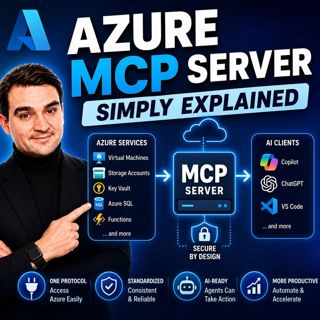
Azure MCP Server - Simply Explained

Azure MCP Server - Simply Explained

Artificial Intelligence is rapidly evolving from simply answering questions to actively performing real work. But for AI agents to become truly useful, they need secure access to cloud resources, data...

15 Jul 17min
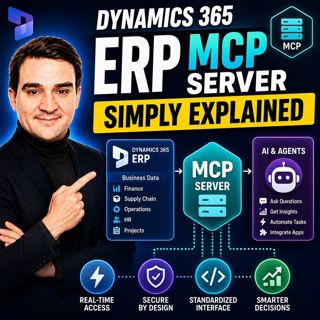
Dynamics 365 ERP MCP Server - Simply Explained

Dynamics 365 ERP MCP Server - Simply Explained

Artificial Intelligence is transforming how businesses interact with enterprise systems, but connecting AI assistants to ERP platforms has traditionally required custom APIs, complex integrations, and...

15 Jul 13min
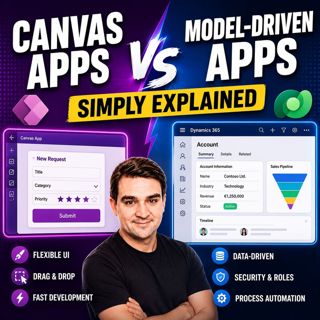
Canvas Apps vs Model-Driven Apps - Simply Explained

Canvas Apps vs Model-Driven Apps - Simply Explained

Microsoft Power Apps offers two primary ways to build business applications: Canvas Apps and Model-Driven Apps. At first glance they may appear similar, but they are designed for very different scenar...

15 Jul 15min

Infrastructure as Code - Simply Explained

Infrastructure as Code - Simply Explained

Managing cloud infrastructure by clicking through the Azure Portal might work for a single virtual machine, but it quickly becomes slow, inconsistent, and difficult to maintain as environments grow. I...

15 Jul 16min
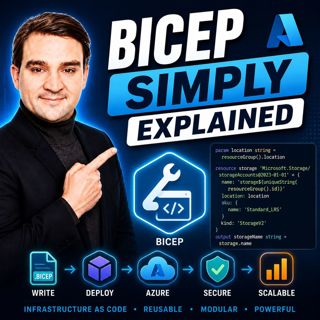
Bicep - Simply Explained

Bicep - Simply Explained

Deploying Azure resources through the Azure Portal is great for learning, but it quickly becomes difficult to repeat, document, and automate. That's where Bicep comes in. In this episode, we explain M...

15 Jul 16min

Populært innen Politikk og nyheter

giver-og-gjengen-vg
aftenpodden-usa
aftenpodden
fotballpodden-2
forklart
popradet
stopp-verden
det-store-bildet
rss-gukild-johaug
hanna-de-heldige
rss-ness
nokon-ma-ga
dine-penger-pengeradet
aftenbla-bla
rss-utenrikskomiteen-med-bogen-og-grasvik
lydartikler-fra-aftenposten
e24-podden
rss-penger-polser-og-politikk
rss-hor-na-krim-2
rss-espen-lee-usensurert