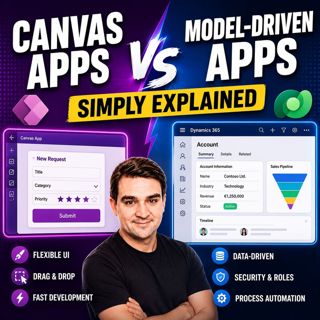
Canvas Apps vs Model-Driven Apps - Simply Explained

Canvas Apps vs Model-Driven Apps - Simply Explained

Microsoft Power Apps offers two primary ways to build business applications: Canvas Apps and Model-Driven Apps. At first glance they may appear similar, but they are designed for very different scenarios. Choosing the wrong app type can lead to unnecessary complexity, expensive redesigns, and weeks of additional work. In this episode, we explain the differences in plain English, helping you understand when to choose each approach and why the decision is based on your business requirements—not on how the app looks. Whether you're a Power Platform beginner, citizen developer, or enterprise architect, this episode gives you a practical framework for selecting the right tool for your next project.

UNDERSTANDING THE FUNDAMENTAL DIFFERENCE
The biggest difference between Canvas Apps and Model-Driven Apps isn't the user interface—it's where development begins. Canvas Apps start with the user experience. You begin with a blank screen and design every button, image, form, and navigation element yourself before connecting data. Model-Driven Apps take the opposite approach. They begin with your business data model in Microsoft Dataverse, automatically generating forms, views, dashboards, and navigation based on your data structure. One is design-first, while the other is data-first, and that single difference influences every design decision that follows.

CANVAS APPS – COMPLETE DESIGN FREEDOM
Canvas Apps provide maximum flexibility for creating custom user experiences. Developers can design every screen exactly as they want while connecting to hundreds of different data sources including SharePoint, Excel, SQL Server, Salesforce, Microsoft Dataverse, and many other systems. This makes Canvas Apps ideal for mobile-first applications, inspection forms, approval processes, dashboards, field service solutions, and task-focused business apps where branding, usability, and custom layouts are critical. The trade-off is that developers are responsible for building navigation, validation, business logic, and user interactions themselves.

MODEL-DRIVEN APPS – DATA COMES FIRST
Model-Driven Apps are built around Microsoft Dataverse and automatically generate a professional business application from your data model. Instead of designing screens manually, you define tables, relationships, security roles, and business rules. Power Apps then creates forms, views, navigation, dashboards, and responsive layouts automatically. This approach is ideal for enterprise applications such as CRM systems, case management, project tracking, compliance solutions, and business process automation where structured data, governance, and consistency are more important than visual customization.

REAL-WORLD USE CASES
Canvas Apps excel when users need highly customized interfaces, mobile experiences, offline capabilities, or applications that combine information from multiple external systems. Model-Driven Apps perform best when organizations require centralized business data, complex relationships, role-based security, auditing, and standardized business processes. Instead of asking which app type is better, organizations should focus on which business problem they are solving, because each platform has been optimized for a different category of application.

LICENSING CONSIDERATIONS
Licensing is another important factor when selecting an app type. Canvas Apps using only standard Microsoft 365 connectors such as SharePoint, Excel, Outlook, and OneDrive are often included within existing Microsoft 365 subscriptions. However, once an app uses Microsoft Dataverse or premium connectors, premium Power Apps licensing is required. Since Model-Driven Apps always rely on Dataverse, they require premium licensing by design. Understanding these licensing differences helps organizations avoid unexpected costs while planning new Power Platform solutions.

THE HYBRID APPROACH
Many successful organizations don't choose one app type—they combine both. A common architecture uses a Model-Driven App as the enterprise system of record while embedding Canvas Apps for specialized user experiences such as mobile inspections, guided workflows, or simplified data entry screens. Power Automate connects both environments, allowing organizations to combine enterprise governance with exceptional user experiences while keeping all business data centralized inside Microsoft Dataverse.

A SIMPLE DECISION FRAMEWORK
Choosing the correct app becomes much easier by asking four simple questions. Does your solution require Microsoft Dataverse? Is the primary focus user experience or business data? Do you need enterprise capabilities such as auditing, security roles, and business process flows? Finally, what licensing already exists within your organization? Answering these questions quickly identifies which Power Apps approach best fits your technical requirements, business goals, and budget without relying on guesswork.

COMMON MISTAKES TO AVOID
Many beginners select Canvas Apps simply because they enjoy designing interfaces, only to discover later that they need enterprise governance, auditing, or complex business processes that Model-Driven Apps provide automatically. Others choose Model-Driven Apps expecting unlimited design flexibility, only to find themselves fighting the platform's standardized interface. Understanding the strengths and limitations of both approaches before starting a project can prevent expensive redesigns and significantly improve long-term maintainability.

KEY TAKEAWAYS
Canvas Apps and Model-Driven Apps are not competing technologies—they solve different business challenges. Canvas Apps prioritize flexibility, user experience, and custom design across multiple data sources. Model-Driven Apps prioritize structured business data, governance, automation, and enterprise scalability through Microsoft Dataverse. Many of the best Power Platform solutions combine both approaches, allowing organizations to deliver exceptional user experiences while maintaining secure, scalable, and well-governed business applications.

Become a supporter of this podcast: https://www.spreaker.com/podcast/m365-fm-modern-work-security-and-productivity-with-microsoft-365--6704921/support.

Denne episoden er hentet fra en åpen RSS-feed og er ikke publisert av Podme. Den kan derfor inneholde annonser.

Episoder(740)

Azure MCP Server - Simply Explained

Azure MCP Server - Simply Explained

Artificial Intelligence is rapidly evolving from simply answering questions to actively performing real work. But for AI agents to become truly useful, they need secure access to cloud resources, data...

15 Jul 17min
Dynamics 365 ERP MCP Server - Simply Explained

Dynamics 365 ERP MCP Server - Simply Explained

Artificial Intelligence is transforming how businesses interact with enterprise systems, but connecting AI assistants to ERP platforms has traditionally required custom APIs, complex integrations, and...

15 Jul 13min

Infrastructure as Code - Simply Explained

Infrastructure as Code - Simply Explained

Managing cloud infrastructure by clicking through the Azure Portal might work for a single virtual machine, but it quickly becomes slow, inconsistent, and difficult to maintain as environments grow. I...

15 Jul 16min

Bicep - Simply Explained

Bicep - Simply Explained

Deploying Azure resources through the Azure Portal is great for learning, but it quickly becomes difficult to repeat, document, and automate. That's where Bicep comes in. In this episode, we explain M...

15 Jul 16min
ARM Templates - Simply Explained

ARM Templates - Simply Explained

If you've ever built Azure resources by clicking through the Azure Portal, you've probably wondered how large organizations deploy identical environments over and over again without making mistakes. T...

15 Jul 15min

Teams Telephony - Simply Explained

Teams Telephony - Simply Explained

Microsoft Teams Telephony transforms Microsoft Teams into a complete cloud-based business phone system, replacing traditional office PBXs with a modern, software-powered solution. In this episode, we ...

15 Jul 17min
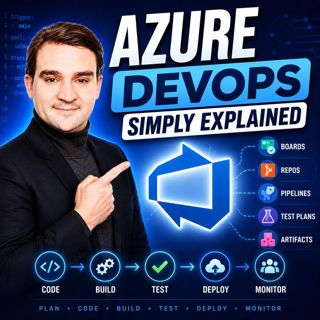
Azure DevOps - Simply Explained

Azure DevOps - Simply Explained

Azure DevOps is one of Microsoft's most comprehensive platforms for software development, yet many people mistakenly believe it's only for developers. In reality, Azure DevOps brings together project ...

15 Jul 17min

Populært innen Politikk og nyheter

giver-og-gjengen-vg
aftenpodden-usa
aftenpodden
fotballpodden-2
forklart
popradet
stopp-verden
det-store-bildet
rss-gukild-johaug
hanna-de-heldige
rss-ness
nokon-ma-ga
dine-penger-pengeradet
aftenbla-bla
rss-utenrikskomiteen-med-bogen-og-grasvik
lydartikler-fra-aftenposten
e24-podden
rss-penger-polser-og-politikk
rss-hor-na-krim-2
rss-espen-lee-usensurert