Unleashing Innovation with Power Apps AI Builder: Transforming Low-Code with Intelligent Automation

Unleashing Innovation with Power Apps AI Builder: Transforming Low-Code with Intelligent Automation

Introduction to Power Apps AI Builder: Modernizing the Way We WorkEvery organization wants to move faster, work smarter, and do more with less. Yet, the hurdle for most has always been bridging the gap between business users and advanced technology—especially when it comes to artificial intelligence (AI). Power Apps AI Builder solves exactly this challenge. With AI Builder, even those with little coding background can infuse apps with powerful, business-ready machine learning models, all from the familiar Microsoft Power Platform environment. As Gartner points out, https://www.gartner.com/en/newsroom/press-releases/2023-02-06-gartner-says-fifty-percent-of-enterprise-applications-will-be-built-with-low-code-by-2025—AI Builder is at the core of this shift.At its heart, Power Apps AI Builder brings advanced AI to the fingertips of app makers. It wraps machine learning, natural language processing, document automation, and prediction into an accessible interface integrated with Power Apps. The goal? Enable organizations to seamlessly automate processes, extract intelligence from unstructured data, and streamline decision-making across all departments—all while safeguarding enterprise-grade standards of security and compliance. No more waiting for data scientists or dev teams—business users can now solve everyday problems and unlock new efficiencies on their own terms.This article will break down the capabilities, features, and tangible benefits of Power Apps AI Builder, setting the stage for practical success. For a deep dive on how these concepts apply in practice, check out this https://m365.show/p/what-makes-ai-features-in-power-apps and what sets them apart in real-world business scenarios.Key Features and Capabilities of Power Apps AI BuilderSo what exactly differentiates Power Apps AI Builder from traditional machine learning tools or even other low-code AI offerings? Its power lies both in versatility and simplicity—allowing non-technical users to create, deploy, and update AI models in a fraction of the time. The platform delivers several core features that drive value across industries:* Intuitive Model Building: Prebuilt AI models for tasks like form processing, object detection, prediction, and text classification. Plus, the ability to create https://learn.microsoft.com/en-us/ai-builder/ with point-and-click guidance.* Integration with Power Platform Tools: Native integration with Power Apps, Power Automate, and Dataverse creates an end-to-end automation pipeline—empowering professionals to embed AI into apps, workflows, and reports with just a few clicks.* Data Connectivity: Out-of-the-box connectors let users tap into Excel, SharePoint, SQL, and hundreds of cloud or on-premises sources. This ensures AI models can be trained and deployed on data that matters most for each team.* Enterprise-Grade Security and Governance: Built on Microsoft’s security stack, AI Builder enforces data privacy, identity management, role-based access control, and compliance standards by default. For organizations concerned about best practices, resources like https://m365.show/p/best-practices-for-governing-power offer actionable governance insights.* Continuous Improvement & Monitoring: AI models can be retrained, updated, and monitored for quality—meaning organizations can keep models relevant as new data emerges or business requirements evolve.* Low-Code/No-Code Interface: Written code is optional. Drag-and-drop, configure, and publish models visually… no intensive development learning curve required.“Power Apps AI Builder democratizes AI by giving business users the ability to automate and optimize processes—without requiring a PhD or access to a team of data scientists.”— Microsoft DocsHere’s a comparison that distills the distinctive strengths of Power Apps AI Builder against other low-code AI solutions:For more on transforming your data estate and gaining operational intelligence, I recommend reading about https://m365.show/p/unlocking-power-bi-model-insights—another key piece of Microsoft’s data-driven platform strategy.Benefits of Integrating AI into Power Apps—Unlocking Value from Day OneWhy are so many businesses looking to adopt Power Apps AI Builder now? The reality is, competitive advantage isn’t just about collecting data. It’s about creating actionable insights—at speed and at scale—while maintaining strict security and efficiency standards. AI Builder enables this for every business function, not just IT or analytics teams.* Accelerated Process Automation: Business users routinely report process times cut by half or more. Whether it’s invoice recognition, lead scoring, or inventory prediction, AI-driven workflows handle routine tasks—freeing up human attention for higher-value work.* Up to 95% Accuracy with Minimal Data: Models built in Power Apps AI Builder can achieve high accuracy with a fraction of the labeled training data traditional approaches require, according to recent Microsoft case studies.* 33% Reduction in Response Time: Real-world deployments have measured a significant reduction in the mean time to detect and respond to operational issues. Automated document classification and triage mean answers surface before human teams even see the backlog.* Secure, Compliant Innovation: AI Builder leverages industry-standard frameworks like zero-trust—meaning every app and model benefit from defense-in-depth strategies. Sensitive data stays private, while audit trails and role-based controls support regulatory demands.* Faster Time to Value—No Data Science Bottlenecks: With AI Builder, I’ve seen teams prototype and deploy solutions within days, not months. There’s no need to wait weeks for custom ML development or integration cycles… Citizen developers can innovate immediately.* Future-Proof Adaptability: As new data emerges, or as your business evolves, models built in Power Apps AI Builder can be retrained and refined—keeping every solution resilient against unexpected change.Forward-thinking organizations are already realizing these benefits. In sectors from finance to manufacturing, the combination of low-code automation and democratized AI means better agility, cost savings, and happier customers. If you want to see how AI Builder can unlock creativity for your business users, check out https://m365.show/p/unleashing-your-creativity-building.Ready to Transform with Power Apps AI Builder?Take the next step and learn how to design, build, and govern intelligent apps that scale—without writing a line of code. Dive into our exclusive resource for actionable success stories, step-by-step tutorials, and expert tips.Of course, integrating AI into core apps isn’t just about efficiency—it’s about building a foundation for smarter decision making. Deploying custom models, optimizing customer journeys, predicting business outcomes…with Power Apps AI Builder, the possibilities are limited only by your creativity and your data.For organizations concerned about AI readiness or security, Microsoft’s https://m365.show/p/step-by-step-guide-to-data-governance ensures that every AI-driven automation remains well-controlled and auditable. Data scientists and IT leaders alike will appreciate the platform’s transparency and adaptability, especially as needs evolve.To better understand these concepts, let’s examine some key data and visualizations that showcase how AI Builder is driving transformative results in real organizations…Types of AI Models Supported by Power Apps AI BuilderWhen businesses turn to power apps ai builder for automation and advanced insights, they often ask—what sorts of models are actually available? Microsoft has engineered AI Builder within Power Apps to support a diverse lineup of AI models, specifically designed for real business scenarios. The platform offers both ready-to-use prebuilt AI models and the ability to craft bespoke solutions with custom models. This flexibility means organizations can tackle a wide spectrum of use-cases, from document automation to predictive analytics, without heavy investments in data science expertise.Prebuilt models cover core needs such as:* Form processing: Automatically extracts data from invoices, receipts, and similar documents.* Object detection: Recognizes and tracks items in images, crucial in retail, manufacturing, and logistics workflows.* Text classification: Quickly categorizes feedback, support cases, or emails into actionable buckets.* Prediction: Uses historical business data to forecast outcomes, such as sales trends or customer churn.* Entity extraction: Pulls structured data—think names, product codes, or addresses—out of unstructured text.* Business card reader: Translates business card images into structured contacts in seconds.Custom model options enable organizations to train AI in ways tailored to unique business processes or vertical needs. From analyzing sentiment in customer reviews to detecting quality issues in product images, https://learn.microsoft.com/en-us/ai-builder/model-types remain highly adaptable and accessible via low-code canvas apps. As highlighted on

Become a supporter of this podcast: https://www.spreaker.com/podcast/m365-fm-modern-work-security-and-productivity-with-microsoft-365--6704921/support.

Denne episoden er hentet fra en åpen RSS-feed og er ikke publisert av Podme. Den kan derfor inneholde annonser.

Episoder(696)

Beyond the Prompt: Architecting Multi-Agent AI Solutions with Microsoft Copilot & SharePoint with Reshmee Auckloo [MVP]

Beyond the Prompt: Architecting Multi-Agent AI Solutions with Microsoft Copilot & SharePoint with Reshmee Auckloo [MVP]

Artificial Intelligence is rapidly moving beyond simple chatbots and prompt engineering. Today's enterprise AI solutions must reason, collaborate, orchestrate multiple agents, securely access business...

6 Jul 1h

How To Trick Microsoft Graph Into Securing Your Entire Tenant

How To Trick Microsoft Graph Into Securing Your Entire Tenant

Most Microsoft 365 administrators believe their tenant is secure because every dashboard is green, policies are enabled, and alerts appear to be flowing normally. Unfortunately, modern security doesn'...

6 Jul 1h 12min
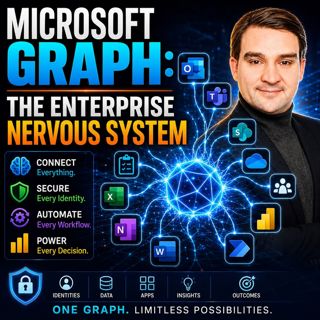
Microsoft Graph: The Enterprise Nervous System

Microsoft Graph: The Enterprise Nervous System

Enterprise IT has reached a tipping point. Organizations now manage millions of identities, files, applications, permissions, policies, and AI-powered workloads across Microsoft 365. Yet many IT depar...

5 Jul 1h 11min

Beyond the Script: The Architect's Guide to Microsoft Graph Platforms

Beyond the Script: The Architect's Guide to Microsoft Graph Platforms

Automation has become a cornerstone of digital transformation, yet many organizations unknowingly create more complexity than they eliminate. What starts as a simple PowerShell script or Power Automat...

5 Jul 1h 10min

The Architect's Guide to Graph-Powered Agents: Moving Beyond Chat

The Architect's Guide to Graph-Powered Agents: Moving Beyond Chat

Artificial Intelligence has rapidly evolved from simple chatbots into sophisticated enterprise agents capable of reasoning, orchestrating workflows, and executing business processes. Yet many organiza...

4 Jul 1h 20min

The Hidden Logic of Microsoft Graph

The Hidden Logic of Microsoft Graph

Most Microsoft 365 professionals know Microsoft Graph as the API behind users, groups, Teams, and SharePoint. But beneath those familiar endpoints lies a much larger reality. Microsoft Graph has evolv...

4 Jul 1h 11min

Everything Microsoft Didn't Tell You About Teams with Everything Microsoft Didn't Tell You About Teams with Josh Blalock [MVP]

Everything Microsoft Didn't Tell You About Teams with Everything Microsoft Didn't Tell You About Teams with Josh Blalock [MVP]

Microsoft Teams has evolved from a simple collaboration platform into the digital workplace at the heart of modern business. But behind every successful Teams meeting lies far more than software. In t...

3 Jul 45min

Beyond the Portal: The Strategic Architecture of Microsoft Graph and PowerShell

Beyond the Portal: The Strategic Architecture of Microsoft Graph and PowerShell

For years, Microsoft 365 administration has been defined by portals. Administrators spend their days inside the Microsoft 365 Admin Center, Exchange Admin Center, SharePoint Admin Center, Teams Admin ...

3 Jul 1h 10min

Populært innen Politikk og nyheter

giver-og-gjengen-vg
aftenpodden
aftenpodden-usa
fotballpodden-2
forklart
popradet
stopp-verden
lydartikler-fra-aftenposten
det-store-bildet
rss-gukild-johaug
hanna-de-heldige
dine-penger-pengeradet
rss-ness
aftenbla-bla
nokon-ma-ga
rss-espen-lee-usensurert
rss-penger-polser-og-politikk
e24-podden
grasoner-den-nye-kalde-krigen
ta-dokumentar