Autonomous Agents In Microsoft 365: Productivity Hack or Admin Nightmare? Governance, Memory & Azure AI Foundry Explained

Autonomous Agents In Microsoft 365: Productivity Hack or Admin Nightmare? Governance, Memory & Azure AI Foundry Explained

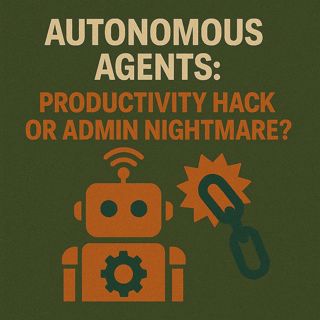
Picture this: your boss asks you to “just try” Copilot Studio. You think you’re spinning up a polite chatbot. Ten minutes later, it’s not just chatting—it’s booking a cruise and trying to swipe the company card for pizza. That’s the real line between a copilot that suggests and an agent that acts. In this episode, you’ll see how agents cross that line, where their memory actually lives, and the first three governance checks you need before any “smart assistant” gets real permissions in your tenant.

FROM SMART INTERN TO FULL EMPLOYEE

A copilot is like a smart intern: it drafts, suggests, and waits for you to hit send. An autonomous agent behaves like a full employee with real initiative—it runs workflows, executes actions, and reports back after the fact. We unpack this shift using concrete Microsoft examples: Copilot in Teams rewriting your replies (intern mode) versus an autonomous setup booking meetings, sending emails, or updating systems without you hovering. The key is scope and approval: admins decide whether an agent only proposes actions or is allowed to act on its own, and that one toggle is the difference between “supportive assistant” and “independent operator.” Once you add memory into the mix—session IDs, conversation history, persistent context in stores like Cosmos DB—agents stop being goldfish and start behaving like junior staffers who never forget a customer issue or open task. That’s incredibly powerful and deeply risky if you haven’t nailed permissions, logging, and clear boundaries.

THE TOOLBOX: AZURE AI FOUNDRY, COPILOT STUDIO & COSMOS DB

Under the hood, these “digital employees” are built with a specific toolbox. Azure AI Foundry acts as the workshop floor: you connect language models, APIs, and enterprise systems (SharePoint, CRM, custom apps) so the agent can understand and act on your data rather than hallucinating from the open internet. Copilot Studio sits on top as the low‑code front end in the Power Platform, letting you design, configure, and publish copilots and agents into Teams, Outlook, and other M365 apps using templates and connectors instead of raw code. Cosmos DB often plays the role of long‑term memory—storing conversation history, embeddings, and workflow context so agents can pick up where they left off across days and channels. Together, this stack makes it possible to go from idea to working agent in days instead of months—but the complexity doesn’t vanish, it just moves: from writing code to scoping connectors, governing permissions, and deciding exactly what an agent is allowed to remember and do.

WHY GOVERNANCE DECIDES IF THIS IS A PRODUCTIVITY HACK OR A NIGHTMARE

The uncomfortable truth: the biggest risk isn’t the model “thinking for itself,” it’s humans handing it too much power with too few guardrails. When agents have broad scopes, access to sensitive systems, and persistent memory, they can misfile records, overbook calendars, trigger workflows, or even run payment flows if someone wired them badly. In this episode, we walk through practical governance moves: scoping agents narrowly around specific workflows, using approval gates for high‑risk actions, limiting connectors and permissions to the minimum needed, and instrumenting telemetry so you can see what an agent did, when, and why. Treat agents like new hires with sharp tools: without clear roles, supervision, and audit trails, you don’t get productivity—you get fast, automated mistakes at scale.

WHAT YOU’LL LEARN
  • The real difference between copilots (suggest) and autonomous agents (act) in Microsoft 365.
  • How memory works for agents (session IDs, conversation history, Cosmos DB) and why it changes the risk profile.
  • How Azure AI Foundry, Copilot Studio, and connectors combine into a full “digital employee” toolbox.
  • Why low‑code doesn’t remove complexity—it shifts it into integration, permissions, and governance.
  • The first three governance checks before giving any agent access: scope, approval gates, and telemetry/audit.
THE CORE INSIGHT

The core insight of this episode is that autonomous agents are not just “better chatbots”—they are digital employees that can remember, act, and chain workflows together without you watching. Tools like Copilot Studio, Azure AI Foundry, and Cosmos DB make them powerful and fast to deploy, but if admins don’t tightly control scope, permissions, and auditability, you trade human busywork for fast, invisible, automated mistakes. Once you treat agents as real members of the org chart—with roles, limits, and monitoring—they become a genuine productivity hack instead of an admin nightmare.

WHO THIS EPISODE IS FOR
  • Microsoft 365 and Azure admins deciding how far to go with autonomous agents.
  • IT leaders and architects evaluating Copilot Studio and Azure AI Foundry for internal workflows.
  • Security, risk, and compliance teams worried about who agents can impersonate and what they can touch.
  • Power Platform and AI builders who want to move from “cute bot” to serious automation without losing control.
ABOUT THE AUTHOR / HOST

Mirko Peters is a Microsoft 365 and AI governance consultant and host of the M365.FM podcast, helping organizations treat Microsoft 365, Azure, and their AI agents as one integrated operating system instead of scattered bots and side projects. He works with companies running on Microsoft 365, Azure, and Fabric to design architectures, permissions, and governance so that copilots and agents boost productivity without turning tenants into uncontrolled automation experiments.

Become a supporter of this podcast: https://www.spreaker.com/podcast/m365-fm-modern-work-security-and-productivity-with-microsoft-365--6704921/support.

Denne episoden er hentet fra en åpen RSS-feed og er ikke publisert av Podme. Den kan derfor inneholde annonser.

Episoder(787)

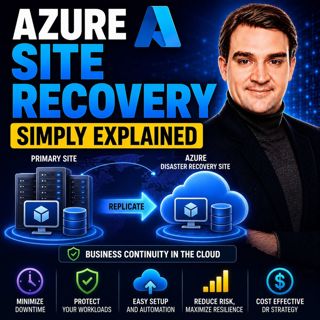
Azure Site Recovery - Simply Explained

Azure Site Recovery - Simply Explained

Azure Site Recovery (ASR) is Microsoft's disaster recovery service designed to keep your business running when an entire server, data center, or Azure region becomes unavailable. Instead of simply bac...

17 Jul 14min
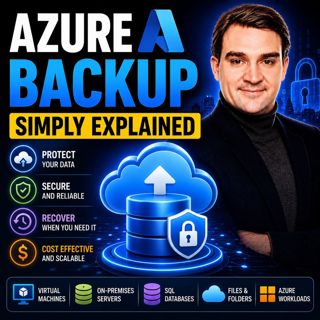
Azure Backup - Simply Explained

Azure Backup - Simply Explained

Azure Backup is Microsoft's fully managed cloud backup service that protects your virtual machines, databases, file shares, disks, and even on-premises servers without requiring backup servers, tapes,...

17 Jul 16min
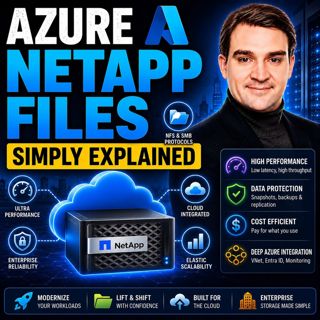
Azure NetApp Files - Simply Explained

Azure NetApp Files - Simply Explained

Azure NetApp Files (ANF) is Microsoft's enterprise-grade, ultra-high-performance file storage service built directly into Azure. Powered by NetApp's industry-leading storage technology, ANF delivers s...

17 Jul 15min

AI, Power Platform & Developer Experience: The Next Frontier with Reza Niroomand [MVP]

AI, Power Platform & Developer Experience: The Next Frontier with Reza Niroomand [MVP]

Artificial intelligence is transforming software development faster than ever before. Low-code platforms are becoming more powerful, professional developers are embracing AI-assisted coding, and enter...

17 Jul 1h
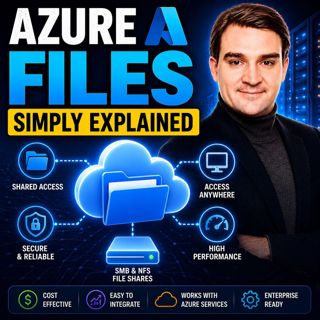
Azure Files - Simply Explained

Azure Files - Simply Explained

Azure Files is Microsoft's fully managed cloud file sharing service that allows you to create secure, scalable file shares without maintaining a traditional file server. Instead of purchasing hardware...

17 Jul 15min
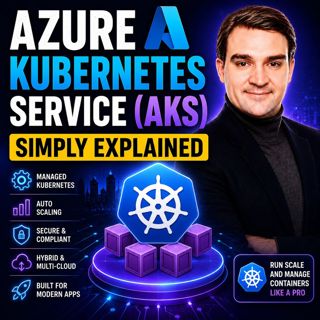
Azure Kubernetes Service (AKS) - Simply Explained

Azure Kubernetes Service (AKS) - Simply Explained

Azure Kubernetes Service (AKS) is Microsoft's fully managed Kubernetes platform that makes it easier to deploy, manage, and scale containerized applications in Azure. Instead of building and maintaini...

17 Jul 18min
Azure Container Apps - Simply Explained

Azure Container Apps - Simply Explained

Azure Container Apps make it possible to run modern containerized applications without the operational complexity of managing Kubernetes clusters. Instead of worrying about virtual machines, node pool...

17 Jul 15min
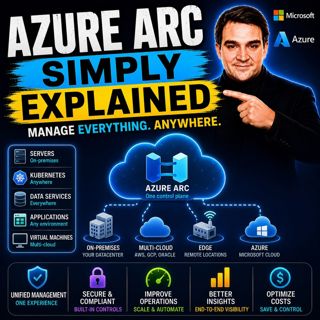
Azure Arc - Simply Explained

Azure Arc - Simply Explained

Modern IT environments rarely exist in a single cloud. Most organizations run Windows and Linux servers across on-premises data centers, Microsoft Azure, Amazon Web Services (AWS), Google Cloud Platfo...

17 Jul 17min

Populært innen Politikk og nyheter

giver-og-gjengen-vg
aftenpodden-usa
fotballpodden-2
aftenpodden
forklart
stopp-verden
popradet
det-store-bildet
rss-gukild-johaug
hanna-de-heldige
rss-ness
aftenbla-bla
nokon-ma-ga
dine-penger-pengeradet
rss-penger-polser-og-politikk
lydartikler-fra-aftenposten
rss-utenrikskomiteen-med-bogen-og-grasvik
rss-hor-na-krim-2
e24-podden
unitedno