

Power Apps UI containers: stop building ugly apps and use layout structure and components for responsive, on‑brand design

Power Apps UI containers: stop building ugly apps and use layout structure and components for responsive, on‑brand design

Power Apps UI containers: in this episode of M365.fm, Mirko Peters explains why most Power Apps look like chaotic prototypes—and how mastering containers and component libraries turns them into clean, responsive, on‑brand enterprise apps. He starts with the “pixel‑perfect hell” many makers live in: dragging buttons and labels by hand, patching layout with X/Y formulas, and watching everything break the moment someone opens the app on a phone instead of a laptop.

Mirko first diagnoses the structural problem. Without containers, every control is positioned in isolation, so each new label, logo, or field adds manual alignment debt. Slight design variations accumulate across screens and apps—different paddings, misaligned headers, and inconsistent colors—until the Power Apps landscape looks like twelve vendors fought over the brand guidelines. This is not just ugly; it is expensive to maintain and impossible to standardize.

He then introduces containers as the physics engine of layout. Vertical and horizontal containers define how elements relate to each other instead of locking them to fixed coordinates, giving you automatic stacking, alignment, padding, and gaps. Mirko walks through building a screen skeleton—header, content, footer, sidebars—purely with nested containers so the UI behaves like a modern responsive website: resize the window or switch device, and the layout adapts without a single X/Y formula.

From there, he tackles the mental shift. You trade “freehand” drag‑and‑drop for deliberate structure, naming containers like cnt_Header and cnt_Main and rearranging regions from the tree view instead of nudging pixels. It feels restrictive at first, but Mirko shows how this discipline pays off when marketing changes a logo or brand color and you update it once at container or component level, not on every screen. Layout integrity stops being a heroic effort and becomes a built‑in property of your apps.

Finally, the episode previews component libraries as the next step. Once containers give you reliable layout, component libraries give you reusable, branded building blocks—headers, navigation bars, buttons, and forms—that every app can share. Mirko explains how this combination lets IT and design define a governed design system while makers still build quickly, so Power Apps stop looking like side projects and start looking like one product family.

HAT YOU WILL LEARN
  • Why most Power Apps UIs look inconsistent and are painful to maintain.
  • How vertical and horizontal containers control layout, alignment, and responsiveness.
  • How to build full screens with containers and no X/Y formulas.
  • How naming and structuring containers make redesigns fast instead of fragile.
  • Why containers are the foundation for using component libraries and proper design systems.
THE CORE INSIGHT

Ugly Power Apps are not a creativity problem; they are a layout problem. Once you stop placing controls directly on the canvas and start building every screen on container‑based structure, your apps automatically become responsive, consistent, and ready for governed component libraries.

WHO THIS EPISODE IS FOR

This episode is ideal for Power Apps makers, platform owners, and designers who are tired of misaligned buttons and one‑off layouts. It is especially valuable if you want to scale from “one cool app” to dozens of governed apps that all look and feel like they belong to the same organization.

ABOUT THE HOST

Mirko Peters is a Microsoft 365 and Power Platform consultant focused on building governed, scalable app platforms with Power Apps, Dataverse, and Microsoft 365. Through M365.fm, he shares practical design patterns, governance models, and layout techniques that help organizations move from ad‑hoc low‑code experiments to a professional, maintainable app ecosystem.

Become a supporter of this podcast: https://www.spreaker.com/podcast/m365-fm-modern-work-security-and-productivity-with-microsoft-365--6704921/support.

Denne episoden er hentet fra en åpen RSS-feed og er ikke publisert av Podme. Den kan derfor inneholde annonser.

Episoder(813)

Agent-to-Agent (A2A) Communication - Simply Explained

Agent-to-Agent (A2A) Communication - Simply Explained

Welcome to another episode of Knowledge Nuggets with Mirko Peters. In this episode, we're exploring Agent-to-Agent (A2A) Communication, the open protocol that allows AI agents to discover one another,...

20 Jul 18min
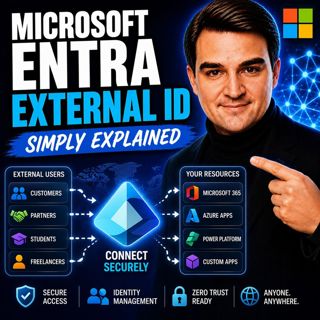
Microsoft Entra External ID - Simply Explained

Microsoft Entra External ID - Simply Explained

Welcome to another episode of Knowledge Nuggets with Mirko Peters. In this episode, we're exploring Microsoft Entra External ID, Microsoft's modern Customer Identity and Access Management (CIAM) platf...

20 Jul 14min

Microsoft Graph Connectors - Simply Explained

Microsoft Graph Connectors - Simply Explained

Welcome to another episode of Knowledge Nuggets with Mirko Peters. In this episode, we're exploring Microsoft Graph Connectors, now increasingly referred to as Microsoft Copilot Connectors. While Micr...

20 Jul 15min

Azure Advisor - Simply Explained

Azure Advisor - Simply Explained

Welcome to another episode of Knowledge Nuggets with Mirko Peters. In this episode, we're exploring Azure Advisor, Microsoft's free optimization service that continuously analyzes your Azure environme...

20 Jul 15min
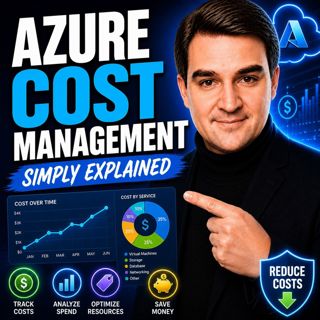
Azure Cost Management - Simply Explained

Azure Cost Management - Simply Explained

Welcome to another episode of Knowledge Nuggets with Mirko Peters. In this episode, we're exploring Azure Cost Management, Microsoft's built-in solution for monitoring, analyzing, controlling, and opt...

20 Jul 18min

Azure Automation - Simply Explained

Azure Automation - Simply Explained

Welcome to another episode of Knowledge Nuggets with Mirko Peters. In this episode, we're exploring Azure Automation, Microsoft's cloud service for automating repetitive IT tasks across Azure and hybr...

20 Jul 15min
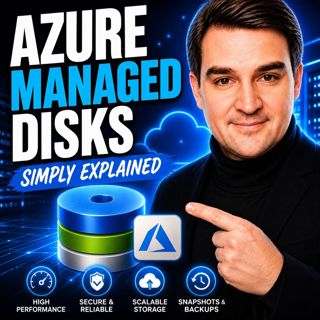
Azure Managed Disks - Simply Explained

Azure Managed Disks - Simply Explained

Welcome to another episode of Knowledge Nuggets with Mirko Peters. In this episode, we're exploring Azure Managed Disks, the storage technology that powers every Azure Virtual Machine. While many peop...

20 Jul 15min

Azure Disk Storage - Simply Explained

Azure Disk Storage - Simply Explained

Welcome to another episode of Knowledge Nuggets with Mirko Peters. In this episode, we're diving into one of the most important building blocks of every Azure Virtual Machine: Azure Disk Storage. Ever...

19 Jul 11min

Populært innen Politikk og nyheter

giver-og-gjengen-vg
aftenpodden
aftenpodden-usa
forklart
fotballpodden-2
popradet
stopp-verden
rss-gukild-johaug
det-store-bildet
hanna-de-heldige
rss-ness
aftenbla-bla
dine-penger-pengeradet
nokon-ma-ga
bt-dokumentar-2
rss-penger-polser-og-politikk
unitedno
lydartikler-fra-aftenposten
e24-podden
rss-borsmorgen-okonominyhetene