How Microsoft 365 Admin Center Gives You the Governance and Oversight Your AI Automation Needs

How Microsoft 365 Admin Center Gives You the Governance and Oversight Your AI Automation Needs

Copilot Agents Without Chaos—How?

What happens if your AI agents start making decisions without you even noticing? In this episode, we look at why governance isn’t optional anymore—and how the Microsoft 365 Admin Center becomes the control panel you didn’t know you had. You’ll see the concrete tools that keep Copilot Agents from going rogue while still empowering teams to automate aggressively, so you don’t have to choose between innovation and oversight.

We start with the fear behind most AI hesitation: not that agents won’t work, but that they’ll work too well, in too many places, without a clear line of sight. One bot cleans up data here, a cloned version moves records there, and soon you’re running dozens of slightly different automations with no central owner, no version history and no shared understanding of which numbers to trust. We unpack real‑world patterns where “helpful” scripts and agents quietly bypass compliance standards or create conflicting data sets—showing how the problem isn’t AI itself, but the absence of guardrails, documentation and ownership.

From there, we zoom into the part most organizations miss: the guardrails for Copilot Agents already live inside the Microsoft 365 Admin Center. Instead of treating agents as mysterious background magic, you can use Admin Center to see which agents exist, who created them, which connectors and data sources they touch, and which policies govern who is allowed to build and publish them. We walk through why this matters for security and compliance—separating “experiment in one team” from “production agent touching core systems,” limiting deployment rights to defined roles, and using reporting to spot where clones, duplicates or risky patterns are emerging before they turn into incidents.

Finally, we outline how to turn this into a practical governance model instead of a one‑time configuration. You’ll learn how to define ownership and review cycles for agents, how to communicate clear rules to makers without killing enthusiasm, and how to use Admin Center reporting as an “air traffic control” view for your automation landscape. The goal is simple: agents that move fast inside guardrails you can explain to leadership, auditors and security—so Copilot becomes a trusted engine for automation, not a black box everyone secretly worries about.

WHAT YOU’LL LEARN
  • Why organizations fear losing control of Copilot Agents more than they fear the tech itself.
  • How small, cloned automations create data drift, compliance gaps and trust issues over time.
  • Which Microsoft 365 Admin Center capabilities give you real visibility and control over agents.
  • How to design a lightweight governance model so agents can scale without chaos.
THE CORE INSIGHT

The core insight of this episode is that Copilot Agents don’t become risky because they’re powerful—they become risky when no one can see or steer them. Once you treat the Microsoft 365 Admin Center as your air‑traffic control tower for agents, you can let automation spread across the business while still knowing who built what, what it touches, and whether it plays by your rules.

WHO THIS EPISODE IS FOR
  • IT and security teams worried about “rogue” automations and shadow AI.
  • Microsoft 365 admins looking for a concrete way to govern Copilot Agents at scale.
  • Leaders who want the benefits of agents without losing oversight, auditability or control.
ABOUT THE AUTHOR / HOST

Mirko Peters is a Microsoft 365 security and governance consultant and host of the M365.FM podcast, helping organizations turn AI agents and automation from risky experiments into well‑governed, auditable parts of their digital workplace. He works with teams to design policies, permissions and monitoring in the Microsoft 365 Admin Center so Copilot Agents can scale safely—delivering value without disappearing into shadow IT.

Become a supporter of this podcast: https://www.spreaker.com/podcast/m365-fm-modern-work-security-and-productivity-with-microsoft-365--6704921/support.

Det här avsnittet är hämtat från ett öppet RSS-flöde och publiceras inte av Podme. Det kan innehålla reklam.

Avsnitt(776)

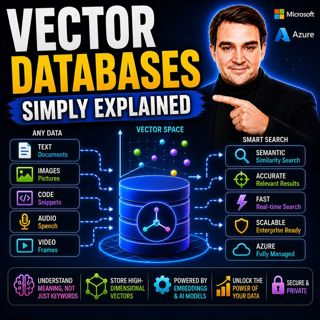
Vector Databases - Simply Explained

Vector Databases - Simply Explained

Large Language Models like GPT-4o, Microsoft Copilot, and ChatGPT are incredibly powerful, but they all depend on one critical technology that most people never hear about: vector databases. Tradition...

16 Juli 14min
RAG on Azure — Simply Explained

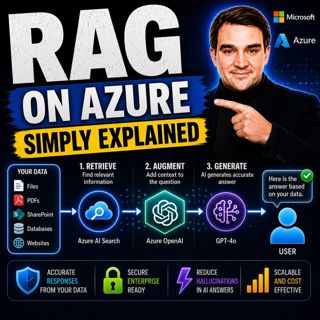
RAG on Azure — Simply Explained

Large Language Models like GPT-4o are incredibly powerful, but they have two major limitations. First, their knowledge is frozen in time, meaning they don't automatically know about recent events, cha...

16 Juli 13min
Azure AI Foundry - Simply Explained

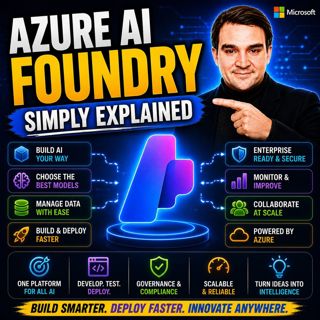
Azure AI Foundry - Simply Explained

Artificial Intelligence is evolving faster than almost any other technology, and with new models, frameworks, and AI services appearing almost every month, it's becoming increasingly difficult to know...

16 Juli 14min
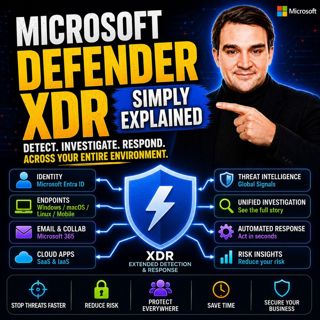
Microsoft Defender XDR - Simply Explained

Microsoft Defender XDR - Simply Explained

Modern cyberattacks rarely target a single system. An attack might begin with a phishing email, move to a compromised device, steal user credentials, access cloud applications, and finally exfiltrate ...

16 Juli 14min
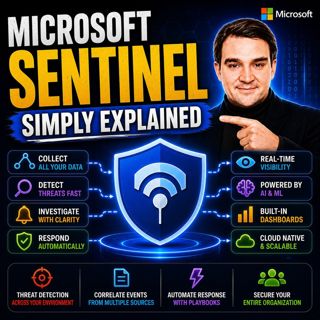
Microsoft Sentinel - Simply Explained

Microsoft Sentinel - Simply Explained

Modern cyberattacks rarely happen in a single moment. Attackers often move slowly, testing identities, exploring systems, downloading data, and establishing persistence over days, weeks, or even month...

16 Juli 14min
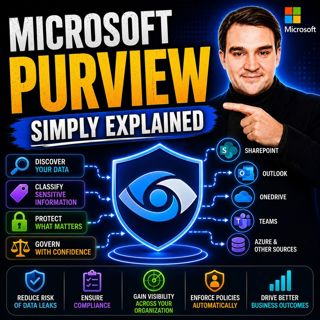
Microsoft Purview - Simply Explained

Microsoft Purview - Simply Explained

Protecting your network is no longer enough to protect your business. Modern organizations store sensitive information across Microsoft 365, Azure, SharePoint, OneDrive, Teams, Exchange, file servers,...

16 Juli 17min
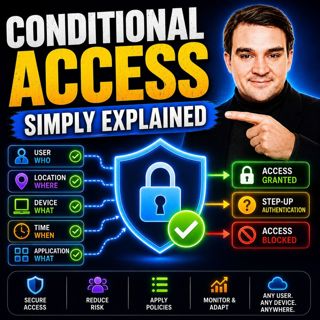
Conditional Access - Simply Explained

Conditional Access - Simply Explained

Every time you sign in to Microsoft 365, far more happens than simply checking your username and password. Behind the scenes, Microsoft evaluates dozens of signals before deciding whether you should b...

16 Juli 15min
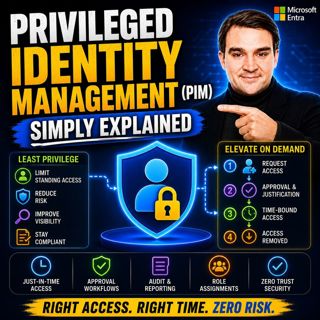
Privileged Identity Management (PIM) - Simply Explained

Privileged Identity Management (PIM) - Simply Explained

Administrator accounts are among the most valuable targets for cybercriminals. If an attacker compromises a Global Administrator or another privileged account, they can potentially reset passwords, ac...

16 Juli 16min

Populärt inom Politik & nyheter

aftonbladet-krim
svenska-fall
p3-krim
rss-krimstad
tv4-nyheterna-story
aftonbladet-daily
flashback-forever
motiv
rss-sanning-konsekvens
de-fyras-gang
rss-krimreportrarna
rss-vad-fan-hande
mannen-utan-spar
spar
rss-frandfors-horna
rss-flodet
rss-aftonbladet-krim
krimmagasinet
politiken
olyckan-inifran

















