Surviving Purview: Retention Policy Traps, Storage Bloat & How IA, Governance & Copilot Really Fit Together

Surviving Purview: Retention Policy Traps, Storage Bloat & How IA, Governance & Copilot Really Fit Together

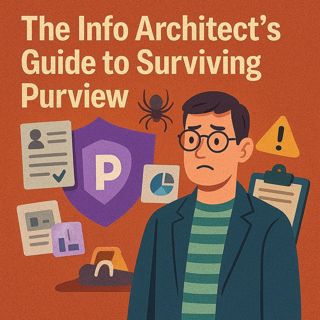
One wrong Purview retention rule can chew through your storage like Pac‑Man on Red Bull—locking files, bloating preservation copies, and turning your intranet into a haunted house of “can’t delete” errors. In this episode, I break down what Purview really is (your tenant’s compliance inspector), why it’s not “just IT’s problem,” and how bad information architecture turns it from a precision tool into a blunt‑force hammer. We use real‑world patterns to show how IA, retention, labels, and Copilot all intersect—so you stop treating Purview as a scary checkbox and start using it as an ally that enforces the structure you actually want.

WHAT EVEN IS PURVIEW (FOR REAL)?

Purview is Microsoft’s compliance and governance layer for your tenant: the engine behind retention, classification, sensitivity labels, eDiscovery, and lifecycle across SharePoint, OneDrive, Exchange, Teams, and more. Think of it as the building inspector: it doesn’t care how pretty your intranet looks, it cares whether the fire exits (retention, access, lifecycle) exist and work. If your information architecture is sloppy—no metadata, weak content types, random libraries—Purview will still enforce rules, but in the worst possible way: contracts and lunch flyers get treated the same, “paranoid” filters hoard junk, and compliance reports become unreadable noise. When your IA is strong, Purview finally has a map: it can retain only regulated content, sweep out trash, and support Copilot by ensuring that the content search relies on is structured, labeled, and governed instead of chaotic.

THE RETENTION POLICY TRAP

Retention is where most admins fall into the pit. Broad policies sound harmless—“keep everything for X years”—until you realize you’ve effectively frozen entire workloads: meeting notes, project files, Teams chats, even throwaway content, all locked under the same rule. Users experience this as “the system is broken” when they can’t delete or clean up, while in reality Purview is just doing exactly what you told it to. We walk through why you should never start with tenant‑wide retention, how to pilot policies in controlled scopes, and why some “immutable” label settings are effectively permanent tattoos that must be tested in isolation before rollout. We also call out the hidden storage bill: retention keeps preserved copies even after users delete, which means poorly scoped policies quietly inflate your capacity until finance starts asking hard questions.

WHY IA + PURVIEW + COPILOT ARE ONE SYSTEM

Copilot feeds from Microsoft Search; Search quality depends on your information architecture; Purview governs what stays, how long, and under which label. If IA is weak and retention is blunt, Copilot becomes a chaos engine—surfacing wrong versions, outdated drafts, or sensitive content that should have been locked or removed. In the episode, we tie this together into a practical sequence: first fix structure (sites, libraries, content types, metadata), then design targeted retention and labels that align with that structure, and only then roll out Copilot so it has clean, governed content to work with. Done right, Purview stops feeling like an enemy and becomes the enforcement layer that keeps your IA and Copilot from drifting into chaos over time.

WHAT YOU’LL LEARN
  • What Purview actually is and why information architects can’t ignore it.
  • How bad IA turns Purview into a blunt‑force hammer that locks everything and helps nobody.
  • Why retention policies are a trap when applied broadly—and how to pilot them safely.
  • How retention, labels, and storage interact so you don’t wake up to a surprise capacity bill.
  • How IA, Purview, and Copilot form one system—and the order you should fix them in.
THE CORE INSIGHT

The core insight of this episode is that Purview doesn’t “understand” your content, it only enforces whatever structure you’ve already built. If your information architecture is strong, Purview becomes your automated safety inspector; if it’s weak, Purview amplifies chaos—locking junk, hoarding copies, and breaking user trust just when you need Copilot and compliance to work together.

WHO THIS EPISODE IS FOR
  • Information architects who thought Purview was “just an IT tool.”
  • Microsoft 365 admins responsible for retention, labels, and storage.
  • Governance, risk, and compliance teams who need policy that doesn’t wreck UX.
  • Leaders planning Copilot rollouts in tenants with questionable content hygiene.
ABOUT THE AUTHOR / HOST

Mirko Peters is a Microsoft 365 and information architecture consultant and host of the M365.FM podcast, helping organizations treat Purview, Copilot, and their content estate as one integrated operating system instead of scattered sites and random policies. He works with teams running on Microsoft 365 and Azure to design IA, retention, and labeling strategies that keep storage under control, support compliance, and give Copilot high‑quality content to work with instead of digital junk.

Become a supporter of this podcast: https://www.spreaker.com/podcast/m365-fm-modern-work-security-and-productivity-with-microsoft-365--6704921/support.

Det här avsnittet är hämtat från ett öppet RSS-flöde och publiceras inte av Podme. Det kan innehålla reklam.

Avsnitt(780)

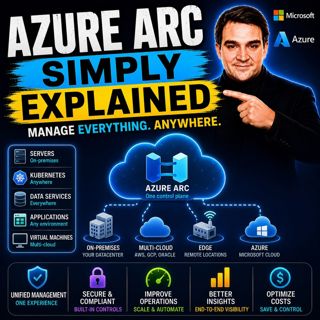
Azure Arc - Simply Explained

Azure Arc - Simply Explained

Modern IT environments rarely exist in a single cloud. Most organizations run Windows and Linux servers across on-premises data centers, Microsoft Azure, Amazon Web Services (AWS), Google Cloud Platfo...

17 Juli 17min
Microsoft AI Agent Harness - Simply Explained

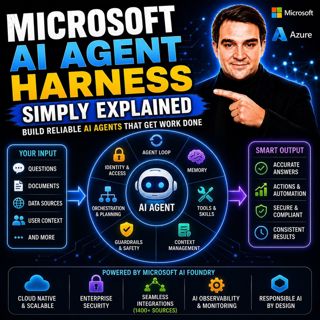
Microsoft AI Agent Harness - Simply Explained

Writing the perfect AI prompt used to be the goal of every AI developer. But as businesses began asking AI to perform increasingly complex tasks—analyzing code, researching topics, coordinating workfl...

17 Juli 16min

Platform Engineering - Simply Explained

Platform Engineering - Simply Explained

For years, DevOps promised to break down the barriers between development and operations by giving teams greater ownership over the software they build. While the idea was powerful, reality became far...

16 Juli 16min
GitOps - Simply Explained

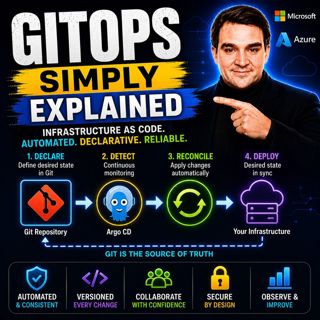
GitOps - Simply Explained

Managing Kubernetes manually quickly becomes a nightmare as environments grow. One engineer updates a deployment directly using kubectl, another changes a ConfigMap through the Azure portal, and sudde...

16 Juli 16min
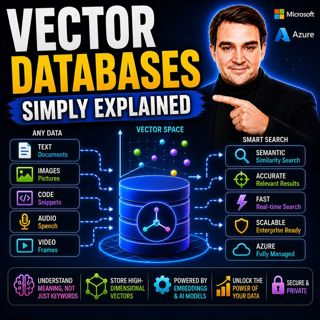
Vector Databases - Simply Explained

Vector Databases - Simply Explained

Large Language Models like GPT-4o, Microsoft Copilot, and ChatGPT are incredibly powerful, but they all depend on one critical technology that most people never hear about: vector databases. Tradition...

16 Juli 14min

RAG on Azure — Simply Explained

RAG on Azure — Simply Explained

Large Language Models like GPT-4o are incredibly powerful, but they have two major limitations. First, their knowledge is frozen in time, meaning they don't automatically know about recent events, cha...

16 Juli 13min

Azure AI Foundry - Simply Explained

Azure AI Foundry - Simply Explained

Artificial Intelligence is evolving faster than almost any other technology, and with new models, frameworks, and AI services appearing almost every month, it's becoming increasingly difficult to know...

16 Juli 14min

Microsoft Defender XDR - Simply Explained

Microsoft Defender XDR - Simply Explained

Modern cyberattacks rarely target a single system. An attack might begin with a phishing email, move to a compromised device, steal user credentials, access cloud applications, and finally exfiltrate ...

16 Juli 14min

Populärt inom Politik & nyheter

aftonbladet-krim
svenska-fall
p3-krim
rss-krimstad
tv4-nyheterna-story
aftonbladet-daily
flashback-forever
rss-sanning-konsekvens
motiv
de-fyras-gang
rss-krimreportrarna
mannen-utan-spar
rss-vad-fan-hande
rss-frandfors-horna
spar
rss-flodet
rss-aftonbladet-krim
politiken
olyckan-inifran
krimmagasinet

















