

Live Data In SPFx: How To Fix Static Web Parts With Microsoft Graph, Permissions, Caching & Real‑Time Updates

Live Data In SPFx: How To Fix Static Web Parts With Microsoft Graph, Permissions, Caching & Real‑Time Updates

Your SPFx web part looks great—but if it’s not pulling live data, users will treat it like a lobby poster: nice to look at, useless to trust. In this episode, we walk through three concrete wins you can actually ship this month:
  1. connect SPFx securely to Microsoft Graph and SharePoint without an OAuth death march,
  2. make calls faster with selective payloads, caching, and throttling‑aware patterns, and
  3. light everything up with real‑time updates via webhooks and sockets so information changes the moment users open Teams

WHEN PRETTY ISN’T ENOUGH

We start with the core problem: a polished but static SPFx dashboard dies the moment users realize it isn’t current. You’ll hear why stale “team contacts” and status boards actively damage trust, how Microsoft’s own SPFx case studies show people data goes stale unless it’s pulled live, and why your first priority is wiring into live sources—not tweaking padding. We show how to use the plumbing SPFx already gives you—SharePoint REST, Microsoft Graph, and PnP—to turn your web part from a frozen brochure into a surface users rely on because it always reflects reality.

BEATING AUTHENTICATION HEADACHES

Next, we tackle the part that kills most projects: authentication. Instead of drowning in OAuth diagrams, you’ll learn how SPFx’s MSGraphClient and REST helpers handle tokens behind the scenes if you request the right scopes and get an admin to approve them. We walk through the three‑step roadmap—declare scopes in webApiPermissionRequests, deploy and approve in the App Catalog, then test with a normal user—and show why “works for admin” is the biggest trap in Graph integrations. Done right, Graph calls start to feel like a cheat code: live user profiles, Teams membership, calendars, and more, all without hand‑crafting token flows.

MAKING GRAPH CALLS SNAPPY

Finally, we focus on performance so your live data doesn’t feel slower than a CSV export. You’ll see how to use $select to request only the fields you need, how to avoid bloated payloads that trigger throttling, and how to layer caching so repeat calls don’t hammer Graph. We also cover when to move from simple REST/Graph calls to webhooks and signal‑based updates, so your SPFx web part stays responsive even as usage scales.

WHAT YOU’LL LEARN
  • Why static, polished SPFx dashboards lose user trust faster than ugly but live ones.
  • How to connect SPFx to Microsoft Graph and SharePoint using built‑in helpers without writing raw OAuth flows.
  • How to request and approve the right Graph scopes with webApiPermissionRequests and tenant admin consent.
  • How to make Graph calls fast and resilient with $select, smaller payloads, caching, and throttling‑aware design.
  • When to introduce webhooks and real‑time patterns so your SPFx web part always shows fresh data.
THE CORE INSIGHT

The core insight of this episode is that SPFx wasn’t built for static content—it’s a front door to live Microsoft 365 data. Once you stop obsessing over CSS polish and focus on wiring secure, fast, real‑time connections to Graph and SharePoint, your web part stops being decoration and becomes a living dashboard users return to because they know it’s telling the truth right now.

WHO THIS EPISODE IS FOR
  • SPFx developers shipping web parts for Teams and SharePoint that need real‑time data.
  • Microsoft 365 and SharePoint engineers struggling with Graph authentication and permissions in SPFx.
  • Front‑end devs moving from static or REST‑only web parts to live Graph‑backed experiences.
  • Architects and tech leads defining patterns for SPFx, Graph, and performance at scale.
ABOUT THE AUTHOR / HOST

Mirko Peters is a Microsoft 365 and SPFx consultant and host of the M365.FM podcast, helping organizations treat Microsoft 365, SharePoint, and Graph as one integrated operating system instead of a set of disconnected APIs and pretty but static web parts. He works with teams running on Microsoft 365 and Azure to design SPFx, Graph, and performance patterns so their web parts feel alive, stay secure, and scale without turning into another abandoned dashboard.

Become a supporter of this podcast: https://www.spreaker.com/podcast/m365-fm-modern-work-security-and-productivity-with-microsoft-365--6704921/support.

Det här avsnittet är hämtat från ett öppet RSS-flöde och publiceras inte av Podme. Det kan innehålla reklam.

Avsnitt(780)

Azure Arc - Simply Explained

Azure Arc - Simply Explained

Modern IT environments rarely exist in a single cloud. Most organizations run Windows and Linux servers across on-premises data centers, Microsoft Azure, Amazon Web Services (AWS), Google Cloud Platfo...

17 Juli 17min

Microsoft AI Agent Harness - Simply Explained

Microsoft AI Agent Harness - Simply Explained

Writing the perfect AI prompt used to be the goal of every AI developer. But as businesses began asking AI to perform increasingly complex tasks—analyzing code, researching topics, coordinating workfl...

17 Juli 16min

Platform Engineering - Simply Explained

Platform Engineering - Simply Explained

For years, DevOps promised to break down the barriers between development and operations by giving teams greater ownership over the software they build. While the idea was powerful, reality became far...

16 Juli 16min

GitOps - Simply Explained

GitOps - Simply Explained

Managing Kubernetes manually quickly becomes a nightmare as environments grow. One engineer updates a deployment directly using kubectl, another changes a ConfigMap through the Azure portal, and sudde...

16 Juli 16min
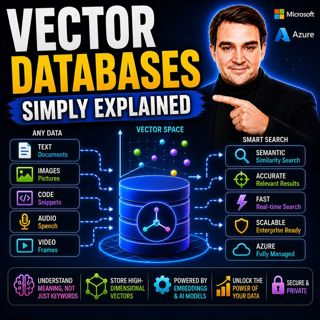
Vector Databases - Simply Explained

Vector Databases - Simply Explained

Large Language Models like GPT-4o, Microsoft Copilot, and ChatGPT are incredibly powerful, but they all depend on one critical technology that most people never hear about: vector databases. Tradition...

16 Juli 14min

RAG on Azure — Simply Explained

RAG on Azure — Simply Explained

Large Language Models like GPT-4o are incredibly powerful, but they have two major limitations. First, their knowledge is frozen in time, meaning they don't automatically know about recent events, cha...

16 Juli 13min

Azure AI Foundry - Simply Explained

Azure AI Foundry - Simply Explained

Artificial Intelligence is evolving faster than almost any other technology, and with new models, frameworks, and AI services appearing almost every month, it's becoming increasingly difficult to know...

16 Juli 14min

Microsoft Defender XDR - Simply Explained

Microsoft Defender XDR - Simply Explained

Modern cyberattacks rarely target a single system. An attack might begin with a phishing email, move to a compromised device, steal user credentials, access cloud applications, and finally exfiltrate ...

16 Juli 14min

Populärt inom Politik & nyheter

aftonbladet-krim
svenska-fall
p3-krim
rss-krimstad
tv4-nyheterna-story
aftonbladet-daily
flashback-forever
rss-sanning-konsekvens
motiv
de-fyras-gang
rss-krimreportrarna
mannen-utan-spar
rss-vad-fan-hande
rss-frandfors-horna
spar
rss-flodet
rss-aftonbladet-krim
politiken
olyckan-inifran
krimmagasinet

















