
You’re Probably Using Teams Channels Wrong: Standard vs Private vs Shared, Oversharing Risk & How To Pick The Right One

You’re Probably Using Teams Channels Wrong: Standard vs Private vs Shared, Oversharing Risk & How To Pick The Right One

Let’s be real—Teams channels are just three kinds of roommates. Standard channels are the open‑door living room, Private channels are the locked bedroom, and Shared channels are when your roommate’s cousin “stays for a few weeks” and suddenly your fridge looks like a crime scene. The problem isn’t the labels, it’s treating all three like the same thing: by the end of this episode, you’ll know exactly which channel type to use for marketing, dev, and external vendors—without accidentally leaking sensitive files or building silos nobody can see into. We unpack what really happens under the hood in Microsoft 365 when you pick Standard, Private, or Shared, why that choice sets your security perimeter and file visibility for the entire project, and how a simple channel playbook at kickoff can save you from governance drama and “please delete that file” emails later.

WHY PICKING THE WRONG CHANNEL WRECKS YOUR PROJECT

Channel choice isn’t cosmetic—it’s who can see what, by design. Use a Standard channel when only a subset should see the content and you’ve just handed interns, externals, or the wrong department a front‑row seat to things they shouldn’t touch, from financial forecasts to raw builds. In this episode, we walk through real‑world failures: product launches where marketing and dev shared a Standard channel and accidentally exposed embargoed press kits to people who only needed bug lists, or leadership chats that landed in the same space as junior staff updates. You’ll learn a simple rule set: Standard when every Team member truly needs visibility, Private when only an inner circle should see the conversation and files, and Shared when you bring in external partners who must collaborate without getting the full house key.

STANDARD, PRIVATE, SHARED – CUTTING THE MARKETING FLUFF

Microsoft loves calling every channel a “collaboration space,” but under the hood they’re three different security and storage models wearing the same UI. Standard channels use the parent Team’s SharePoint site and are visible to every member of the Team—perfect for broad project chatter and shared artefacts, dangerous for anything confidential. Private channels restrict membership to a subset of the Team and back their files with a separate SharePoint site, so only invited members even see that channel exists—ideal for finance, HR, or leadership work inside a bigger Team. Shared channels are designed for cross‑Team and external collaboration: they give partners or other internal Teams access to a single channel (often with its own backing site) without adding them to the entire Team, so vendors and clients can join the conversation without roaming through the rest of your workspace. Once you map “what it is, where files live, who sees it, when to use it” for each type, channel choice stops being guesswork and starts being a deliberate part of your security model.

PICKING THE RIGHT CHANNEL WITHOUT GETTING BURNED

The real fix is to stop letting anyone spawn channels on instinct and start treating channel creation as a governance decision. We give you a practical playbook: during project kickoff, decide the audience first, then match it to Standard/Private/Shared using a simple grid, and restrict who is allowed to create new channels so you don’t end up with a sprawl of random Standards leaking files and ghost Private channels no one remembers owning. You’ll hear concrete patterns for typical scenarios—cross‑department projects, vendor workspaces, leadership areas—and a three‑step test (who should see it, what files land there, what happens if someone leaves) you can run before clicking “Create.” Done right, your channels turn from accidental leak vectors into clear containers that match how your organization actually works.

WHAT YOU’LL LEARN
  • Why treating Standard, Private, and Shared channels as identical quietly causes leaks and confusion.
  • How channel type maps to storage (SharePoint backing), membership, and visibility in Microsoft 365.
  • A simple rule set to choose the right channel for marketing, dev, leadership, and external vendors.
  • How to add basic governance—who can create channels, when to decide the type, and how to avoid channel sprawl.
  • Practical project scenarios where the wrong channel sunk trust, and how to avoid repeating them.
THE CORE INSIGHT

The core insight of this episode is that a Teams channel is not “just a conversation,” it’s a security and storage boundary that decides who sees your files for the entire life of a project. Once you stop clicking “new channel” like a vending machine button and start applying a simple decision framework—Standard for full‑Team transparency, Private for inner circles, Shared for external and cross‑Team work—you dramatically cut oversharing risk, cleanup drama, and late‑stage governance firefighting.

WHO THIS EPISODE IS FOR
  • Teams owners and project leads who create and manage channels for real projects.
  • Microsoft 365 and security admins trying to reduce accidental oversharing and channel sprawl.
  • Governance and compliance teams designing safer collaboration patterns in Teams.
  • Power users and champions who want a simple, teachable way to pick the right channel every time.
ABOUT THE AUTHOR / HOST

Mirko Peters is a Microsoft 365 consultant and host of the M365.FM podcast, helping organizations treat Teams, SharePoint, and Entra ID as one integrated operating system instead of a patchwork of random channels and sites. He works with teams running on Microsoft 365 and Azure to design channel strategies, permission models, and governance playbooks so collaboration stays fast and flexible without leaking sensitive content to the wrong audience.

Become a supporter of this podcast: https://www.spreaker.com/podcast/m365-fm-modern-work-security-and-productivity-with-microsoft-365--6704921/support.

Det här avsnittet är hämtat från ett öppet RSS-flöde och publiceras inte av Podme. Det kan innehålla reklam.

Avsnitt(780)

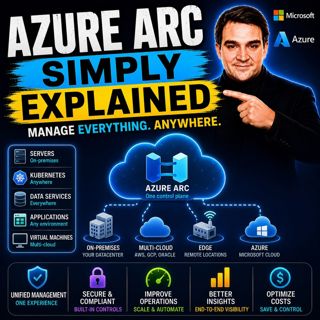
Azure Arc - Simply Explained

Azure Arc - Simply Explained

Modern IT environments rarely exist in a single cloud. Most organizations run Windows and Linux servers across on-premises data centers, Microsoft Azure, Amazon Web Services (AWS), Google Cloud Platfo...

17 Juli 17min
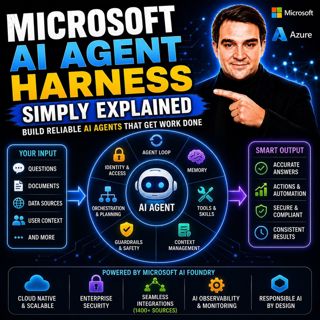
Microsoft AI Agent Harness - Simply Explained

Microsoft AI Agent Harness - Simply Explained

Writing the perfect AI prompt used to be the goal of every AI developer. But as businesses began asking AI to perform increasingly complex tasks—analyzing code, researching topics, coordinating workfl...

17 Juli 16min

Platform Engineering - Simply Explained

Platform Engineering - Simply Explained

For years, DevOps promised to break down the barriers between development and operations by giving teams greater ownership over the software they build. While the idea was powerful, reality became far...

16 Juli 16min

GitOps - Simply Explained

GitOps - Simply Explained

Managing Kubernetes manually quickly becomes a nightmare as environments grow. One engineer updates a deployment directly using kubectl, another changes a ConfigMap through the Azure portal, and sudde...

16 Juli 16min
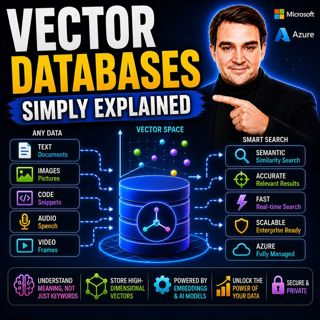
Vector Databases - Simply Explained

Vector Databases - Simply Explained

Large Language Models like GPT-4o, Microsoft Copilot, and ChatGPT are incredibly powerful, but they all depend on one critical technology that most people never hear about: vector databases. Tradition...

16 Juli 14min
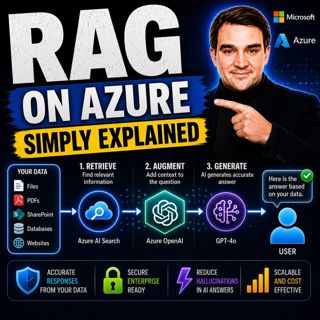
RAG on Azure — Simply Explained

RAG on Azure — Simply Explained

Large Language Models like GPT-4o are incredibly powerful, but they have two major limitations. First, their knowledge is frozen in time, meaning they don't automatically know about recent events, cha...

16 Juli 13min

Azure AI Foundry - Simply Explained

Azure AI Foundry - Simply Explained

Artificial Intelligence is evolving faster than almost any other technology, and with new models, frameworks, and AI services appearing almost every month, it's becoming increasingly difficult to know...

16 Juli 14min

Microsoft Defender XDR - Simply Explained

Microsoft Defender XDR - Simply Explained

Modern cyberattacks rarely target a single system. An attack might begin with a phishing email, move to a compromised device, steal user credentials, access cloud applications, and finally exfiltrate ...

16 Juli 14min

Populärt inom Politik & nyheter

aftonbladet-krim
svenska-fall
p3-krim
rss-krimstad
tv4-nyheterna-story
aftonbladet-daily
flashback-forever
rss-sanning-konsekvens
motiv
de-fyras-gang
rss-krimreportrarna
mannen-utan-spar
rss-vad-fan-hande
rss-frandfors-horna
spar
rss-flodet
rss-aftonbladet-krim
politiken
olyckan-inifran
krimmagasinet

















