Go Beyond The Demos: How To Make Copilot Actually Work For Your Business Central Environment

Go Beyond The Demos: How To Make Copilot Actually Work For Your Business Central Environment

Ever wish Business Central actually did the boring work for you—like reconciling payments, drafting product descriptions, or cleaning up messy workflows—instead of burying you in extra clicks and late‑night Excel? That’s the real promise of Copilot in Business Central online: it’s built in at no extra license cost, but most admins and partners never move beyond the canned demos Microsoft shows on stage. In this episode, we strip away the marketing layer and go into the hidden “System.AI” namespace, Copilot Capability enum, and Copilot & Agent capabilities page so you can turn Copilot from a generic assistant into something wired to your company’s actual processes, data, and tone of voice. By the end, you’ll have a survival checklist you can pressure‑test in a sandbox—including how to register capabilities safely, avoid collisions with Microsoft updates, and give admins clean kill switches if something misbehaves.

THE SECRET MENU OF COPILOT

Copilot’s real power isn’t in the flashy buttons on customer or item cards; it lives under the surface in the System.AI namespace, the Copilot Capability and Copilot Availability objects, and the capability registry devs almost never talk about with admins. We break down how a Capability defines the skill you’re adding (for example, drafting purchase orders, rewriting text in your brand voice, or summarizing complex documents), and how Availability controls where and when that skill appears in the UI. You’ll learn how developers can extend Copilot with new capabilities, how admins can see every registered feature on the “Copilot & agent capabilities” page, and how toggling them on or off turns Copilot from a black box into a controllable, governable framework. Instead of waiting for Microsoft’s next demo scenario, you can design your own AI menu that reflects your approvals, custom fields, and industry quirks—and still keep a big red stop button if something goes wrong.

REGISTERING WITHOUT BURNING DOWN YOUR TENANT

Registering a Copilot capability isn’t magic; it’s AL code. You create an enumextension for Copilot Capability, then use an Install or Upgrade codeunit that calls CopilotCapability.RegisterCapability so Business Central actually knows your feature exists. We walk through why unique names and enum values matter (to avoid collisions with future Microsoft capabilities), why sandbox‑first rollout is non‑negotiable, and how to use versioning and upgrade codeunits to move safely from 1.0 to 1.1 without breaking production. You’ll also hear how the Copilot & agent capabilities page becomes your truth source: if your capability doesn’t show up there with the LearnMoreUrlTxt link, it’s not really registered—and admins won’t know what it does or how to shut it off. Treat registration like production architecture, not a side experiment, and Copilot becomes a stable extension point instead of a late‑night restore job waiting to happen.

METAPROMPTS: TEACHING YOUR AI MANNERS

Once the capability exists, you still need to teach Copilot how to behave, and that’s where metaprompts come in—the “primary system message” that defines the AI’s profile, boundaries, and output format. We explain how metaprompts let you encode your company’s tone, compliance rules, and business logic into the assistant so it stops sounding like a generic HR memo and starts acting like a knowledgeable colleague who understands your chart of accounts, item structure, and approval rules. You’ll learn how to structure metaprompts for text completions, chat‑style workflows, and embeddings scenarios, how to avoid over‑sharing sensitive data inside prompts, and how to iterate safely in sandbox before exposing anything to real users. Done well, metaprompts turn Copilot from a clever demo into a reliable operator that respects your guardrails while still saving time on repetitive work.

WHAT YOU’LL LEARN
  • How Copilot in Business Central really works under the hood (System.AI namespace, Copilot Capability, Availability).
  • How to discover and manage all Copilot capabilities via the “Copilot & agent capabilities” admin page.
  • How to register custom Copilot capabilities with enumextensions and Install/Upgrade codeunits without breaking production.
  • How to avoid capability collisions with Microsoft updates using unique naming, IDs, and proper versioning.
  • How to use metaprompts to give Copilot a job description, tone of voice, and guardrails that match your business.
  • A sandbox‑first rollout checklist so admins keep control and always have a clean kill switch.
THE CORE INSIGHT

The core insight of this episode is that Copilot in Business Central is not just a set of pre‑defined buttons—it’s an AI capability framework that already ships in your tenant, waiting for you to define what “useful” means. If you only use the demos, you’re effectively leaving compute, context, and competitive advantage on the table while working harder than necessary in Excel and manual approvals. Once you learn how to register capabilities properly, wire in metaprompts, and govern everything via the Copilot & agent capabilities page, Copilot stops being a marketing toy and becomes a controlled, extensible co‑worker that actually fits how your company runs Business Central.

WHO THIS EPISODE IS FOR
  • Business Central admins and IT leads who want Copilot value beyond canned demos.
  • AL developers and partners extending Business Central with custom AI capabilities.
  • Solution architects designing AI‑assisted workflows on top of Business Central.
  • Compliance, governance, and operations teams who need visibility and control over what Copilot can do.
ABOUT THE AUTHOR / HOST

Mirko Peters is a Microsoft 365 and Business Central‑focused consultant and host of the M365.FM podcast, helping organizations treat their Microsoft stack as an integrated operating system instead of a collection of disconnected apps. He works with teams running on Microsoft 365, Azure, and Dynamics to design architectures, governance, and AI frameworks that balance innovation with control—so Copilot and other assistants actually reduce workload instead of adding chaos.

Become a supporter of this podcast: https://www.spreaker.com/podcast/m365-fm-modern-work-security-and-productivity-with-microsoft-365--6704921/support.

Det här avsnittet är hämtat från ett öppet RSS-flöde och publiceras inte av Podme. Det kan innehålla reklam.

Avsnitt(795)

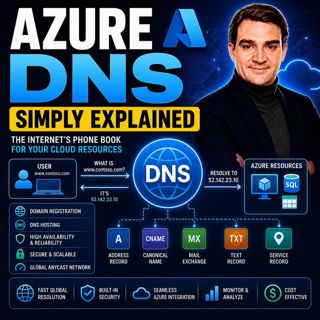
Azure DNS - Simply Explained

Azure DNS - Simply Explained

Azure DNS is Microsoft's fully managed Domain Name System (DNS) hosting service that translates human-friendly domain names like contoso.com into the IP addresses computers use to communicate. Instead...

18 Juli 15min
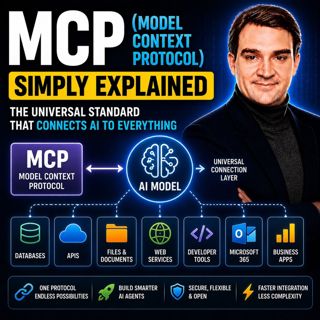
MCP (Model Context Protocol) - Simply Explained

MCP (Model Context Protocol) - Simply Explained

The Model Context Protocol (MCP) is an open standard that allows AI models to securely connect to external tools, applications, and data sources using a single, consistent protocol. Before MCP, every ...

17 Juli 15min

Azure AI Search – Simply Explained

Azure AI Search – Simply Explained

Azure AI Search is Microsoft's fully managed cloud search service that helps developers build fast, intelligent, and AI-powered search experiences for applications, websites, and enterprise systems. U...

17 Juli 13min

Microsoft Fabric OneLake - Simply Explained

Microsoft Fabric OneLake - Simply Explained

Microsoft Fabric OneLake is the unified storage layer at the heart of Microsoft Fabric, designed to eliminate one of the biggest challenges in modern analytics: data duplication. Instead of every depa...

17 Juli 14min
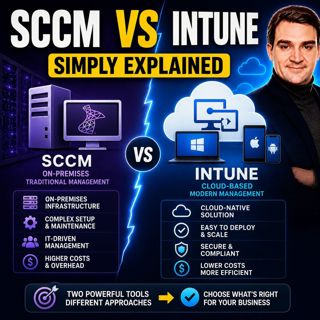
SCCM vs Intune - Simply Explained

SCCM vs Intune - Simply Explained

SCCM (System Center Configuration Manager), now officially known as Microsoft Endpoint Configuration Manager (MECM), and Microsoft Intune are two of Microsoft's most important endpoint management solu...

17 Juli 16min
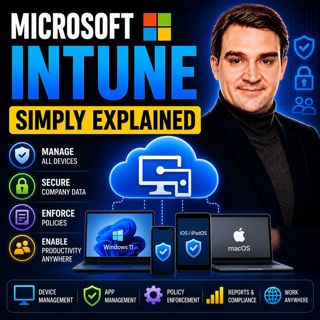
Microsoft Intune - Simply Explained

Microsoft Intune - Simply Explained

Microsoft Intune is Microsoft's cloud-based endpoint management platform that allows organizations to securely manage laptops, desktops, smartphones, tablets, and applications from a single web-based ...

17 Juli 12min

Azure Virtual Desktop - Simply Explained

Azure Virtual Desktop - Simply Explained

Azure Virtual Desktop (AVD) is Microsoft's cloud-based desktop virtualization platform that delivers a complete Windows desktop and business applications securely from Azure to virtually any device. I...

17 Juli 18min
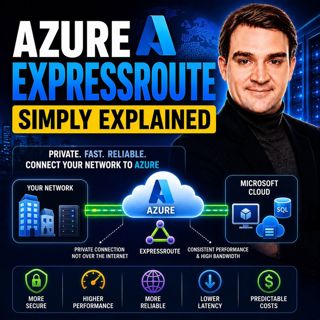
Azure ExpressRoute - Simply Explained

Azure ExpressRoute - Simply Explained

Azure ExpressRoute is Microsoft's private network connection service that links your on-premises infrastructure directly to Microsoft's global cloud network without using the public internet. Instead ...

17 Juli 13min

Populärt inom Politik & nyheter

aftonbladet-krim
svenska-fall
p3-krim
rss-krimstad
tv4-nyheterna-story
aftonbladet-daily
flashback-forever
de-fyras-gang
mannen-utan-spar
motiv
rss-sanning-konsekvens
rss-vad-fan-hande
spar
rss-aftonbladet-krim
rss-frandfors-horna
rss-krimreportrarna
politiken
olyckan-inifran
rss-flodet
krimmagasinet

















