
Integrating Dynamics 365 Sales Data into Microsoft Teams: How to Keep Deals, Updates and Collaboration in One Place

Integrating Dynamics 365 Sales Data into Microsoft Teams: How to Keep Deals, Updates and Collaboration in One Place

If your sales team spends the first hour of every day hunting for updates across email, CRM, and chat, your tools are working against you—not for you. In this episode, I show how integrating Dynamics 365 Sales directly into Microsoft Teams turns deal updates, approvals, and collaboration into one continuous flow instead of a copy‑paste marathon across tabs. You’ll see how embedded CRM views, Teams channels, and sales conversations can finally share the same live data, so “What’s the latest on this opportunity?” stops being a guessing game.

We start with where sales collaboration usually breaks down: multiple tools, duplicate updates, and a pipeline that never quite matches what people remember from calls and chats. You’ll hear familiar scenarios—reps updating stages in chat but not in CRM, managers trusting outdated dashboards, and opportunities slipping because key context is buried in a thread nobody re‑read. Then we walk through what changes when Dynamics 365 lives inside Teams: opportunities, accounts, and dashboards become part of the conversation, and every change you make in a meeting or channel is written straight back to your system of record.

From there, we get practical about structure. You’ll learn how to embed the right Dynamics 365 views into the right Teams channels, so regional reps, product owners, and leaders each see the slices that matter most to them. We talk about using Teams meetings with embedded CRM to run live pipeline reviews, updating records in real time instead of screen‑sharing stale reports or sending “summary” spreadsheets afterward. Along the way, we cover small but powerful design choices—like which fields to surface, how to reduce noise, and how to avoid creating yet another tab nobody clicks.

Finally, we explore how automation with Power Automate and adaptive cards removes even more friction from sales work. You’ll see how chat‑based triggers can create leads, update opportunities, and route approvals straight from Teams, all while keeping Dynamics 365 as the single source of truth. By the end, you’ll have a clear picture of how to turn scattered tools into a seamless sales system where collaboration, updates, and decisions happen in one place—and the data is always in sync.

WHAT YOU LEARN
  • Why sales collaboration breaks down when Teams, email, and Dynamics 365 hold different versions of the truth.
  • How embedding Dynamics 365 Sales into Teams channels and meetings turns CRM data into live context—not static screenshots.
  • How to design role‑specific views in Teams so each sales persona sees the data that actually matters to them.
  • How Power Automate and adaptive cards turn routine updates and approvals into quick actions inside chat.
  • How to keep Dynamics 365 as the single source of truth while making Teams the primary home for day‑to‑day sales work.
CORE INSIGHT

The core insight of this episode is that integrating Dynamics 365 Sales into Microsoft Teams isn’t “CRM in a tab”—it’s a way to collapse the gap between where sales data lives and where sales conversations actually happen. When every update, decision, and approval occurs in Teams but writes back to Dynamics 365 in real time, you stop asking people to glue systems together with memory and copy‑paste, and start letting the tools carry the workflow for you.

WHO THIS IS FOR
  • Sales reps and managers who live in Teams and Dynamics 365 and are tired of juggling windows to keep deals updated.
  • CRM admins and solution owners who want higher data quality without forcing reps into more manual entry.
  • Sales operations and RevOps teams looking to streamline pipeline reviews, approvals, and handovers.
  • Leaders who want forecasts and dashboards they can actually trust because collaboration and CRM finally stay in sync.
ABOUT THE HOST

Mirko Peters is a Microsoft 365 consultant and podcast host who helps organizations connect modern work, CRM, and governance into coherent systems. He works with sales, IT, and operations teams to design context‑driven architectures on Microsoft 365, Dynamics 365, and Azure, so collaboration and data live in one flow instead of fragmented tools. In M365.FM, Mirko turns deep technical capabilities—like integrating Dynamics 365 with Teams—into practical stories and steps you can copy into your own environment.

Become a supporter of this podcast: https://www.spreaker.com/podcast/m365-fm-modern-work-security-and-productivity-with-microsoft-365--6704921/support.

Tämä jakso on lisätty Podme-palveluun avoimen RSS-syötteen kautta eikä se ole Podmen omaa tuotantoa. Siksi jakso saattaa sisältää mainontaa.

Jaksot(716)

Copilot for Microsoft Fabric - Simply Explained

Copilot for Microsoft Fabric - Simply Explained

Microsoft has several Copilots, but each one serves a completely different purpose. Microsoft 365 Copilot helps you write documents and summarize meetings. GitHub Copilot helps developers write code. ...

13 Heinä 11min

Platform Engineering: The New Operating Model for Azure

Platform Engineering: The New Operating Model for Azure

DevOps changed how software is built, but it didn't eliminate complexity—it simply redistributed it. As organizations adopted cloud platforms, Infrastructure as Code, containers, and CI/CD pipelines, ...

13 Heinä 1h 16min
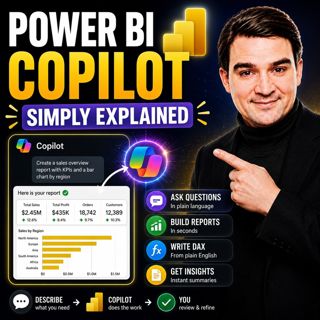
Power BI Copilot - Simply Explained

Power BI Copilot - Simply Explained

Power BI Copilot brings generative AI directly into Microsoft's business intelligence platform, helping users build reports, write DAX formulas, analyze data, and generate insights using natural langu...

13 Heinä 11min

Microsoft Security Copilot - Simply Explained

Microsoft Security Copilot - Simply Explained

Security teams face a common challenge: thousands of security alerts, limited staff, and not enough time to investigate every incident. Most alerts turn out to be harmless, but hidden among them can b...

12 Heinä 13min
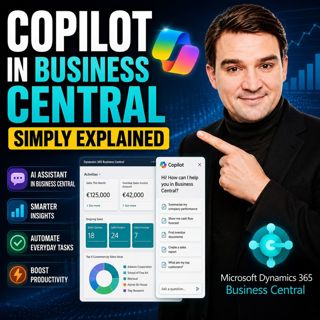
Copilot in Business Central - Simply Explained

Copilot in Business Central - Simply Explained

Microsoft Copilot is becoming a core part of Dynamics 365 Business Central, transforming it from a traditional ERP system into an AI-powered business assistant. Instead of switching between applicatio...

12 Heinä 11min
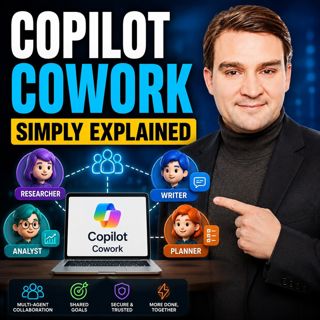
Copilot Cowork - Simply Explained

Copilot Cowork - Simply Explained

Microsoft Copilot changed how we interact with AI by helping us summarize emails, draft documents, and answer questions. But there's still one major problem: you're responsible for connecting everythi...

12 Heinä 13min

Copilot Skills - Simply Explained

Copilot Skills - Simply Explained

Copilot Skills are one of Microsoft's most important AI building blocks, yet they're also one of the most misunderstood. Depending on which Microsoft product you're using, the same concept appears und...

12 Heinä 13min

Microsoft Scout - Simply Explained

Microsoft Scout - Simply Explained

Microsoft has introduced a growing family of AI assistants, and Microsoft Scout represents the next major step in that evolution. While Copilot helps when you ask questions and Cowork executes multi-s...

12 Heinä 16min

Suosittua kategoriassa Politiikka ja uutiset

aikalisa
uutiscast
ootsa-kuullut-tasta-2
rss-ootsa-kuullut-tasta
rss-podme-livebox
otetaan-yhdet
rss-seksicast
politiikan-puskaradio
tervo-halme
aihe
rss-vaalirankkurit-podcast
rss-girls-finish-f1rst
rss-mina-ukkola
rss-aijat-hopottaa-podcast
rss-mita-tapahtuu
rss-merja-mahkan-rahat
rss-raha-talous-ja-politiikka
rss-tekoalyfoorumi
rss-asiastudio
rss-pinnalla