Microsoft Intune: A Simple Guide to Modern Device and Access Management in Microsoft 365

Microsoft Intune: A Simple Guide to Modern Device and Access Management in Microsoft 365

What Is Microsoft Intune Used For?

Most people still think Intune is just “mobile device management,” but in modern Microsoft 365 it’s really an access and protection layer that connects identity, devices, apps and data. In this episode, you’ll hear how Intune, Azure AD and Defender work together so you’re not just pushing policies to laptops—you’re shaping conditional, identity‑based access to corporate resources across work and personal devices. We walk from the old GPO world into an identity‑first model: Conditional Access, compliant devices, app protection policies and scenarios like contractors, BYOD and remote work that show why Intune has become a strategic part of your security and compliance story, not just an IT tool.

We start with the old world of classic device management and GPOs. On-premises, you mainly cared about domain-joined Windows devices on your network, and security meant “is the laptop configured correctly.” Today, users work from anywhere, on many different devices, across SaaS apps you don’t fully control. You’ll hear how Intune shifts the focus from managing just Windows machines to managing the combination of user, device posture and app, so security travels with the identity instead of being bound to a single network.

Then we zoom into what Intune actually does for you day-to-day. We cover core capabilities like device enrollment and compliance policies, app deployment and updates, configuration profiles, and security baselines that give you consistent, repeatable settings across your fleet. You’ll learn how Conditional Access uses Intune’s compliance signals to decide who gets in and who doesn’t, and how app protection policies help you protect corporate data even on personal devices—without fully managing the entire phone or laptop.

Finally, we tie Intune to business and compliance outcomes. It’s not just about “locking things down,” but about showing that only healthy, compliant devices access sensitive resources, that lost devices can be wiped, and that data stays within managed apps. By the end of the episode, you’ll be able to explain Intune in one sentence (“it makes sure only trusted users and devices can work with company data”) and know which features to focus on first for your own environment

WHAT YOU’LL LEARN
  • Why Intune is more than classic mobile device management in the Microsoft 365 era.
  • How Intune, Entra ID (Azure AD) and Microsoft Defender work together to secure access.
  • The basics of device enrollment, compliance policies, app deployment and app protection.
  • How Intune supports scenarios like BYOD, contractors and remote work while keeping data safe.
THE CORE INSIGHT

The core insight of this episode is that Intune is no longer “just an MDM tool”—it’s a key part of your identity-based security model. Once you see Intune as the policy and compliance engine behind Conditional Access, you stop thinking about it as a way to lock down devices and start using it to intelligently decide which combinations of user, device and app you actually trust with your company’s data.

WHO THIS EPISODE IS FOR
  • IT admins and architects who are new to Intune or only using a small part of its capabilities.
  • Security and compliance teams who need clearer guardrails for access from laptops, mobiles and BYOD devices.
  • Business and IT leaders who want a simple, non-technical way to understand where Intune fits in their Microsoft 365 security story.
ABOUT THE AUTHOR / HOST

Mirko Peters is a Microsoft 365 and endpoint management consultant and host of the M365.FM podcast, helping organizations move from legacy device management to modern, identity-based protection with Intune. He works with IT and security teams to design enrollment, compliance and app protection strategies so users can work from anywhere while company data stays under control.

Become a supporter of this podcast: https://www.spreaker.com/podcast/m365-fm-modern-work-security-and-productivity-with-microsoft-365--6704921/support.

Denne episoden er hentet fra en åpen RSS-feed og er ikke publisert av Podme. Den kan derfor inneholde annonser.

Episoder(740)

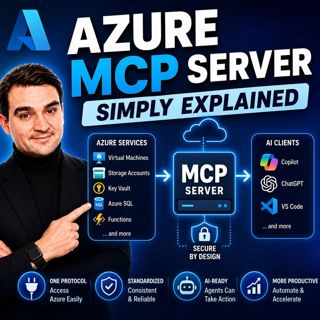
Azure MCP Server - Simply Explained

Azure MCP Server - Simply Explained

Artificial Intelligence is rapidly evolving from simply answering questions to actively performing real work. But for AI agents to become truly useful, they need secure access to cloud resources, data...

15 Jul 17min
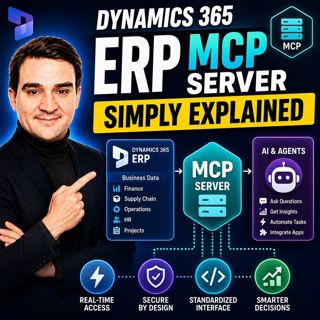
Dynamics 365 ERP MCP Server - Simply Explained

Dynamics 365 ERP MCP Server - Simply Explained

Artificial Intelligence is transforming how businesses interact with enterprise systems, but connecting AI assistants to ERP platforms has traditionally required custom APIs, complex integrations, and...

15 Jul 13min
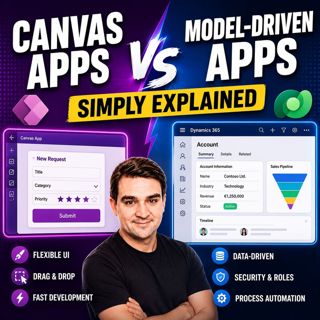
Canvas Apps vs Model-Driven Apps - Simply Explained

Canvas Apps vs Model-Driven Apps - Simply Explained

Microsoft Power Apps offers two primary ways to build business applications: Canvas Apps and Model-Driven Apps. At first glance they may appear similar, but they are designed for very different scenar...

15 Jul 15min

Infrastructure as Code - Simply Explained

Infrastructure as Code - Simply Explained

Managing cloud infrastructure by clicking through the Azure Portal might work for a single virtual machine, but it quickly becomes slow, inconsistent, and difficult to maintain as environments grow. I...

15 Jul 16min

Bicep - Simply Explained

Bicep - Simply Explained

Deploying Azure resources through the Azure Portal is great for learning, but it quickly becomes difficult to repeat, document, and automate. That's where Bicep comes in. In this episode, we explain M...

15 Jul 16min
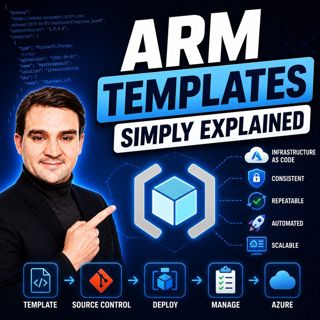
ARM Templates - Simply Explained

ARM Templates - Simply Explained

If you've ever built Azure resources by clicking through the Azure Portal, you've probably wondered how large organizations deploy identical environments over and over again without making mistakes. T...

15 Jul 15min

Teams Telephony - Simply Explained

Teams Telephony - Simply Explained

Microsoft Teams Telephony transforms Microsoft Teams into a complete cloud-based business phone system, replacing traditional office PBXs with a modern, software-powered solution. In this episode, we ...

15 Jul 17min
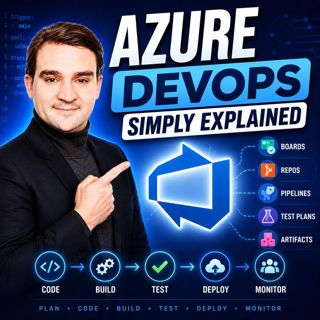
Azure DevOps - Simply Explained

Azure DevOps - Simply Explained

Azure DevOps is one of Microsoft's most comprehensive platforms for software development, yet many people mistakenly believe it's only for developers. In reality, Azure DevOps brings together project ...

15 Jul 17min

Populært innen Politikk og nyheter

giver-og-gjengen-vg
aftenpodden-usa
aftenpodden
fotballpodden-2
forklart
popradet
stopp-verden
det-store-bildet
rss-gukild-johaug
hanna-de-heldige
rss-ness
nokon-ma-ga
dine-penger-pengeradet
aftenbla-bla
rss-utenrikskomiteen-med-bogen-og-grasvik
lydartikler-fra-aftenposten
e24-podden
rss-penger-polser-og-politikk
rss-hor-na-krim-2
rss-espen-lee-usensurert