How to Set Up Data Loss Prevention (DLP) in Microsoft 365: Discovery, Classification and Policies That Actually Protect Your Sensitive Data

How to Set Up Data Loss Prevention (DLP) in Microsoft 365: Discovery, Classification and Policies That Actually Protect Your Sensitive Data

How to Set Up Data Loss Prevention (DLP) in Microsoft 365

Are you actually protecting your company’s data, or just ticking a compliance box? Most admins set up a few blanket DLP rules and assume they’re covered, only to discover later that sensitive files are still slipping through Teams chats, OneDrive syncs or email attachments. In this episode, I show you how to build a layered DLP strategy inside Microsoft 365—starting with real data discovery, then smart classification, and finally targeted policies—so you can tell the difference between policy paperwork and an actual protection system.

We start with the hidden map of your sensitive data. Every organization thinks they know where their critical files live—“in SharePoint,” “in OneDrive,” “mostly in Teams”—but Content Explorer and Activity Explorer often reveal a very different picture. You’ll hear how real‑world data sprawl happens: forecasts in personal OneDrive, HR reviews in Teams chats, customer lists in email threads, and how that makes broad, blind DLP rules either noisy or dangerously incomplete. By using Microsoft’s discovery tools first, you trade guesswork for evidence and design policies around where sensitive information actually flows, not where you hope it stays.

Then we move to drawing boundaries: classifying what really matters. Treat everything as highly sensitive and you suffocate productivity; treat nothing as special and you invite leaks. We explore how to balance built‑in sensitive information types with custom ones tailored to your business—contracts, IP, internal codes—and how to use auto‑labeling and manual labels together so protection follows the data without turning every save or send into a fight with the system. You’ll hear how over‑classification creates alert fatigue and workarounds, while well‑targeted classification turns labels and DLP from obstacles into quiet, reliable guardrails.

Finally, we assemble the full DLP system step by step. Starting from your discovery results and classification model, we walk through designing policies per channel (Exchange, SharePoint, OneDrive, Teams), deciding when to audit, warn or block, and testing rules in monitor‑only mode before you ever enforce anything. The outcome is a layered defense: visibility first, smart classification second, and calibrated DLP actions last—giving you fewer false positives, fewer accidental leaks and a configuration you can explain to auditors and users without crossing your fingers.

WHAT YOU’LL LEARN
  • Why guessing where sensitive data lives makes DLP noisy or blind.
  • How to use Content Explorer and Activity Explorer to map real data flows before writing policies.
  • How to classify what truly matters with built‑in and custom sensitive information types and labels.
  • How to design, test and roll out DLP policies that protect Exchange, SharePoint, OneDrive and Teams without breaking everyday work.
THE CORE INSIGH

The core insight of this episode is that DLP isn’t about writing more rules—it’s about understanding your data well enough that a small number of targeted, well‑tested policies can quietly protect what matters most. Once you discover, classify and then enforce in that order, Microsoft 365 stops being a leaky bucket and starts acting like the managed security system you thought you were configuring the first time.

WHO THIS EPISODE IS FOR
  • Microsoft 365 and security admins responsible for DLP and information protection.
  • Compliance and risk teams who need proof that sensitive data is actually being protected in daily workflows.
  • IT leaders who want to move from checkbox DLP to measurable reduction of real data‑loss risk.
ABOUT THE AUTHOR / HOST

Mirko Peters is a Microsoft 365, security and compliance consultant and host of the M365.FM podcast, helping organizations turn scattered policies and wishful thinking into evidence‑based data protection strategies in Microsoft 365. He works with security, compliance and IT teams to design discovery, classification and DLP models that fit how people actually work—so sensitive data protection becomes part of everyday flow instead of an afterthought.

Become a supporter of this podcast: https://www.spreaker.com/podcast/m365-fm-modern-work-security-and-productivity-with-microsoft-365--6704921/support.

Denne episoden er hentet fra en åpen RSS-feed og er ikke publisert av Podme. Den kan derfor inneholde annonser.

Episoder(740)

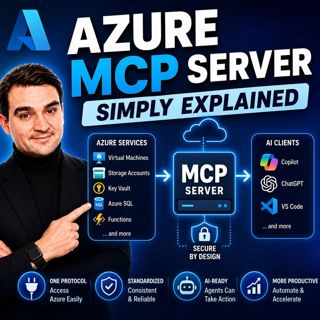
Azure MCP Server - Simply Explained

Azure MCP Server - Simply Explained

Artificial Intelligence is rapidly evolving from simply answering questions to actively performing real work. But for AI agents to become truly useful, they need secure access to cloud resources, data...

15 Jul 17min
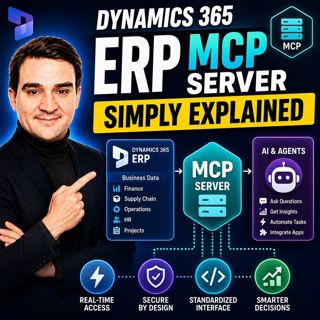
Dynamics 365 ERP MCP Server - Simply Explained

Dynamics 365 ERP MCP Server - Simply Explained

Artificial Intelligence is transforming how businesses interact with enterprise systems, but connecting AI assistants to ERP platforms has traditionally required custom APIs, complex integrations, and...

15 Jul 13min
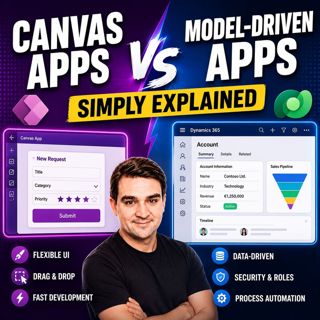
Canvas Apps vs Model-Driven Apps - Simply Explained

Canvas Apps vs Model-Driven Apps - Simply Explained

Microsoft Power Apps offers two primary ways to build business applications: Canvas Apps and Model-Driven Apps. At first glance they may appear similar, but they are designed for very different scenar...

15 Jul 15min

Infrastructure as Code - Simply Explained

Infrastructure as Code - Simply Explained

Managing cloud infrastructure by clicking through the Azure Portal might work for a single virtual machine, but it quickly becomes slow, inconsistent, and difficult to maintain as environments grow. I...

15 Jul 16min

Bicep - Simply Explained

Bicep - Simply Explained

Deploying Azure resources through the Azure Portal is great for learning, but it quickly becomes difficult to repeat, document, and automate. That's where Bicep comes in. In this episode, we explain M...

15 Jul 16min

ARM Templates - Simply Explained

ARM Templates - Simply Explained

If you've ever built Azure resources by clicking through the Azure Portal, you've probably wondered how large organizations deploy identical environments over and over again without making mistakes. T...

15 Jul 15min

Teams Telephony - Simply Explained

Teams Telephony - Simply Explained

Microsoft Teams Telephony transforms Microsoft Teams into a complete cloud-based business phone system, replacing traditional office PBXs with a modern, software-powered solution. In this episode, we ...

15 Jul 17min

Azure DevOps - Simply Explained

Azure DevOps - Simply Explained

Azure DevOps is one of Microsoft's most comprehensive platforms for software development, yet many people mistakenly believe it's only for developers. In reality, Azure DevOps brings together project ...

15 Jul 17min

Populært innen Politikk og nyheter

giver-og-gjengen-vg
aftenpodden-usa
aftenpodden
fotballpodden-2
forklart
popradet
stopp-verden
det-store-bildet
rss-gukild-johaug
hanna-de-heldige
rss-ness
nokon-ma-ga
dine-penger-pengeradet
aftenbla-bla
rss-utenrikskomiteen-med-bogen-og-grasvik
lydartikler-fra-aftenposten
e24-podden
rss-penger-polser-og-politikk
rss-hor-na-krim-2
rss-espen-lee-usensurert