How to Balance M365 Security, Compliance and Productivity Without Breaking Your Portals

How to Balance M365 Security, Compliance and Productivity Without Breaking Your Portals

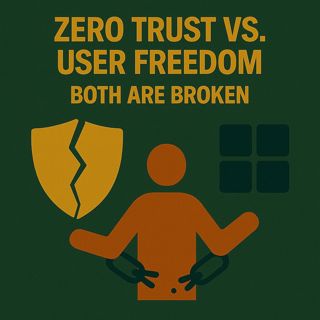
Zero Trust vs. User Freedom: Both Are Broken

Zero Trust diagrams look perfect in slide decks, and “let people do whatever they want” feels great in the short term—but both extremes fall apart the moment they hit real users and real systems. In this episode, we walk through why all‑in Zero Trust models quietly create workarounds and shadow IT, how wild‑west freedom turns into security incidents and rebuild projects, and why the only sustainable path is a balanced design where security, compliance and everyday work all win at the same time.

We start with what happens when you go all‑in on Zero Trust. Every door gets its own lock: MFA prompts spike, sharing is blocked by default, external access turns into a maze of approvals, and marketing or legal teams need IT just to send a file to a partner. On paper it’s safer; in practice, people prop doors open—forwarding files to private accounts, using unapproved tools, or begging for permanent exceptions just to hit deadlines. The result isn’t better protection, it’s a system where frustrated users quietly undermine the controls you worked so hard to build.

Then we swing to the other extreme: total user freedom. Everyone gets local admin rights, can install whatever they like and share data however they want. It feels empowering until one wrong click installs malware or a misconfigured app exposes sensitive information to the internet. We revisit real‑world stories where “just make everyone an admin so they can work” led to ransomware, data loss and long nights rebuilding environments from backup—all because convenience completely outpaced guardrails.

From there, we zoom into the real battleground: the admin portals. Tiny changes in SharePoint, Teams, Entra ID or MFA policies look harmless on screen but cascade across the entire organization. A single tightened sharing setting breaks contract workflows, a stricter MFA rule locks out travellers, a misaligned permission change blocks external collaboration—none of it obvious from the checkbox itself. We explain why portals can’t be treated as a pile of isolated toggles; they’re a connected system where security, usability and compliance all move together, whether you intend it or not.

Finally, we outline what a balanced M365 model actually looks like. Instead of chasing perfection at either extreme, you design policies as system‑level dials: strong identity and least privilege as the foundation, targeted MFA and conditional access where risk is highest, and collaboration settings that are safe by default but don’t block the core work of the business. You learn how to test changes in the real world, listen to friction signals from users, and adjust until CISO, GDPR officer and frontline staff can live with the same setup—because anything that only works for one of them will eventually fail all three

WHAT YOU’LL LEARN
  • Why pure Zero Trust and pure user freedom both break down in practice.
  • How small portal changes in M365 can unintentionally block key workflows or create bypasses.
  • How to think in system‑level trade‑offs instead of isolated “secure vs. not secure” switches.
  • What a balanced, sustainable security model looks like for real collaboration in Microsoft 365.
THE CORE INSIGHT

The core insight of this episode is that you can’t win by maximizing security or freedom in isolation—M365 is a connected system where extreme settings simply push people into workarounds or expose you to unnecessary risk. Once you treat portals and policies as a network of trade‑offs and design for balance from the start, you stop choosing between “lockdown” and “chaos” and start running an environment where protection and productivity reinforce each other.

WHO THIS EPISODE IS FOR
  • CISOs, security and compliance leaders pushing Zero Trust in Microsoft 365.
  • IT admins responsible for day‑to‑day portal settings, MFA, sharing and permissions.
  • Business and department leaders stuck between strict policies and frustrated teams.
ABOUT THE AUTHOR / HOST

Mirko Peters is a Microsoft 365 security and governance consultant and host of the M365.FM podcast, helping organizations tune their M365 environments so Zero Trust principles, regulatory demands and real‑world work all fit into one coherent design. He works with security, IT and business stakeholders to turn scattered portal settings into a balanced operating model—so you can protect identities, data and workflows without turning users into your biggest security risk

Become a supporter of this podcast: https://www.spreaker.com/podcast/m365-fm-modern-work-security-and-productivity-with-microsoft-365--6704921/support.

Denne episoden er hentet fra en åpen RSS-feed og er ikke publisert av Podme. Den kan derfor inneholde annonser.

Episoder(738)

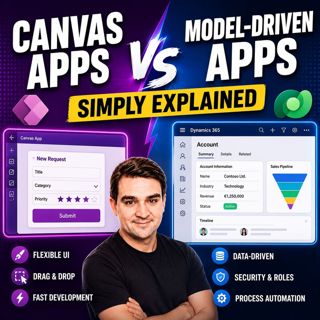
Canvas Apps vs Model-Driven Apps - Simply Explained

Canvas Apps vs Model-Driven Apps - Simply Explained

Microsoft Power Apps offers two primary ways to build business applications: Canvas Apps and Model-Driven Apps. At first glance they may appear similar, but they are designed for very different scenar...

15 Jul 15min

Infrastructure as Code - Simply Explained

Infrastructure as Code - Simply Explained

Managing cloud infrastructure by clicking through the Azure Portal might work for a single virtual machine, but it quickly becomes slow, inconsistent, and difficult to maintain as environments grow. I...

15 Jul 16min
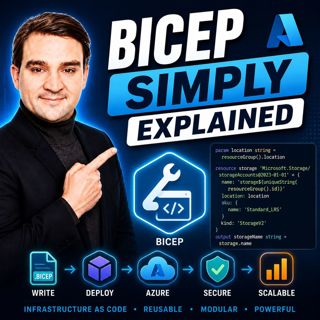
Bicep - Simply Explained

Bicep - Simply Explained

Deploying Azure resources through the Azure Portal is great for learning, but it quickly becomes difficult to repeat, document, and automate. That's where Bicep comes in. In this episode, we explain M...

15 Jul 16min

ARM Templates - Simply Explained

ARM Templates - Simply Explained

If you've ever built Azure resources by clicking through the Azure Portal, you've probably wondered how large organizations deploy identical environments over and over again without making mistakes. T...

15 Jul 15min

Teams Telephony - Simply Explained

Teams Telephony - Simply Explained

Microsoft Teams Telephony transforms Microsoft Teams into a complete cloud-based business phone system, replacing traditional office PBXs with a modern, software-powered solution. In this episode, we ...

15 Jul 17min
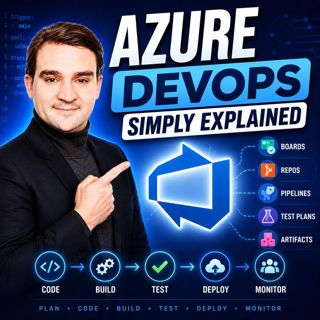
Azure DevOps - Simply Explained

Azure DevOps - Simply Explained

Azure DevOps is one of Microsoft's most comprehensive platforms for software development, yet many people mistakenly believe it's only for developers. In reality, Azure DevOps brings together project ...

15 Jul 17min
PowerShell - Simply Explained

PowerShell - Simply Explained

PowerShell is one of Microsoft's most powerful technologies, yet many people only see it as a black command window. In reality, it's a complete automation platform that combines a command-line shell, ...

15 Jul 15min

Dataverse - Simply Explained

Dataverse - Simply Explained

Microsoft Dataverse is one of the most important services in the Power Platform ecosystem, yet many people assume it's simply another database. In reality, Dataverse is much more than storage. It's a ...

15 Jul 18min

Populært innen Politikk og nyheter

giver-og-gjengen-vg
aftenpodden-usa
aftenpodden
fotballpodden-2
forklart
popradet
stopp-verden
det-store-bildet
rss-gukild-johaug
hanna-de-heldige
rss-ness
nokon-ma-ga
dine-penger-pengeradet
aftenbla-bla
rss-utenrikskomiteen-med-bogen-og-grasvik
lydartikler-fra-aftenposten
e24-podden
rss-penger-polser-og-politikk
rss-hor-na-krim-2
rss-espen-lee-usensurert